Log in to join the conversation.
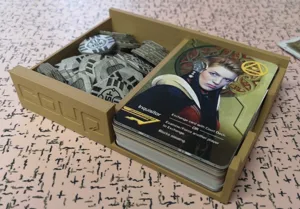
Flamecraft Board Game Organizer/Insert
Please support gexgecko by Liking/Boosting their Print on Printables.
Optimized for 0.8 or 0.4 nozzle, and 0.32 layer height.
Edit: Added a .f3d file for anyone who needs to make mods or remixes
Since @olivvybee already has a good minimalist insert created for Flamecraft, I figured I'd make one that was pointlessly “extra” instead.
That includes:
- print-in-place (1.5x3mm) magnets for the resource trays (there are also version of these files with holes so you can post-insert-and-glue magnets if you prefer)
- optional inlay on the resource tray lid
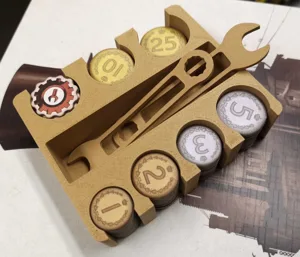
- fancy boi coin fountain
- (optional) dragonscale patterns slathered over everything
I also decided to keep all the coins and resources in ‘trays’ instead of dispensers, again just as a counterpoint to the other model (although I think it keeps gameplay a small bit faster at the expense of organization). You can always mix-and-match between the two designs if you prefer @olivvybee's dispenser-style.
Also note that I have designed these parts with ‘side storage’ in mind, e.g. the way the scoring hearts are locked in by the player dragons. The heights will also keep the resources from spilling out when the box is closed and on the side (that's the goal anyway). That is also the reason why the small card tray is higher than it needs to be.
Since the magnets are lil' weak 1.5x3mm, the resource trays have slot for 2 each (3mmx3mm), but I caution you that the magnet hold is still very weak, and should not be considered structural .
For the print-in-place versions, you'll need to add pauses in your slicer so you can insert the magnets. Ideally you would use a brass nozzle for this (non-magnetic), but if you have a steel nozzle like me, you'll need to add a dab of hot glue over them after dropping them in place to avoid the nozzle grabbing them out again.
Always check your magnet directions before installing!
The Trays should snap together on the flat edges, and the lid should snap on top of both in this config (see images).
The Printables model viewer has an ‘X-Ray’ mode in case you need a better idea of where the hidden magnet cavities are.
For the inlay, simply:
1. Add the inlay centre it, print with no brim
2. Keep the bed hot! Set your printer to heat up right after the inlay print is done
3. Print the lid right over the existing inlay on the build plate
If your Z-levels are not 0.32, you may need to scale the inlay so it is only a single layer.
Printed parts shown here are 0a+1a, 2a (x2), 3a, 4a, 5a, 6
Pictured is Duramic3D “Wine Red” PLA+

/pic8857417.jpg)
More by gexgecko