Design by Ramy Badie
Art by Ramy Badie · Published by ADC Blackfire Entertainment
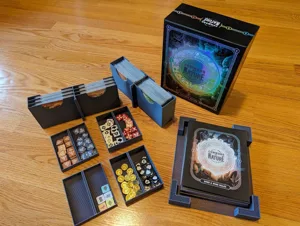
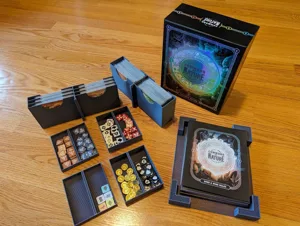
Harness the magic of the forest and go head-to-head with your rivals in this strategic deck-building game for 2 or 4 players. You’ll play as a powerful Sage, summoning warriors from the Twig, Leaf, Droplet, and Pebble factions and fighting to prove your prowess. As the battle continues, you’ll level up and gain access to extraordinary abilities and fierce new recruits. Protect your Sage at all costs and vanquish your opponents to earn the title of Master of the Elements!
How to PlayYour turn is divided into four phases:
Phase 1
During Phase I, you’ll use daybreak effects denoted on the cards in your formation! You may use those effects in any order during Phase I of your turn. If you continue to Phase II without using a daybreak effect, you may not use it later in your turn.
Phase 2
During Phase II, you'll have 4 Action Points (AP) to spend doing any of the following:
- Summon an Elemental from your hand to the formation
- Play a Command card from your hand
- Swap the positions of 2 connected Elementals in your formation
- Draw a card from your deck
As the game progresses, you'll be able to unlock special Faction Actions after you've defeated 4, 6, and 8 of your opponents Elementals! Faction Actions are powerful abilities that give you a leg up during the game.
Phase 3
During Phase III, you may use your gold to buy cards from the markets, sell cards to collect more gold, and refresh the markets.
Phase 4
During Phase IV, you’ll clean up your hand before ending your turn. Do this by discarding any number of cards from your hand, then draw from your deck until you have 5 cards in your hand. If you have more than 5 cards in your hand when you reach Phase IV of your turn, you must discard cards until you have no more than 5.
The game ends when your opponent's Sage has been defeated!
-description from publisher
Animals, Card Game, Children's Game, Fantasy · Action Points, Command Cards, Deck, Bag, and Pool Building, Delayed Purchase, Hand Management, Income, Interrupts, Open Drafting, Tags, Take That
More ▾
View on BGG ↗
/pic8377325.jpg)