Design by Geoffrey Greer
Published by Past Go Gaming
OVERVIEW
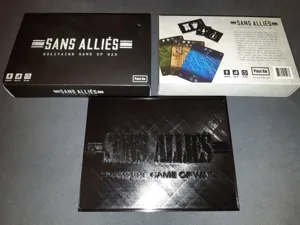
Sans Alliés (French: “without allies”) is a solitaire card game where you command 20th century troops and technology, pushing through an enemy nation bent on developing a vile super-weapon. Sans Alliés takes the feel of a grand-strategy, area-movement war game and compresses it into a tight little solo package, playable in about an hour.
GAME PLAY
The enemy nation is represented by an assortment of "region" cards arranged as a layered pyramid, with the "enemy capital" card at the top of the pyramid. Meanwhile, the enemy's "progress" towards completion of an ultimate weapon is represented by a proximity track along the side of the pyramid, which possibly increases each turn. The object of the game is to capture or claim the enemy capital card before the enemy succeeds in completing his weapon.
No region card can be removed from the pyramid until either one or both of the cards laid atop it are removed first. Therefore, you will need to capture region cards at the lowest level of the pyramid first, working your way up the pyramid in stages. Each attempt to capture a region is called an "invasion." To conduct invasions, you gather various military unit cards from your draw deck (separate from the enemy nation deck). These units have strength values, while each level of the pyramid has a defensive value. You have to amass enough strength and the right types of units to attempt an invasion on a given region, and then a roll of the dice determines whether you lose (discard) this entire invasionary force, or save a few, or lose more than expected, and are possibly forced to retreat.
Along the way, you can capture select region cards called resource centers, and/or you can invade select zones to liberate prison camps. These achievements not only increase the number of cards you draw on a turn, but also grant you the ability to improve your units strength values, and they introduce tactical developments that give you more dynamic choices in battle, including an Ultimate Weapon of your own.
Card Game, Modern Warfare, Print & Play, Wargame · Dice Rolling, Modular Board, Solo / Solitaire Game
More ▾
View on BGG ↗