Log in to join the conversation.
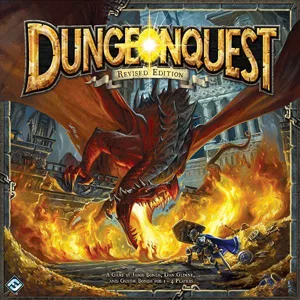
DungeonQuest (revised edition) insert & organizer with tile tower
Please support ClixAccessories by Liking/Boosting their Print on Thingiverse.
DungeonQuest organizer that doubles as a tile tower and card holders.
**please note** - There are two sets of files, one for use with sleeved cards and one without. I sleeved my cards with Ultra Pro Matte sleeves, so they're pretty thick. If your cards aren't sleeved or you use thinner sleeves, you might be able to get away with the second set of files, in which the card holders aren't as tall and there is storage under them for the figures and such.
If using sleeved cards print...
- DQ_TileTower
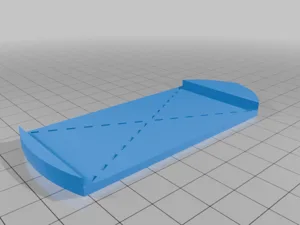
- DQ_TileTowerCap (optional, but it makes taking the tower out of the box easier)
- DQ_Spacer (optional, but keeps things from sliding if storing vertically)
- DQ_FigureBox (print 6 of these)
- DQ_CardTray1_slv
- DQ_CardTray2_slv
- DQ_CardTray3_slv
- DQ_TokenBoxTop
- DQ_TokenBoxBottom
Place the figures in the Figure Boxes and drop them into any Card Tray spot that they fit in. Place the 3 cards that don't have Card Tray spots (Monster, Rune, & Combat) on top of any Figure Boxes where they'll fit. When it's time to play, simply pull out the Card Trays and set them on the board. Set the Tile Tower next to the board and tiles can be pulled from the bottom of the stacks.
If not using sleeves (or very thin sleeves) print...
- DQ_TileTower
- DQ_TileTowerCap (optional, but it makes taking the tower out of the box easier)
- DQ_Spacer (optional, but keeps things from sliding if storing vertically)
- DQ_CardTray1_noslv
- DQ_CardTray2_noslv
- DQ_CardTray3_noslv
- DQ_UnderCardBox (print 3 of these)
- DQ_TokenBoxTop
- DQ_TokenBoxBottom
The Under Card Boxes will go underneath the Card Trays and will provide extra space for tokens and figures.
Insert I created.
/pic8890658.png)
More by ClixAccessories