Log in to join the conversation.
Custom Token Case Generator for Board Games
Please support fuchsr by Liking/Boosting their Print on Printables.
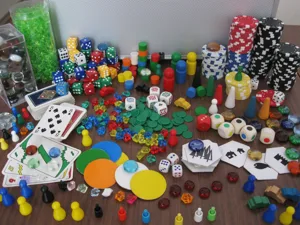
Many board games come with cheap cardboard tokens that after a short while begin to fray at the edges.
So I came up with this OpenSCAD script to generate custom protective cases for any regular shaped tokens.
The output is two parts, a smaller top part and a larger bottom part. Insert the token into the top, then push it all down into the bottom part. I suggest using a tiny drop of superglue to keep the parts together. IMHO, clear PLA looks great with these cases.
Version 2.5 (July 1, 2026) Fixed notch position for rectangle and circle
But wait… OpenSCAD? What's that?! I mean… do I need to learn how to write code?
No, you don't! It's actually very simple, and you don't need to “speak SCAD” to build your very own token cases.
On MakerWorld, you can use the in-build SCAD customizer.
Or download OpenSCAD and do it locally. Here's a step-by-step guide for using OpenSCAD to create your token cases.
•
If you don't have OpenSCAD, download the nightly build from https://openscad.org/downloads.html#snapshots and install it following the standard installation procedure for your computer platform. The nightly builds are very stable, the last “official” release is years old and hopelessly out of date.
•
Open the app and go to Preferences>Advanced>3D Rendering. Make sure Backend>Manifold is selected, to get a huge gain in speed.
•
Download the “Token Case Generator.scad” file from the Files section here and save it somewhere in a convenient place on your local computer.
•
Launch OpenSCAD.
•
Use File>Open File to load the file “Token Case Generator.scad” you downloaded earlier.
•
You should see the Customizer on the right. If not, go to the Window menu and uncheck Hide Customizer.
•
Select the appropriate Customizer options (see below). If needed, press F5 or go to the Design>Preview menu command after you've made changes, to update the image of the model.
•
When you're happy with the results, press F6 or go to Design>Render to render the model. Rendering may take some time, so please be patient. Watch the progress bar at the bottom right of the window.
•
Press F7 or go to File>Export to STL and save the model as an .stl file.
•
Load the .stl file into PrusaSlicer, slice, and print.
There are just a handful of input parameters to set:
Type Rectangle, Circle/Oval, Hexagon, Triangle, Pentagon.
W Token and L Token are the dimensions of the token.
For squares, L is ignored. For rectangles, W and L are the lengths of the sides.
For circles, W is the diameter, L is ignored. For ovals, W and L are the lengths of the axes.
For equilateral triangles, pentagons, and hexagons, W is the length of a side, L is ignored.
H Token is the height (or thickness) of the token.
Rim Width defines how wide the small rim is that holds the token in place. It can be adjusted in case the rim obscures important text on the token.
Inner Tolerance defines how much space there is between the token and the surrounding case and can be increased to make it easier to fit the token in, if needed. (Obviously, simply increasing the values wToken and lToken would have the same effect.)
The script doesn't do any serious range checking so if you enter stupid values, the script may blow up.
v2.5 (July 1, 2026) Fixed notch position for rectangle and circle
v2.4 (May 14, 2026) Added option for pentagon.
v2.3.2 (Jan 26, 2026) Added option to have notch or not
v2.3.1 (Feb 11, 2024): Fixed triangular and hexagon shapes. Renamed some modules . Fixed height of rim and logic of moving parts apart.
v2.2 (Sep 4, 2023): Added option for triangular shapes.
v2.1 (Apr 11, 2020): Added range and steps to customizer to allow for steps less than 1 mm.
v2.0 (Feb 20, 2020): Added option to generate hexagonal shapes. Fixed a small preview issue.
v1.0 (Feb 12, 2020):Initial public release.
… consider buying me a coffee or joining my Club .
Custom Token Case Generator