Log in to join the conversation.
Dominion Box Inserts
Please support Henry by Liking/Boosting their Print on Printables.
Replacement box organizers for the Dominion base game (2nd edition) and several of the expansions. These inserts are designed for use with cards sleeved with non-premium sleeves , such as those from sleevedominion.com*. I do not expect these to work with premium sleeved cards.
• 09JUNE2023 - Added Adventures v2 files as well as the Adventures Token Organizer (ATO) box. This box is sized similarly to Zach's boxes, but it is much taller. It does not fit anywhere in the original box inserts card slots. It also looks like a rad design stolen straight from Saved by the Bell.
• 17MAY2023 - Added Seaside 2nd Ed. files.
• 13MAY2023 - Added Prosperity 2nd Ed. v2 files to better fit Zachrandir's boxes.
• 06MAY2023 - Added Intrigue 2nd Ed. files.
• 05MAY2023 - Added Renaissance v2 files. The slots for the wood tokens and coins were resized to more closely match the size of Zachrandir's token boxes.
• 04MAY2023 - Added .stl files for Dark Ages
• 03MAY2023 - Initial Release
Each model is provided in two ways:
• Quadrants
• Full Size
The full size model is 288.5 x 288.5mm and should print on larger printers such as a Prusa XL or an Elegoo Neptune Plus.
If I didn't mess up the Quadrant models, they should print on “normal” sized printers such as the Prusa Mini or larger. I'm doing all of my printing on a MK3S+. If I did mess them up, you can always cut up the full size model in your preferred slicer to whatever size you need.
Once printed, the four quadrants can be placed directly into the game/expansions bottom box. These inserts are heavy, weighing in at about 700g (1.5 lbs). I suggest taping or gluing the quadrants together to improve the strength. Personally, I tape the four quadrants together with small pieces of packing tape, then wrap the entire outer perimeter in packing tape. This adds significant strength when you pick up the box from a corner without supporting the bottom.
Once the quadrants are printed, you'll need to arrange them properly. I didn't add anything to them to ensure they're arranged correctly, but there's only four parts. Jigsaw puzzles for toddlers start out at 9 parts, so I don't anticipate problems. All slots should line up reasonably well with the card guides.
These parts do not require significant strength, keep in mind that they're replacing very flimsy plastic. I used the following settings for printing:
• First layer = 0.2mm
• One bottom layer - Realistically, the part doesn't need a bottom layer, but will need at least a brim to assist in adhesion. Using a single bottom layer, instead of a brim, will add about 15 minutes to the print time, but also adds significant (though unnecessary) strength to the final part.
• 0.6mm nozzle with 0.4mm layer height - This cuts down printing time significantly, but 0.4mm nozzle is perfectly fine for printing this model.
• Lightning infill at either 10% or 15% - Again, we don't need a lot of strength for this part, so lightning infill is fantastic on this model.
There's a CardSlotTest model that is provided. This model contains four slots for cards, intended to hold 10, 15, 30, and 40 cards each. This can be printed to ensure that your sleeved cards will fit nicely before you commit to printing a large model.
Slice the model at a Z height of 28mm, keeping the lower portion and discarding the top. Then slice it again at a height of 26.5mm, keeping the upper part this time.
This isn't a super quick print, but if you do this for each quadrant, you can put your card guide in the slot and verify that each of the card slots lines up. You can also attempt to slip your cards through the test prints to make sure they'll fit.
https://www.printables.com/model/310337-dominion-token-boxes
These things are fantastic! Zachrandir devised a simple storage solution that slips right into the original box inserts. There are a couple of different thicknesses of his boxes, some for narrow slots and some for wider slots.
As I create these inserts, I've been adding in appropriately sized slots for these boxes.
I can still design a box insert. I'll just need the following information:
• A scan of the card guide for the expansion. Preferably, this is taken on a flatbed scanner at 300 DPI.
• The number of cards that go into each slot
• For example, in Renaissance, Border Guard has 10 cards plus the horn and the lantern for a total of 12 cards.
• Any oddities about the expansion that need to be resolved
• For example, in the Plunder expansion, there are 40 types of kingdom cards shoved into 20 slots that are each meant for 10 cards. My updated Plunder insert breaks these up into individual slots of appropriate sizes.
I can possibly update the design to allow for the thicker cards. I'll need to know what brand of sleeves you're using and how thick a stack of 10 cards, 15 cards, 20, and 30 cards is. There will likely be a bit of back and forth between us as I spin up some test models, but we should be able to make it happen.
* I am neither affiliated with nor do I endorse sleevedominion.com. I only use their sleeves and made these organizers to fit them. I'd expect most thin-style sleeves to be similar and likely work in this organizer.
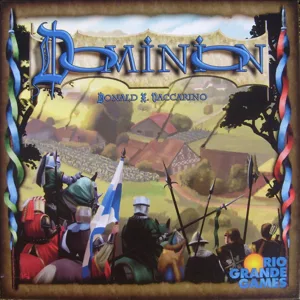 Dominion 2008
Match filament
/pic7035290.jpg) Dominion: Plunder 2022
✔
Dominion: Plunder 2022
✔
/pic4250088.jpg) Dominion: Renaissance 2018
✔
Dominion: Renaissance 2018
✔
/pic2374911.jpg) Dominion: Adventures 2015
✔
Dominion: Adventures 2015
✔
/pic1321190.jpg) Dominion: Dark Ages 2012
✔
Dominion: Dark Ages 2012
✔
/pic1747320.jpg) Dominion: Prosperity 2010
Dominion: Prosperity 2010
Show 35 more
✔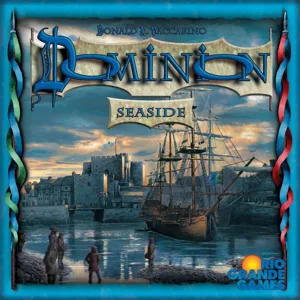 Dominion: Seaside 2009
1
Dominion: Seaside 2009
1
/pic8157036.jpg) Dominion: Cornucopia & Guilds – Update Pack 2024
Dominion: Cornucopia & Guilds – Update Pack 2024
/pic8184091.jpg) Dominion: Rising Sun 2024
Dominion: Rising Sun 2024
/pic8342856.jpg) Dominion: Farm 2023
Dominion: Farm 2023
/pic6399550.jpg) Dominion: Allies 2022
Dominion: Allies 2022
/pic6920901.jpg) Dominion: Hinterlands – Update Pack 2022
Dominion: Hinterlands – Update Pack 2022
/pic6903954.jpg) Dominion: Prosperity – Update Pack 2022
Dominion: Prosperity – Update Pack 2022
/pic6859130.jpg) Dominion: Seaside – Update Pack 2022
Dominion: Seaside – Update Pack 2022
/pic7632143.png) Dominion: Verlies 2021
Dominion: Verlies 2021
/pic5153393.jpg) Dominion: Menagerie 2020
Dominion: Menagerie 2020
/pic7528621.png) Dominion: Sammler-Box 2020
Dominion: Sammler-Box 2020
/pic4896003.png) Ancient Times (fan expansion for Dominion) 2019
Ancient Times (fan expansion for Dominion) 2019
/pic3635906.jpg) Dominion: Erweiterung – Basisspiel & Die Intrige 2017
Dominion: Erweiterung – Basisspiel & Die Intrige 2017
/pic3677538.jpg) Dominion: Nocturne 2017
Pirate's Life (fan expansion for Dominion) 2017
Dominion: Nocturne 2017
Pirate's Life (fan expansion for Dominion) 2017
/pic3115954.jpg) Animals (fan expansion for Dominion) 2016
Animals (fan expansion for Dominion) 2016
/pic2868179.jpg) Dominion: Empires 2016
Dominion: Empires 2016
/pic3187291.jpg) Dominion: Intrigue – Update Pack 2016
Dominion: Intrigue – Update Pack 2016
/pic3187290.jpg) Dominion: Update Pack 2016
Dominion: Update Pack 2016
/pic4971664.jpg) Stadt Land Spielt Minierweiterungen 2016 2016
Stadt Land Spielt Minierweiterungen 2016 2016
/pic2522762.jpg) Dominion: Guilds & Cornucopia 2015
Dominion: Guilds & Cornucopia 2015
/pic7947393.jpg) Dominion: Alchemisten & Reiche Ernte – Mixbox 2014
Dominion: Alchemisten & Reiche Ernte – Mixbox 2014
/pic2056570.jpg) Dominion: Die Intrige – Erweiterung 2014
Dominion: Die Intrige – Erweiterung 2014
/pic3027148.jpg) Dominion: Fan-Edition I 2014
Dominion: Fan-Edition I 2014
/pic1646917.jpg) Dominion: Guilds 2013
Dominion: Guilds 2013
/pic2477322.png) Duel (fan expansion for Dominion) 2013
Duel (fan expansion for Dominion) 2013
/pic1601844.png) Warmonger (fan expansion for Dominion) 2013
Warmonger (fan expansion for Dominion) 2013
/pic1386620.jpg) Paradox (fan expansion for Dominion) 2012
Paradox (fan expansion for Dominion) 2012
/pic950200.jpg) Dominion: Cornucopia 2011
Dominion: Cornucopia 2011
/pic1077695.jpg) Dominion: Hinterlands 2011
Dominion: Hinterlands 2011
/pic698779.jpg) Dominion: Alchemy 2010
Dominion: Alchemy 2010
/pic3373830.png) Fairy Tale (fan expansion for Dominion) 2010
Fairy Tale (fan expansion for Dominion) 2010
/pic874455.jpg) Royal Court (fan expansion for Dominion) 2010
Royal Court (fan expansion for Dominion) 2010
/pic839778.jpg) Salvation (fan expansion for Dominion) 2010
Salvation (fan expansion for Dominion) 2010
/pic1190633.jpg) The Books of Magic (fan expansion for Dominion) 2010
The Books of Magic (fan expansion for Dominion) 2010