Log in to join the conversation.
Dune Imperium Box Organizer with Labels
Please support pacorn by Liking/Boosting their Print on Printables.
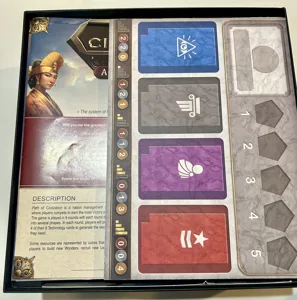
I added labels to the bottom of most trays. The labels will show up even if you print each model in 1 color. They'll just be a little faint. If you follow the directions below and change filament colors at the identified layers, you can get the writing/symbols in a different color.
You'll need 4 player trays and one of the other trays.
Instructions for multiple colors
For most of the trays, you should print them at 0.2 layer height. Start printing with your primary color. The layers where you need to switch filament colors are shown in the list below. Before the first layer number in the list starts, switch to the color you want the writing to be in. Before second layer number in the list starts, switch back to the primary color. This works for:
• Leader cards: 3 & 5
• Reserve cards: 4 & 6
• Intrigue cards: 3 & 5
• Conflict cards: 3 & 5
• House Hagal cards: 4 & 6
• Imperium cards: 3 & 5
• Tech tiles: 4 & 6
• Card divider: 4 & 7
I use the Filament Change Post Processing Script in Cura to program the printer to stop before the layers where filament changes are needed until I change the filament.
The Resources tray is more complicated, if you want 3 different colors for the symbols. First, you will need to print it at 0.15 layer height. Switch to the following colors before the indicated layer starts:
• Primary color at Layer 1 (start with this color)
• Blue before Layer 3 starts
• Grey before Layer 5 starts
• Orange before Layer 7 starts
• Primary color before Layer 9 starts

/pic9655101.jpg)
/pic8350442.jpg)
/pic6972857.png)
/pic6982671.jpg)