Log in to join the conversation.
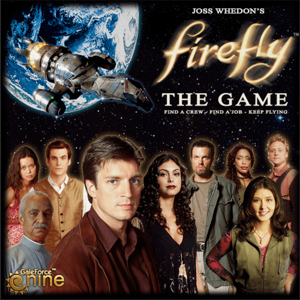
Deck holders: Firefly the Board Game
Please support TechShop2 by Liking/Boosting their Print on Printables.
While there are several great deck holders available, unfortunately they didn't work so great for the cards when they had a card slip over them. I also wanted to practice with Fusion 360, so I made this design. Considering that this is my third design, I think it came out pretty decent.
I still have a lot to learn, so I welcome some suggestions for improvements.
Note: I am using the Robo R1 +, unfortunately they don't have that option yet.
Update 2/12/2016: I have uploaded three versions of the card holder.
Version one is basically my original design. It takes a bit more time and filament than the other two designs, but is fairly certain to print nicely. It also should require no supports.
Version 2 has the sides thinned out to cut back on filament and time printing. It only offers a minor improvement for both over version 1. No supports should be needed, though the side parts can wobble a bit during printing.
Version 3 is the most efficient as far as filament and time, but may print best with some supports.
I have included a Fusion 3D export file, just let me know if you need some other file format. I would also welcome some input on which design works the best. Thank you, and have a great day. :-)
Printer Brand:
Robo 3D
Printer:
R1 ABS + PLA Model
Rafts:
No
Supports:
No
Resolution:
.3
Infill:
100
Notes:
I printed the first version with the fast settings, simply to see if it really would really not require any supports. It seems to do perfectly fine. My second attempt printing it was on medium settings, in order to see if there were any improvements in quality. All considered, the increase in quality really didn't do much for it.
I tried to optimize the design for using less filament, so changing the infill will only save a small amount of filament and time, it isn't really worth it.
It took about 3 hours for me, with the fast settings. It isn't amazing, but it is not horrible either. I will see if I can find ways to shave the time down more.
Just a side note, I print it with the back end facing up. I am still getting used to alignment in Fusion, so the models are kinda oddly placed. Feel free to ask me for clarification on anything.
Category: Games
/pic3421222.jpg)
/pic2514191.jpg)
/pic2514194.jpg)
/pic2566969.jpg)
/pic2052563.jpg)
/pic1887114.jpg)
/pic2369496.jpg)
/pic1804695.jpg)