Log in to join the conversation.
Parametric Compact Travel Game Box
Please support tjdesign by Liking/Boosting their Print on Printables.
I've been getting a lot of requests to make a compact box for dozens of games, but now you can do it too! Post your models to share them with the community! But please don't sell anything derived from my model. If you remix please list the game and some details such as year, card size, language, and country. I've found a lot of issues from different versions of the game, so that information is extremely useful.
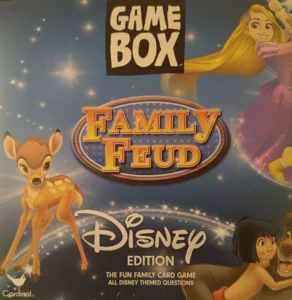
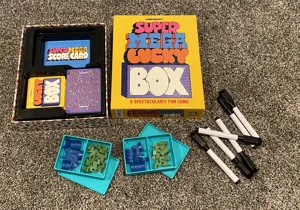
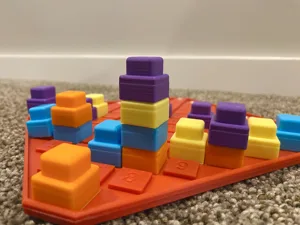
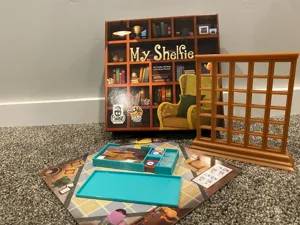
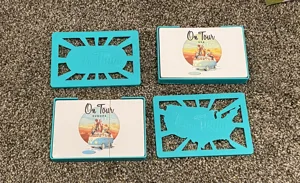
Pictured are some things I've made from this basic outline. All you need are some calipers, and Fusion360 (free with a personal use license) . Also a fillet gauge like this is handy but not necessary.
STEP files and f3d files included. Watch out when modifying the STEP file because the lid is included.
Notched Lids: The lids have small notches to align the lid closed. They should be slightly loose and snap shut with a click, and shouldn’t fall out if shaken. If the lid is too tight you can lightly sand the edges until fit. If too loose, reprint and increase the size by .1 or .2mm in the long direction only.
INSTRUCTIONS: Beginner Friendly
Open up the file in Fusion360. Both files are really the same, one just has a corner radius for the cards if you are not sleeving them. If sleeving cards you want the edges to be square.
Click the “Modify” Tab and select “Change Parameters”. Get your calipers and measure your deck of cards. Add 1mm-2mm to every dimension, but also check the notes I have written.
Card_width (short side of the cards)
Card_length (long side of the cards)
Rules_width (short side of the rules, will sit on top of the deck near the lid) Note: Rules dimensions must be greater than (or equal to) card dimensions to work properly.
Rules_length (long side of the rules)
Deck_height (height of the full stack of cards)
Rules_thickness (how thick the rules are in the z direction)
Card_radius (the radius of the cards corner if you want it to match. If not put 0, or 0.1, there may be a single step that goes red if you do this, you can delete it.)
Enter in all of the dimensions and the card box will fit to your dimensions.
Add a sketch to the top and sides of your box to decorate and/or add the name of the game. Use a site such as SVG converter to change a picture into an svg and add the svg to your sketch. Be careful not to connect the lid to the box. Export them separately and print!
A basic knowledge of Fusion360 will be helpful, but there are hundreds of videos on Youtube to help. If you have more experience play around! If you are struggling with a certain piece let me know and I'll try to help--though sometimes I don't see comments, so message me!
_______________________________________________________________________________________
Check out all my free designs here on Printables! If you want to support my work and all of the free designs I bring to the community consider buying something from my Etsy shop or my Printables Store .