Log in to join the conversation.
In the Footsteps of Darwin Thematic Organizers
Please support tjdesign by Liking/Boosting their Print on Printables.
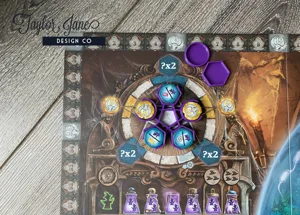
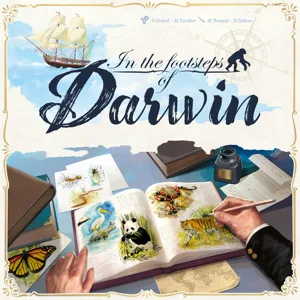
Play your game in style with these gorgeous and functional accessories.
EDIT 7/8/25: New pieces for the expansion available here .
Print one of each file as oriented. For printing dual colors, right click the object in your slicer > Split > to PARTS. Then select the desired color for each part. (To make this step quicker, make the entire object the color you want for the DECOR first, then after splitting make the main piece the correct color.)
If you don't have a multicolor printer you can add color to the top layers using a Layer Height Color Change: In your slicer you can add a pause/color change at the appropriate layer. This is a different process depending on the slicer, but usually follows these steps. Slice the object, then drag until you reach the layer you want to change color. Right click on the layer bar and select “Add Color Change” or “Change Filament”. Reslice the object and check to be sure you have selected the correct layer. Your printer will either pause and walk you through a color change, or automatically change color.
ASSEMBLY: To assemble the hinges place a small scrap of filament through the hole. Clip ends until 1-2mm sticks out each side. Using a flame or heat source carefully melt the ends and press flat against a hard surface.
Use 4 magnets size 6x2mm. Use my Magic Magnet Tool to get the polarity correct. One drop of superglue is all you need!
Replace the Darwin bust with this 3D printable one . (Scale to an appropriate size.)
---------------------------------------------------
If you want to support my work and all of the free designs I donate to the community consider buying something from my Etsy shop or my Printables Store .
/pic8632603.png)