Log in to join the conversation.
Take A Number
Please support tjdesign by Liking/Boosting their Print on Printables.
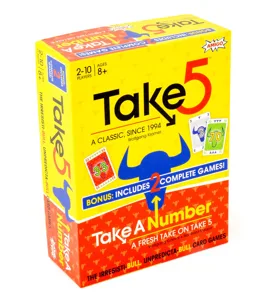
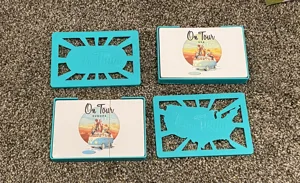
This is a quick mockup for Take a Number based on my Take 5 box. Be sure to print the standard version for plain cards and the sleeved version if you are using sleeves. Tested with Sleeve Kings Standard USA, but should fit others as well. Also the suffix sc means single color, and _mc means multicolor.
Notched Lids: The lid has small notches to align the lid closed. They should be slightly loose and snap shut with a click, and shouldn’t fall out if shaken. If the lid is too tight you can lightly sand the edges until fit. If too loose, reprint and increase the size by .1 or .2mm in the notched direction only.
Multicolor printing: In your slicer right click the object and select Split>to parts . Select the colors for printing. PRO TIP: first make the entire object the color of the design and then you only have to change the color of the main piece instead of every small piece.
Layer Height Color Change: In your slicer you can add a pause/color change at the appropriate layer. This is a different process depending on the slicer, but usually follows these steps. Slice the object, then drag the viewer until you reach the layer you want to change color. Right click on the layer bar and select “Add Color Change” or “Change Filament”. Reslice the object and check to be sure you have selected the correct layer. Your printer will either pause and walk you through a color change, or automatically change color.
Happy Gaming!
---------------
If you love board games check out my 100+ free designs here on Printables! Or my Cascadia and Landmarks insert for purchase on Printables . And check out the designs for sale at my Etsy shop Taylor Jane Design Co.