LayerUp Games
Games ▾
All Games
My Games My Game Wishlist
3D Models ▾
All Game 3D Models Tabletop Accessories
Kanban BG My Prints My Future Prints
Makers ▾
Makers Designers
Contribute ▾
Submit a 3D Model Request a 3D Model 3D Model Bounties
Print Resources
Unboxing ▾
Today's Puzzle
Leaderboard Archive
Theme
Light
Dark
⌘K
Sign In Register
When I Dream

When I Dream

2016
Submit a 3D Model

Buy this game on Amazon ↗

As an Amazon Associate, LayerUp Games earns from qualifying purchases.

Cover Colors

Main colors from the cover art. Find matching filament, or tap swatches to narrow.

Hide matches ▴
Game Details

Design by Chris Darsaklis

Art by Jonathan Aucomte, Éric Azagury, Cyrille Bertin +15 more · Published by Drawlab Entertainment

#1348
Rank
6.9
Rating
1.2
Weight
4–10
Players

The night has fallen and your mind is floating in the magical world of dreams. But the Dream Spirits want to have some fun tonight! They are giving their best and the dreams become strange and surreal. Become the dreamer, put on your sleeping mask and try to figure out your dream and which spirits are the Naughty ones. Become a good spirit and help the Dreamer by giving him clues about the dream before the naughty spirits mess it up. Close your eyes and dive in! At the beginning of each round of When I Dream one player takes the role of the Dreamer and "falls asleep", wearing a cloth mask. The other players are secretly dealt their role cards determining what kind of spirits they are "good" or "naughty" or if they are just "tricksters" changing sides as the game goes by. The whole round lasts 120 seconds in which the spirits are drawing "Dream" cards depicting a specific element of the dream, trying to describe them to the dreamer using one word each. The dreamer can guess what the element of the Dream is at any time, placing the card to the good spirits team side if the guess was correct and in the naughty spirits pile if it was not. At the end of the round the Dreamer and the good spirits get a point for every card in the good spirits pile, when the naughty spirits get one point for every card in the naughty spirits pile. The tricksters get points according to how well balanced the two teams were at the end of the round, gaining extra points if they managed to equally balance the two piles. At the end of the round, the dreamer must use the words he guessed and story-tell his dream for extra points before he opens his eyes. You can learn how to play in a few minutes and have a great laugh right from the start. Each role is challenging and entertaining giving the game more depth according to the player’s imagination, providing a wonderful experience with a unique dream every round.

Deduction, Party Game, Real-time, Word Game · Communication Limits, Hidden Roles, Memory, Role Playing, Storytelling, Team-Based Game

More ▾

View on BGG ↗

1 3D model for When I Dream

1 designer · newest 7mo ago

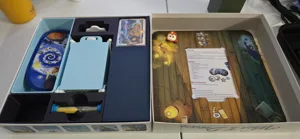
When I Dream - Boardgame Organizer w/ Replacement Pillow
Inserts
Printables Tyler Velvin 3

Don't see the print you need? Request it

Expansions (1)

When I Dream: Bonus Cards
2017 · no prints yet
Show only expansions with prints

You might also like

Similar games by designer or mechanics that also have prints.

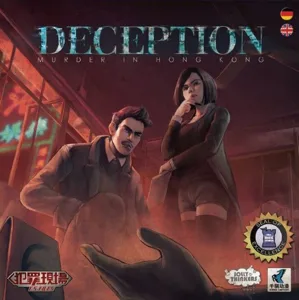
Deception: Murder in Hong Kong
14 prints
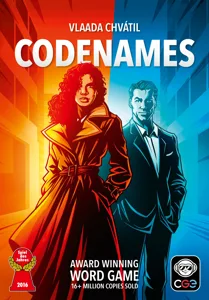
Codenames
Codenames
111 prints
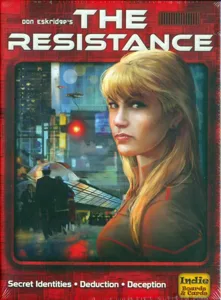
The Resistance
The Resistance
18 prints
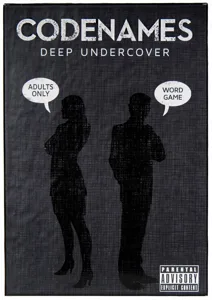
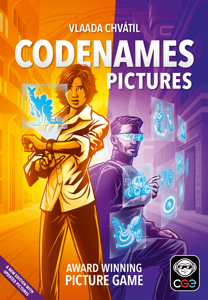
Codenames: Pictures
Codenames: Pictures
19 prints
Codenames: Marvel
Codenames: Marvel
1 print
Feed the Kraken
Feed the Kraken
16 prints
Board Games Game Prints Accessories Designers Photos Stats Submit a 3D Model Request a 3D Model
About Privacy Contact Tabletop Glow Up VisualSpool Discord
Powered by BoardGameGeek Powered by BoardGameGeek
Made with by Kamio · © 2026 LayerUp Games · Not affiliated with any platform
↑↓ navigate ↵ open esc close

Keyboard shortcuts

General
CtrlKOpen the command palette
/Jump to the page search
EscClear search · close dialogs
?Show this help
In the command palette
↑↓Move between results
↵Open the selected result
EscClose the palette
Open the command palette →