Log in to join the conversation.
Nine Spirits' Islands – 3-box organizer for ALL Spirit Island content, optimized for 1 to 9+ players
Please support FireJuun by Liking/Boosting their Print on Printables.
This is a near complete remake of js500’s openSCAD design . Overarching goals were:
•
Three boxes, no lid lift
•
Easy game setup and breakdown
•
Can fully support 9 players (archipelago)
•
Major/minor deck, for up to 6 spirits
•
Power progression deck, for up to 7 spirits
•
GitHub repo
•
openSCAD files, to see version-controlled changes
•
BGG post
•
printable files, such as Power Progression Deck cards and overlays
•
Q&A
•
9 islands
•
6 individual islands (A-F)
•
3-island board from the Horizons expansion (F, G, H)
•
44 fear tokens
•
9x4 premium/regular (box2)
•
2x4 overflow (box3)
•
If you ever need more than 44 fear, consider using a 0-99 health/point counter
•
20 scenario tokens
•
8 numbered, 12 blank (box3)
•
104 Defense tokens (box1)
•
x16 of #’s 1-3
•
x8 of #’s 4-10
•
Tokens originated here
•
Resized to 97% to fit in box1
•
Defense holders designed from scratch
•
Can also use a token to track turn number
•
Element tracker boards x8 (box3)
•
Original idea here
•
Redesigned to match this organizer’s theme
•
Player-ready board (box2)
•
Turn-order board (box2)
If you have at least the base game + JE + Horizons expansions, you have 9 maps. You can play this game archipelago style with an unlimited number of players now, which works especially well if you put newer players alongside experienced ones. We’ve had a number of incredibly fun 7 - 9 spirit games on a single table. 3-island archipelagos seem like a sweet spot for newer players, but do whatever is fun.
This setup works as is for 9 players as long as 3+ pick a low complexity spirit with a power progression deck. Otherwise, just keep an extra major/minor deck handy for every 6 players or large archipelago. If Ocean is in play, we house-rule a hard cap of 4-6 health / energy gain (4 for newer players).
The biggest issues with larger player counts are when people:
•
Don’t know what phase we’re in
•
Don’t know when others are ready
•
Don’t know which elements are available for their innate powers
•
Run out of element tokens
The turn-order board and player-ready boards in box2 address issues 1 and 2. The element-tracker boards + extra tokens in box3 address issues 3 and 4. These make for a cleaner experience overall.
I don't sleeve the larger adversary/scenario cards, but I think this should work if you move the England build card into the box3 spirit panel holder. If not, just raise the scenario/adversary card holders' dimensions in the openSCAD file and print fewer element trackers (I use 2.5m thickness per row of trackers).
I use classic (greyboard) spirit panels for all spirits including Horizons. Every time we tried with foil/cardstock, most players asked to swap to the thicker boards. You can use classic/greyboard spirit panels or foil/cardstock with this setup, but there isn't enough space to use both.
•
Modify box1 to support smaller box sizes
•
(can accept a PR if someone wants to do the quick math / 3mm decreases and a test print)
•
Update my randomizers to include "Summary of Powers" content
•
Update my fear bin so fear tokens slide more easily from one section to the other
I essentially "vibe-coded" the OpenSCAD code with Gemini Pro – extended settings. Gemini Flash didn't work at all for this type of logic and usually made the code worse. The "advanced math/code" setting with Pro was really helpful for figuring out basic geometry, which I then modified by hand in code.
PNG/SVG sources:
•
Spirit Island Wiki
•
Spirit Island Builder ( GitHub )
•
Custom PNG -> SVG conversions via Inkscape
•
Some images / cards were made directly in Figma ± Word
•
NO AI was used for image generation or manipulations
This project shines with a multifilament printer. I used a 0.4mm nozzle with standard settings @ 0.2mm for the majority of this print. For adversaries, I used high quality @ 0.08mm to make the flags look clean. No need for supports on any print.
Note: If re-importing lids from box3 (island x2, fear x1), you need to import the lid + text STL files together into your slicer as a single object. That will let you assign multiple colors on a flat first layer, which looks nicer than an engraving, IMO.
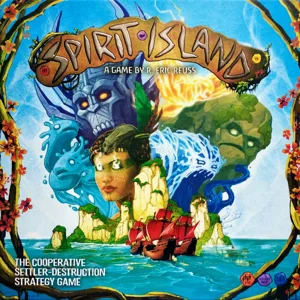 Spirit Island 2017
Match filament
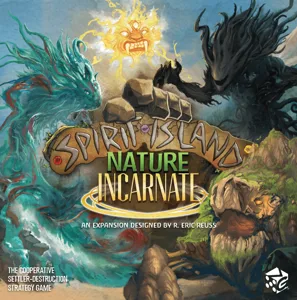 Spirit Island: Nature Incarnate 2023
2
Spirit Island: Nature Incarnate 2023
2
/pic7781787.jpg) Spirit Island: Sonnenheller Wirbelwind 2023
Spirit Island: Sonnenheller Wirbelwind 2023
/pic7781791.jpg) Spirit Island: Unterirdisch lauernde Reißzähne 2023
Spirit Island: Unterirdisch lauernde Reißzähne 2023
/pic7791797.jpg) Spirit Island: Wachende Augen in Bäumen 2023
Spirit Island: Wachende Augen in Bäumen 2023
/pic7781790.jpg) Spirit Island: Zunehmende Hitze in Stein und Sand 2023
Spirit Island: Zunehmende Hitze in Stein und Sand 2023
Show 8 more
/pic7126074.jpg) Spirit Island: Feather & Flame 2022
Spirit Island: Feather & Flame 2022
/pic6379053.jpg) Spirit Island: Finder unsichtbarer Wege 2021
Spirit Island: Finder unsichtbarer Wege 2021
/pic7825275.jpg) Spirit Island: Jagged Earth 2020
Spirit Island: Jagged Earth 2020
/pic6378919.jpg) Spirit Island: Seele des Flächenbrands 2019
Spirit Island: Seele des Flächenbrands 2019
/pic4643776.jpg) Spirit Island: Unter der Insel schlummernde Schlange 2018
Spirit Island: Unter der Insel schlummernde Schlange 2018
/pic7010668.jpg) Spirit Island: Branch & Claw 2017
Spirit Island: Branch & Claw 2017
/pic3971988.png) Spirit Island: Champions of the Dahan Token Pack 2017
Spirit Island: Champions of the Dahan Token Pack 2017
/pic3972430.png) Spirit Island: Expansion Playmat 2017
Spirit Island: Expansion Playmat 2017