Log in to join the conversation.
Caverna: Cave vs Cave insert (incl. expansion Era II)
Please support RiftForge 3D3 by Liking/Boosting their Print on Printables.
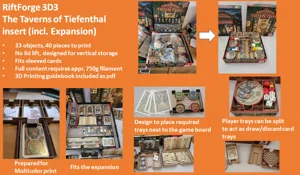
My contribution for an Insert for Caverna: Cave vs Cave incl. the expansion Era II.
As for other inserts I create I aim for the following (in priority order):
• Enhance setup and tear-down part
• No need for covers of boxes but designed for horizontal and vertical storage
• Opted to store sleeved cards (as unsleeved cards will fit as well) -> not relevant for this game
• Try to be as lightweight and resourceful as possible.
I hope I have achieved my goal.
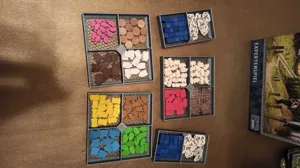
For this design (as Era II is played after Era I is concluded) I split the building tiles as well as the resources for each player into individual areas. The action tiles can be taken out (1,2,3) individually during setup, mixed, and placed down. The action tile for section 4 is placed in front of the other 4 action tiles for Era II. The building tray has a small intention in order to let the bigger player board sit in place. The player trays sit on top of the action selection board of Era I. In that way, everything is locked into place.
The total amount of filament should be appr. 120g of your preferred filament (depending on the settings). I printed all tiles with 10% honeycomb infill with no top or bottom layer. For the action tile storage, I added a top layer starting at layer height 38.2 (to be on the safe side).
I'm open to suggestions & feedback
Have fun printing
Printer Brand:
MK3
Printer:
Prusa i3
Rafts:
No
Supports:
No
Resolution:
0.2
Infill:
10% Honeycomb
Filament:
GST3D PLA+
White
Category: Toy & Game Accessories