LayerUp Games
Games ▾
All Games
My Games My Game Wishlist
3D Models ▾
All Game 3D Models Tabletop Accessories
Kanban BG My Prints My Future Prints
Makers ▾
Makers Designers
Contribute ▾
Submit a 3D Model Request a 3D Model 3D Model Bounties
Print Resources
Unboxing ▾
Today's Puzzle
Leaderboard Archive
Theme
Light
Dark
⌘K
Sign In Register
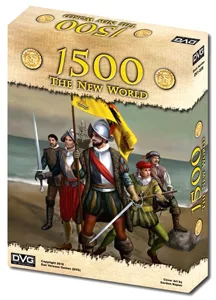
1500: The New World

1500: The New World

2017
Submit a 3D Model

Buy on Amazon ↗

As an Amazon Associate, LayerUp Games earns from qualifying purchases.

Cover Colors

Main colors from the cover art. Find matching filament, or tap swatches to narrow.

Hide matches ▴
Game Details

Design by Dan Verssen

Art by Gordon Napier · Published by Dan Verssen Games (DVG)

#26817
Rank
5.5
Rating
1.8
Weight
2–6
Players

Description from the publisher: 1500 - The New World is a board game for 2 to 6 players! Each game sets-up in 10 minutes and plays in under a hour! The fast flowing game play is perfect for casual and serious gamers ages 12 and up! Each player selects a color for their tokens, and then places their Victory tokens and Royal Support tokens on the map. They also gather their Colony tokens in front of them in preparation for conquest! Set-up concludes with each player receiving their starting cards. During your turn, you get to play those cards. Cards can be played for their text. There are two types of cards: Action cards are tan, and you play them during your turn. Reaction cards are red and are played in reaction to other players' playing cards. Each player, on their turn, can play as many Action cards as they are able to. Every card can also be played to perform one of several basic actions. A card can be played to do any of the following: build a colony, reduce a colony, repair a colony, or adjust Royal Support. Once you have finished playing cards, you get to tally up your points for the turn. You receive one point for each successful colony you have on the map, and a bonus of two more victory points for each of your export or regional monopolies! Each of the other players then takes a turn. Once everyone has had a turn, advance the Time Counter. The game ends when you move the Turn token into the Game Over square. The winner of the game is the player with the most Victory Points!

City Building, Civilization, Pike and Shot · Area Majority / Influence, Area Movement, Campaign / Battle Card Driven, Simulation

More ▾

View on BGG ↗

1 3D model for 1500: The New World

1 designer · newest 7y ago

1500 The New World insert
Inserts
Thingiverse Jlele 2

Don't see the print you need? Request it

Expansions (5)

1500: The New World – Portugal Expansion
2018 · no prints yet
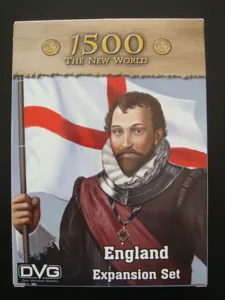
1500: The New World – England Expansion
2017 · no prints yet
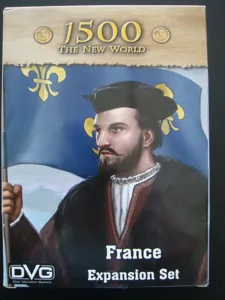
1500: The New World – France Expansion
2017 · no prints yet
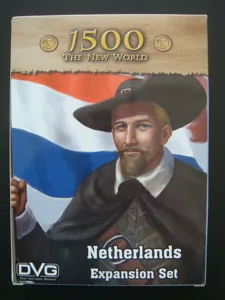
1500: The New World – Netherlands Expansion
2017 · no prints yet
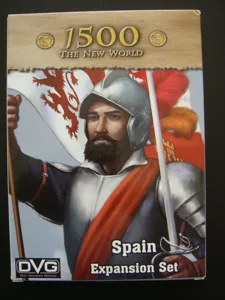
1500: The New World – Spain Expansion
2017 · no prints yet
Show only expansions with prints

You might also like

Similar games by designer or mechanics that also have prints.

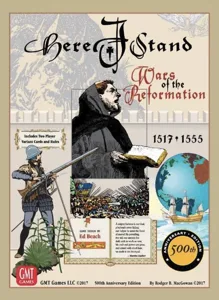
Here I Stand: 500th Anniversary Edition
1 print
Dune: War for Arrakis
39 prints
Wallenstein
Wallenstein
7 prints
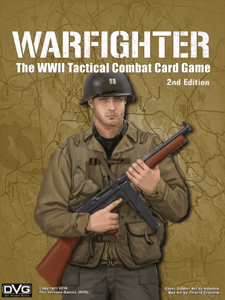
Warfighter: The WWII Tactical Combat Card Game
2 prints
Warfighter: The Tactical Special Forces Card Game
2 prints
Warfighter: The WWII Pacific Combat Card Game
1 print
Board Games Game Prints Accessories Designers Photos Stats Submit a 3D Model Request a 3D Model
About Privacy Contact Tabletop Glow Up VisualSpool Discord
Powered by BoardGameGeek Powered by BoardGameGeek
Made with by Kamio · © 2026 LayerUp Games · Not affiliated with any platform
↑↓ navigate ↵ open esc close

Keyboard shortcuts

General
CtrlKOpen the command palette
/Jump to the page search
EscClear search · close dialogs
?Show this help
In the command palette
↑↓Move between results
↵Open the selected result
EscClose the palette
Open the command palette →