LayerUp Games
Games ▾
All Games
My Games My Accessories
Game Shelf Sleeve Stash Sleeve Catalog
3D Models ▾
All Game 3D Models Tabletop Accessories
Kanban BG My Prints My Future Prints My Collections
Blog
Community ▾
Makers Designers
Submit a 3D Model Request a 3D Model 3D Model Bounties
3D Printing Resources
Unboxing #56
Theme
Light
Dark
⌘K
Sign in Join free
Azincourt

Azincourt

Layer by Layer
Flag this page

Sign in to flag this page. Nothing changes right now either way - it tells an admin to look.

Buy this game on Amazon ↗

As an Amazon Associate, LayerUp Games earns from qualifying purchases.

Game Details

Several versions of the battle have been produced. Each has been contrived to show a historic resolution, fun for the English player, depressing for the French. Azincourt (French spelling) is a unique approach. The French might have had more coordinated leadership. They might not have been so intent on an easy victory, and as a result been so careless. They might have taken advantage of the vulnerable English advance. They might have waited for the English to wear themselves out crossing the muddy field and allowed Henry to make the first attack. They might have employed their crossbows to better effect. Had they better control of their troops, crowded conditions would not have reduced combat effectiveness. Finally, had they considered avenues for retreating units, disruption of fresh units would not been such a problem. In Azincourt I address a number of these what-ifs but, moreover, I offer players the unique mechanic of commanding one flank of each opposing army. In effect players play BOTH the French AND the British. It works out much better than you would expect. Since the English line is necessarily pretty static, there is little problem in coordinating an English defense while splitting command of the French in the face of the enemy mirrors the historically poor French command. Azincourt is a card assisted, counter and hex game utilizing large colorful counters and a variety of aids that allows for a key battle component which other versions neglect to emphasize - the capture of nobles for ransom. Integral to Azincourt play is the capture of these nobles, English and French (including King Henry), of varying value. Ah and then there are the complications that such nobles bring. Wounded nobles become easy targets. Captured nobles make targets of their captors. Then there are Henry's terrible archers ... who WILL run out of arrows, and then what? To add to the game's variety is a random set-up and reinforcemnt schedule that toys with a number of possible historical possibilities. Playtesting has been a blast so far but continues so no publisher has yet committed. Still, all in good time...

Medieval, Wargame · Campaign / Battle Card Driven, Dice Rolling, Hexagon Grid

More ▾

View on BGG ↗

John Poniske , designer

(Looking for a publisher) , publisher

2–4
Players

0 3D models for Azincourt

Submit a 3D Model

No 3D model files yet.

Know of one? Submit a 3D Model, or request one to let the community know.

You might also like

Similar games by designer or mechanics that also have 3D models.

Commands & Colors: Medieval
1 model
Commands & Colors: Medieval – Expansion #1 Crusades Mid-Eastern Battles I
1 model
Memoir '44
Memoir '44
99 models
Star Wars: Battle of Hoth
10 models
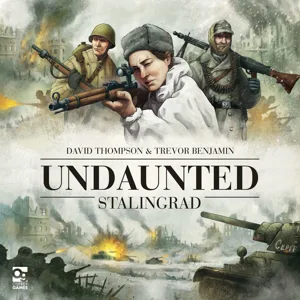
Undaunted: Stalingrad
7 models
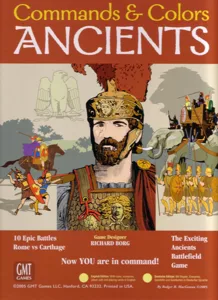
Commands & Colors: Ancients
4 models
Board Games Game Prints Accessories Designers Photos Stats Submit a 3D Model Request a 3D Model
Blog Guides About Privacy Contact VisualSpool Discord
Powered by BoardGameGeek Powered by BoardGameGeek
The newsletter

Join the LayerUp Newsletter and be notified of new blog posts and 3D model reviews/articles.

Made with by Kamio · © 2026 LayerUp Games · Not affiliated with any platform
↑↓ navigate ↵ open esc close

Keyboard shortcuts

General
CtrlKOpen the command palette
/Jump to the page search
EscClear search · close dialogs
?Show this help
In the command palette
↑↓Move between results
↵Open the selected result
EscClose the palette
Open the command palette →