LayerUp Games
Games ▾
All Games Sleeve Catalog
My Games My Game Wishlist My Accessories
3D Models ▾
All Game 3D Models Tabletop Accessories
Kanban BG My Prints My Future Prints My Collections
Makers ▾
Makers Designers
Contribute ▾
Submit a 3D Model Request a 3D Model 3D Model Bounties
3D Printing Resources
Unboxing ▾
Today's Puzzle
Leaderboard Archive
Theme
Light
Dark
⌘K
Sign In Register
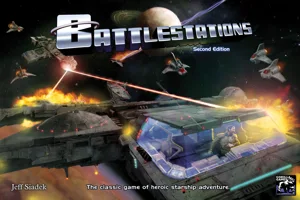
Battlestations

Battlestations

2004
Flag this page

Sign in to flag this page. Nothing changes right now either way - it tells an admin to look.

Buy this game on Amazon ↗

As an Amazon Associate, LayerUp Games earns from qualifying purchases.

Game Details

Box 11 × 11 × 2 in (27.9 × 27.9 × 5.1 cm) · Revised 1.1 edition (2008). Editions vary, check your copy before printing an insert.

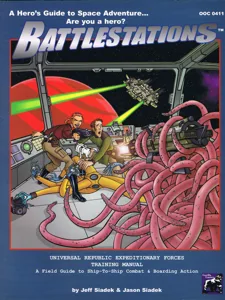
In Battlestations, you and your friends each play the role of a crew member on a starship that faces whatever grief the Enemy player throws at you. You'll blast enemies, pull outrageous maneuvers, unlock the secrets of alien cultures, and crank the last bit of juice out of an overtaxed engine while trying not to get yourself, your crew, or your starship blown to bits in the process. In more detail, one player acts in the role of The Enemy and controls aliens, evil characters and any surprises that will come up. The other players take the role of starship crew. Players first build a ship with various tiles, with each tile representing a different location on a ship, such as a bridge, engine room, torpedo room, teleporter room, etc. Players can go to the appropriate room to take the designated action. At the same time, the game is played on a second board representing the space around the ship. The game is played in scenarios. The goal of the game is to complete the scenario specific mission. The crew will win, as a team, if the scenario goals are accomplished.

Science Fiction, Wargame · Dice Rolling, Grid Movement, Hexagon Grid, Role Playing, Scenario / Mission / Campaign Game, Square Grid, Team-Based Game

More ▾

View on BGG ↗

Jeff Siadek , designer

Todd Boyce , A. D. Hamilton , Patrick Morgan +1 more , artist

Gorilla Games , publisher

#3754
Rank
7.1
Rating
3.4
Weight
2–8
Players
Cover Colors

Main colors from the cover art. Find matching filament, or tap swatches to narrow.

Matching filament

0 3D models for Battlestations

Submit a 3D Model

No 3D model files yet.

Know of one? Submit a 3D Model, or request one to let the community know.

Expansions (9)

Battlestations: How Much for Your Planet?
2012 · no models yet
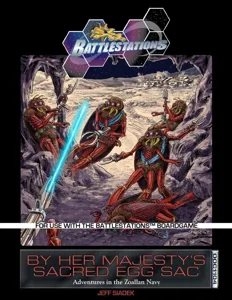
Battlestations: By Her Majesty's Sacred Egg Sac
2011 · no models yet
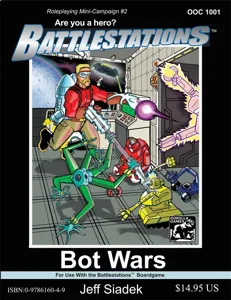
Battlestations: Bot Wars
2010 · no models yet
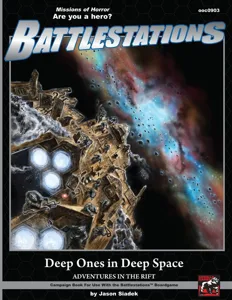
Battlestations: Deep Ones in Deep Space
2009 · no models yet
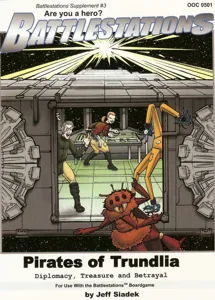
Battlestations: Pirates of Trundlia
2007 · no models yet
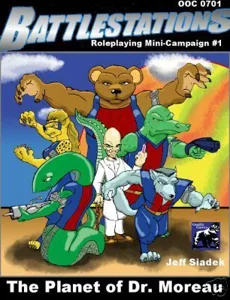
Battlestations: The Planet of Dr. Moreau
2007 · no models yet
Battlestations: Pax Galacticum
2006 · no models yet
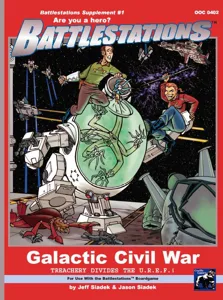
Battlestations: Galactic Civil War
2005 · no models yet
Battlestations: Core Rulebook
2004 · no models yet
Show only expansions with models
Reimplemented by: Battlestations: Second Edition 2017 0 Battlestations: Lightspeed 2027 0

You might also like

Similar games by designer or mechanics that also have 3D models.

Star Wars: Imperial Assault
22 models
Stars of Akarios
Stars of Akarios
1 model
HeroQuest
HeroQuest
216 models
Dominate & Delegate
Dominate & Delegate
1 model
Car Wars
Car Wars
1 model
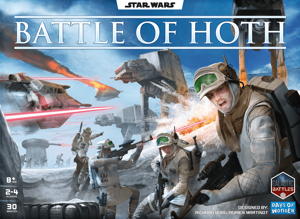
Star Wars: Battle of Hoth
11 models
Board Games Game Prints Accessories Designers Photos Stats Submit a 3D Model Request a 3D Model
About Privacy Contact Tabletop Glow Up VisualSpool Discord
Powered by BoardGameGeek Powered by BoardGameGeek
Made with by Kamio · © 2026 LayerUp Games · Not affiliated with any platform
↑↓ navigate ↵ open esc close

Keyboard shortcuts

General
CtrlKOpen the command palette
/Jump to the page search
EscClear search · close dialogs
?Show this help
In the command palette
↑↓Move between results
↵Open the selected result
EscClose the palette
Open the command palette →