LayerUp Games
Games ▾
All Games Sleeve Catalog
My Games My Game Wishlist My Accessories
3D Models ▾
All Game 3D Models Tabletop Accessories
Kanban BG My Prints My Future Prints My Collections
Makers ▾
Makers Designers
Contribute ▾
Submit a 3D Model Request a 3D Model 3D Model Bounties
3D Printing Resources
Unboxing ▾
Today's Puzzle
Leaderboard Archive
Theme
Light
Dark
⌘K
Sign In Register
Brilliant Or BS? Trivia Party Game

Brilliant Or BS? Trivia Party Game

2019
Flag this page

Sign in to flag this page. Nothing changes right now either way - it tells an admin to look.

Buy this game on Amazon ↗

As an Amazon Associate, LayerUp Games earns from qualifying purchases.

Game Details

Brilliant Or BS? is a 4-6 player party game for know-it-alls and big fat liars! Players read multiple choice trivia questions and earn points by predicting which of the other players guessed correctly before answers are revealed. Can you tell when your friends are BSing? Play this hilarious party game and find out. There are six different categories of trivia including Sports, Entertainment, Food & Drink, Science & Technology, Geography and History. Players take turns being the Judge by reading one yellow question card and the three multiple choice answers. The other players have 10 seconds to respond by placing one of their A-B-C answer cards face down. Starting with the player to the Judge’s left and going clockwise, each player tries to convince the Judge that they got the question right without saying the answer. They must come up with a convincing explanation as to how or why they know the correct answer...even if they don’t. After everyone pleads their case, the Judge grabs the two black cards and gives the Brilliant card to the person they think got the question right and the BS card to the person they think got it wrong. The player that receives the Brilliant card automatically earns 2 points and the player who receives the BS card earns 0 points. The Judge announces the correct answer (highlighted in bold) before asking the other players to reveal their cards. The players who did NOT receive a Brilliant or BS card go first, followed by the player who received the BS card. The person who received the Brilliant card reveals their answer last. Each player that gets the question right earns 1 point. The Judge receives 1 point for each correct Brilliant prediction and 1 point for each correct BS prediction. But beware. For each wrong prediction, the Judge loses 1 point. Play continues until each person has had the chance to be the Judge the same number of times. The player with the most points at the end of the game wins. (Suggested length of game play is 1 hour.)

Bluffing, Humor, Party Game, Trivia · Betting and Bluffing, Communication Limits, Player Judge

More ▾

View on BGG ↗

Kimelia Weathers Smith , designer

Kimelia Weathers Smith , artist

(Self-Published) , publisher

#25529
Rank
6.1
Rating
1.0
Weight
4–6
Players

0 3D models for Brilliant Or BS? Trivia Party Game

Submit a 3D Model

No 3D model files yet.

Know of one? Submit a 3D Model, or request one to let the community know.

Expansions (3)

No Image
Brilliant or BS?: Fresh BS Expansion Pack #1
2021 · no models yet
No Image
Brilliant or BS?: Brilliant and Black Expansion Pack
2020 · no models yet
No Image
Brilliant Or BS?: NSFW Expansion Pack
2020 · no models yet
Show only expansions with models

You might also like

Similar games by designer or mechanics that also have 3D models.

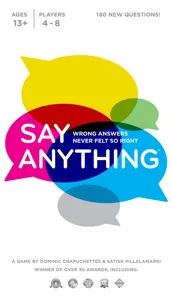
Say Anything
Say Anything
4 models
Wits & Wagers
Wits & Wagers
4 models
Spoilers: The Game
Spoilers: The Game
1 model
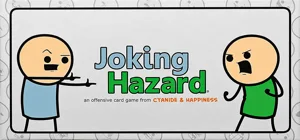
Joking Hazard
Joking Hazard
1 model
Same, Same, But Different
1 model
Sheriff of Nottingham
11 models
Board Games Game Prints Accessories Designers Photos Stats Submit a 3D Model Request a 3D Model
About Privacy Contact Tabletop Glow Up VisualSpool Discord
Powered by BoardGameGeek Powered by BoardGameGeek
Made with by Kamio · © 2026 LayerUp Games · Not affiliated with any platform
↑↓ navigate ↵ open esc close

Keyboard shortcuts

General
CtrlKOpen the command palette
/Jump to the page search
EscClear search · close dialogs
?Show this help
In the command palette
↑↓Move between results
↵Open the selected result
EscClose the palette
Open the command palette →