LayerUp Games
Games ▾
All Games
My Games My Game Wishlist
3D Models ▾
All Game 3D Models Tabletop Accessories
Kanban BG My Prints My Future Prints
Makers ▾
Makers Designers
Contribute ▾
Submit a 3D Model Request a 3D Model 3D Model Bounties
Print Resources
Unboxing ▾
Today's Puzzle
Leaderboard Archive
Theme
Light
Dark
⌘K
Sign In Register
Cavern Tavern

Cavern Tavern

2016
Submit a 3D Model

Buy on Amazon ↗

As an Amazon Associate, LayerUp Games earns from qualifying purchases.

Cover Colors

Main colors from the cover art. Find matching filament, or tap swatches to narrow.

Hide matches ▴
Game Details

Design by Vojkan Krstevski, Ivana Krstevski, Maja Matovska, Toni Toshevski

Art by Mihajlo Dimitrievski, Vojkan Krstevski · Published by Final Frontier Games

#3659
Rank
6.9
Rating
2.4
Weight
1–6
Players
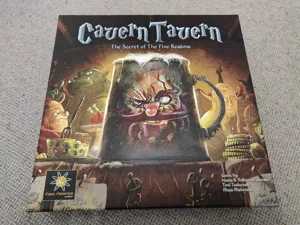
In a war torn land, a magical land of heroic feats and epic quests, there is a place that has never felt the wrath of the ongoing and everlasting war between the five realms. Hidden in the hills of Strongcliff , deep in the shadows of a cavern lies the best kept secret for many years. This place is called the Cavern Tavern. Cavern Tavern is a worker (dice) placement and resource management game that is set in a fantasy world. Each player assumes the role of a worker in the tavern. Your job is to serve drinks, work in the kitchen, do chores, and on top of that try to keep every guest happy, including the nasty and greedy barkeep. On each turn, a player can assign his dice to 1 of the 21 locations in the tavern. These locations are divided in 6 sections. The Main area, where the guests are located and from where each player must pick up an Order, Cellar where all the ingredients that are used to complete the Orders are located, Kitchen where players can work to receive different rewards, as well as the Chores section. Also, the board features the Wizards workshop where the players can seek help for completing the Orders and Nasty the Dwarf's office where the players can go and try to suck up to the boss and badmouth a coworker. The players will have to complete the Orders as soon as possible, because for each round they are late, they’ll receive less points than the Order's original value. Also, for being late with the Orders, your reputation with Nasty the Dwarf is affected, something that is vital in the game. To stand out from other workers and gain your employers favor, you’ll need to skillfully manage the orders from your customers and the resource ingredients. You’ll have to carefully prioritize your moves, and choose from what kind of work you’ll profit the most out of the situation. So… do you have what it takes? Get ready for the biggest challenge in your life, and start working in Cavern Tavern.

Dice, Fantasy, Print & Play · Contracts, Dice Rolling, Set Collection, Take That, Worker Placement, Worker Placement with Dice Workers

More ▾

View on BGG ↗

2 3D models for Cavern Tavern

2 designers · newest 4y ago

Cavern Tavern - Boardgame Insert/Organiser
Inserts
Thingiverse jgrg1 7
Cavern Tavern - Boardgame Insert/Organiser
Inserts
Cults3D jgrg_uk 4

Don't see the print you need? Request it

Expansions (1)

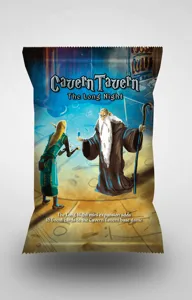
Cavern Tavern: The Long Night
2018 · no prints yet
Show only expansions with prints

You might also like

Similar games by designer or mechanics that also have prints.

Star Trek: The Dice Game
1 print
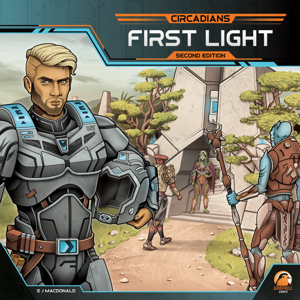
Circadians: First Light
6 prints
Creature Comforts
Creature Comforts
16 prints
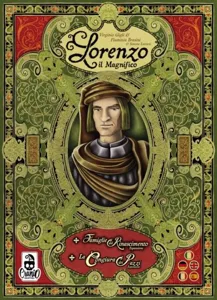
Lorenzo il Magnifico: Big Box
3 prints
Fantastic Factories
Fantastic Factories
28 prints
The Magnificent
The Magnificent
4 prints
Board Games Game Prints Accessories Designers Photos Stats Submit a 3D Model Request a 3D Model
About Privacy Contact Tabletop Glow Up VisualSpool Discord
Powered by BoardGameGeek Powered by BoardGameGeek
Made with by Kamio · © 2026 LayerUp Games · Not affiliated with any platform
↑↓ navigate ↵ open esc close

Keyboard shortcuts

General
CtrlKOpen the command palette
/Jump to the page search
EscClear search · close dialogs
?Show this help
In the command palette
↑↓Move between results
↵Open the selected result
EscClose the palette
Open the command palette →