LayerUp Games
Games ▾
All Games
My Games My Game Wishlist
3D Models ▾
All Game 3D Models Tabletop Accessories
Kanban BG My Prints My Future Prints
Makers ▾
Makers Designers
Contribute ▾
Submit a 3D Model Request a 3D Model 3D Model Bounties
Print Resources
Unboxing ▾
Today's Puzzle
Leaderboard Archive
Theme
Light
Dark
⌘K
Sign In Register
Clash of Cultures

Clash of Cultures

2012
Submit a 3D Model

Buy on Amazon ↗

As an Amazon Associate, LayerUp Games earns from qualifying purchases.

Cover Colors

Main colors from the cover art. Find matching filament, or tap swatches to narrow.

Hide matches ▴
Game Details

Design by Christian Marcussen

Art by Chris Quilliams · Published by Z-Man Games

#571
Rank
7.6
Rating
3.6
Weight
2–4
Players

From Christian Marcussen, the creator of Merchants and Marauders, comes Clash of Cultures, a civilization game in which each player leads a civilization from a single settlement to a mighty empire. Players must explore their surroundings, build large cities, research advances and conquer those who stand in the way. The game features a modular board for players to explore, 48 distinct advances, seven mighty wonders, and loads of miniatures and cards. The winner will create a culture that will be remembered and admired for millennia. Advances The game features about 48 distinct advances. The whole "tech-tree" is very flexible with no dead ends, yet still intuitive, sensible and "realistic." Additionally you have a great overview of what advances other cultures have - no need to ask - just look. Modular Board Players start with a civilization in its infancy. Move settlers to uncharted regions and reveal the terrain and its resources. Several mechanisms have been implemented to assure that an unlucky placement of region-tiles won't be a decider. Playing Time The game covers a time span similar to AH Civilization - that is to pre-gunpowder. This epic game is playable in about an hour per player! This is a pretty good playing time for a game that covers so much ground as this game will. City management Players expand their cities through the game. But not just to the generic larger city. Players instead choose a building type which represents the growth of the city. For instance you can expand a city with a port, fort, temple and academy - all with different benefits! Additionally cities can be "angry," "neutral" and "happy." Everything integrated in an intuitive and elegant fashion. Multiple paths to victory Earn points through: - Founding cities and increasing their sizes - Advances - Objectives - Wonders - Events

Ancient, City Building, Civilization, Economic, Exploration, Territory Building · Action Points, Area Majority / Influence, Critical Hits and Failures, Dice Rolling, Grid Movement, Hand Management, Hexagon Grid, Modular Board, Movement Points, Tech Trees / Tech Tracks, Trading

More ▾

View on BGG ↗

1 3D model for Clash of Cultures

1 designer · newest 11y ago

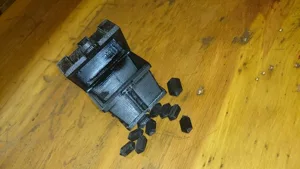
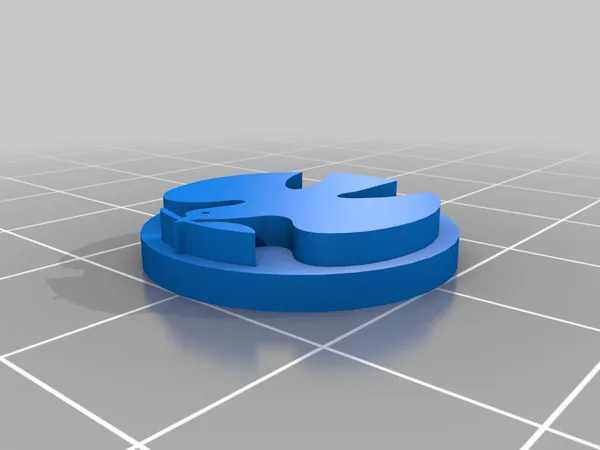
Clash of Clans Gem Box and Gem
Tokens & Resources
Thingiverse MechX 41

Don't see the print you need? Request it

Expansions (1)

Clash of Cultures: Civilizations
2014 · no prints yet
Show only expansions with prints

You might also like

Similar games by designer or mechanics that also have prints.

Clash of Cultures: Monumental Edition
3 prints
Twilight Imperium: Fourth Edition
91 prints
Twilight Imperium: Third Edition
87 prints
Crusaders: Thy Will Be Done
10 prints
Eclipse: Second Dawn for the Galaxy
11 prints
Farms Race: Deluxe Edition
1 print
Board Games Game Prints Accessories Designers Photos Stats Submit a 3D Model Request a 3D Model
About Privacy Contact Tabletop Glow Up VisualSpool Discord
Powered by BoardGameGeek Powered by BoardGameGeek
Made with by Kamio · © 2026 LayerUp Games · Not affiliated with any platform
↑↓ navigate ↵ open esc close

Keyboard shortcuts

General
CtrlKOpen the command palette
/Jump to the page search
EscClear search · close dialogs
?Show this help
In the command palette
↑↓Move between results
↵Open the selected result
EscClose the palette
Open the command palette →