LayerUp Games
Games ▾
All Games
My Games My Game Wishlist
3D Models ▾
All Game 3D Models Tabletop Accessories
Kanban BG My Prints My Future Prints
Makers ▾
Makers Designers
Contribute ▾
Submit a 3D Model Request a 3D Model 3D Model Bounties
Print Resources
Unboxing ▾
Today's Puzzle
Leaderboard Archive
Theme
Light
Dark
⌘K
Sign In Register
Colonies

Colonies

2012
Submit a 3D Model

Buy on Amazon ↗

As an Amazon Associate, LayerUp Games earns from qualifying purchases.

Cover Colors

Main colors from the cover art. Find matching filament, or tap swatches to narrow.

Hide matches ▴
Game Details

Design by Morten Andersen, Tina Christensen, Robert Bonde Jensen, Lone Gram Larsen, Claes William Hart Schütt, Troels Vastrup

Art by Sean S · Published by Among Meeples

#14503
Rank
7.0
Rating
3.7
Weight
3–5
Players
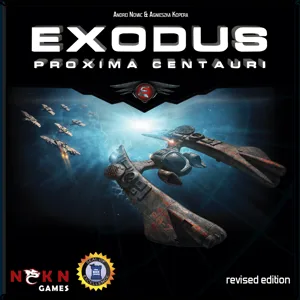
The thriving colonies of Zel'var are the destination for many adventurous souls who choose to leave the solar system and good old planet Earth seeking a new life and good fortune – but not all find what they are looking for. Many become disillusioned, discontent even, and turn to pirating the prosperous trade routes between the five planets, much to the regret of the colonies' leaders, who have great need of the trade income in order to advance technologies and create jobs for the newly-arrived colonists. Colonies is a game of resource management in the far reaches of space in which the players compete to dominate in trade, politics and technological development. Each player controls the administration of a planet with access to a unique resource. In order to win you need to collect the most colonial credits by trading resources, upgrading your technologies, keeping your trade lanes free of pirates, and perhaps pushing the council's decisions in the right direction. At the begining of each turn, players receive an income of their own resource. The council meets each turn to vote on how to handle an occurring event. The outcome can reward those willing to put in an effort or punish those who are not. Players may do well to form alliances in order to sway the vote in a favourable direction. The resource income and the colonists that arrive each turn – sometimes in large numbers, sometimes in small – are used to make advances in five areas: Community, Military, Commerce, Influence and Industry. Following the council's vote, players take turns to either upgrade these areas or activate one of them to grant asylum to pirates in exchange for resources or hunt them for bounty, sell resources for Credits, make trade agreements more beneficial, or produce additional resources. When everyone has had three such actions, the players receive and pay resources according to the trade agreements, and any colonists that players have failed to employ turn to piracy, preventing players from getting income from their trade agreements next turn unless preemptive action is taken. Colonies lasts ten turns, with players earning victory points (VPs) from colonial Credits and technology advances. In the end, the player with the most VPs wins.

Civilization, Economic, Political, Science Fiction · Trading, Voting

More ▾

View on BGG ↗

1 3D model for Colonies

1 designer · newest 6y ago

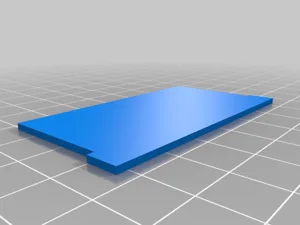
tfm colonies
tfm colonies
Thingiverse twistedbydesign82

Don't see the print you need? Request it

You might also like

Similar games by designer or mechanics that also have prints.

Twilight Imperium: Fourth Edition
90 prints
Twilight Imperium: Fourth Edition – Prophecy of Kings
2 prints
Twilight Imperium: Third Edition
87 prints
Zoo Vadis
Zoo Vadis
6 prints
Dead of Winter: The Long Night
19 prints
Dead of Winter: A Crossroads Game
16 prints
Board Games Game Prints Accessories Designers Photos Stats Submit a 3D Model Request a 3D Model
About Privacy Contact Tabletop Glow Up VisualSpool Discord
Powered by BoardGameGeek Powered by BoardGameGeek
Made with by Kamio · © 2026 LayerUp Games · Not affiliated with any platform
↑↓ navigate ↵ open esc close

Keyboard shortcuts

General
CtrlKOpen the command palette
/Jump to the page search
EscClear search · close dialogs
?Show this help
In the command palette
↑↓Move between results
↵Open the selected result
EscClose the palette
Open the command palette →