LayerUp Games
Games ▾
All Games
My Games My Accessories
Game Shelf Sleeve Stash Sleeve Catalog
3D Models ▾
All Game 3D Models Tabletop Accessories
Kanban BG My Prints My Future Prints My Collections
Blog
Community ▾
Makers Designers
Submit a 3D Model Request a 3D Model 3D Model Bounties
3D Printing Resources
Unboxing #56
Theme
Light
Dark
⌘K
Sign in Join free
Company of Iron

Company of Iron

2017 Layer by Layer
Flag this page

Sign in to flag this page. Nothing changes right now either way - it tells an admin to look.

Buy this game on Amazon ↗

As an Amazon Associate, LayerUp Games earns from qualifying purchases.

Game Details

Company of Iron is a squad-based skirmish game that reinvents WARMACHINE and HORDES battles as smaller confrontations between fewer warriors and their character leaders. Average games are played with 10–15 miniatures, and Company of Iron is compatible with the majority of the existing miniatures in the WARMACHINE and HORDES product lines. The rules for Company of Iron have been streamlined and do not include warcasters or warlocks but can include light warjacks and light warbeasts. The Company of Iron box set is designed for two players and will contain two 20-point armies, including a unit of Cygnar Stormblades and a unit of Minion Farrow Brigands. Additionally, two all-new character solos will be included to lead their respective units: Lieutenant Gwen Keller and Agata, Queen of Carnage. These new models can be used in both Company of Iron and in WARMACHINE and HORDES. All components needed to play the game are in the box set, including rules, tokens, and two types of cards that allow players to choose specialties for their squad leaders as well as battle plans that can provide powerful effects and advantages in combat. Company of Iron uses the core rules of WARMACHINE and HORDES but has been tailored for the scale of the game and the absence of warcasters and warlocks. Emphasizing its fast-paced skirmish scale and the focus on small squads and solos, gameplay revolves around players taking turns activating one model at a time as opposed to the alternating activation in WARMACHINE and HORDES, in which players activate their entire army during a single turn. “We have designed Company of Iron as an ideal entry point for new players who want to play in the world of WARMACHINE and HORDES,” said Chief Creative Officer Matt Wilson. “But it’s also a product the existing WARMACHINE and HORDES community has been requesting for years, and it scratches that itch for players craving a fast-paced tactical experience that can be played with a shorter time commitment.” —description from the publisher

Fantasy, Fighting, Miniatures, Wargame · Campaign / Battle Card Driven, Dice Rolling, Variable Player Powers

More ▾

View on BGG ↗

Will Schoonover , designer

Privateer Press , publisher

8.1
Rating
3.0
Weight
2
Players

0 3D models for Company of Iron

Submit a 3D Model

No 3D model files yet.

Know of one? Submit a 3D Model, or request one to let the community know.

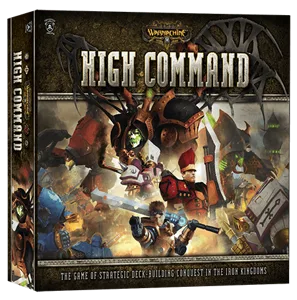
Same series: Warmachine 2003 0 Hordes 2006 0 Warmachine Prime Mk II 2010 0 Warmachine: Two-Player Battle Box 2011 0 Hordes: High Command 2013 0 Warmachine: High Command 2013 0 +1 more

You might also like

Similar games by designer or mechanics that also have 3D models.

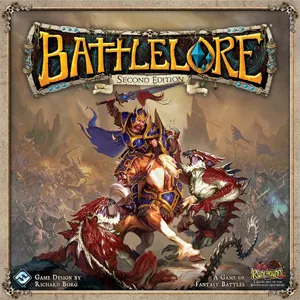
BattleLore: Second Edition
13 models
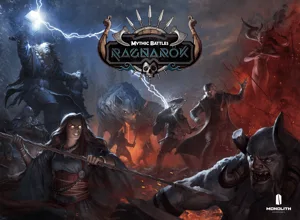
Mythic Battles: Ragnarök
3 models
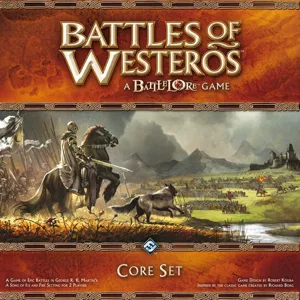
Battles of Westeros
Battles of Westeros
1 model
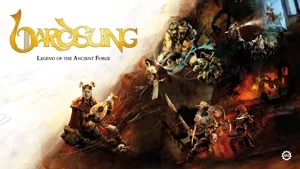
Bardsung
Bardsung
2 models
War of the Ring: Second Edition
32 models
Level 7 [Omega Protocol]
6 models
Board Games Game Prints Accessories Designers Photos Stats Submit a 3D Model Request a 3D Model
Blog Guides About Privacy Contact VisualSpool Discord
Powered by BoardGameGeek Powered by BoardGameGeek
The newsletter

Join the LayerUp Newsletter and be notified of new blog posts and 3D model reviews/articles.

Made with by Kamio · © 2026 LayerUp Games · Not affiliated with any platform
↑↓ navigate ↵ open esc close

Keyboard shortcuts

General
CtrlKOpen the command palette
/Jump to the page search
EscClear search · close dialogs
?Show this help
In the command palette
↑↓Move between results
↵Open the selected result
EscClose the palette
Open the command palette →