LayerUp Games
Games ▾
All Games Sleeve Catalog
My Games My Game Wishlist My Accessories
3D Models ▾
All Game 3D Models Tabletop Accessories
Kanban BG My Prints My Future Prints My Collections
Makers ▾
Makers Designers
Contribute ▾
Submit a 3D Model Request a 3D Model 3D Model Bounties
3D Printing Resources
Unboxing ▾
Today's Puzzle
Leaderboard Archive
Theme
Light
Dark
⌘K
Sign In Register
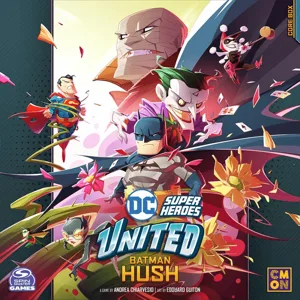
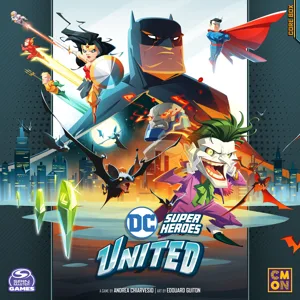
DC Super Heroes United: Team Decks

DC Super Heroes United: Team Decks

2025

Expansion of DC Super Heroes United

Flag this page

Sign in to flag this page. Nothing changes right now either way - it tells an admin to look.

Buy this game on Amazon ↗

As an Amazon Associate, LayerUp Games earns from qualifying purchases.

Game Details

DC Super Heroes United is all about teamwork, and Heroes are known for forming specialized teams from time to time. The Justice League, Gotham Knights, Teen Titans, to name but a few. Each of these teams develops its own characteristics and strategies, though being part of a structured team also comes with limitations and drawbacks. This expansion brings a set of 10 different Team decks, each composed of 6 Team cards and 1 Team Members Reference card, for a total of 70 cards! When adding a Team Deck to your game, all Heroes being used must be part of the same Team, and the Hard Challenge difficulty level should be used. That Team deck is shuffled and placed facedown within view of all players, with 2 cards revealed to form the Team Display. These are essentially Hero cards, with Action symbols at the bottom and a Special Effect. On their turn, a Hero can choose to either play a regular turn or they can choose to play a Team turn. In that case they don’t touch their Hero cards (neither drawing nor playing) but choose instead one of the Team cards in the Display and play that card in the Storyline, as if it were their own card. Immediately a new card is drawn from the deck to fill the Team Display (until the deck runs out). This not only brings a different flavor to the match, but also gives Heroes more options of what to do on their turn. However, there is a downside to playing as a Team. Most Team decks have at least one card with a mandatory negative effect. This is in effect as long as that card is faceup on the Team Display. In order to shut it down, a Hero must take one for the team by taking a Team turn, choosing the negative card, and playing it facedown in the Storyline. Full list of teams: Justice League Justice League America Batman Inc Birds of Prey Teen Titans Outsiders Gotham Knights Super Friends Superman Family United Heroes -description from Gamefound campaign

Expansion for Base-game, Card Game, Comic Book / Strip, Fighting · Cooperative Game, Hand Management, Modular Board, Solo / Solitaire Game, Variable Player Powers

More ▾

View on BGG ↗

CMON Global Limited , publisher

9.1
Rating
1–5
Players

0 3D models for DC Super Heroes United: Team Decks

Submit a 3D Model

No 3D model files yet.

Know of one? Submit a 3D Model, or request one to let the community know.
You might also like

Similar games by designer or mechanics that also have 3D models.

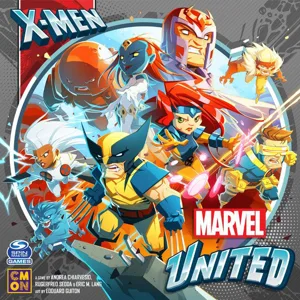
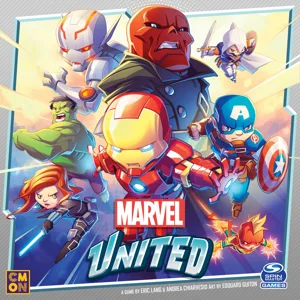
Marvel United
Marvel United
136 models
Marvel United: X-Men
5 models
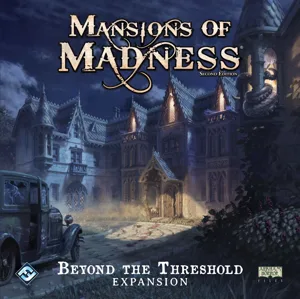
Mansions of Madness: Second Edition – Beyond the Threshold: Expansion
1 model
Mansions of Madness: Second Edition – Streets of Arkham: Expansion
1 model
Batman: The Animated Series Adventures – Shadow of the Bat
1 model
Marvel Zombies: A Zombicide Game
14 models
Board Games Game Prints Accessories Designers Photos Stats Submit a 3D Model Request a 3D Model
About Privacy Contact Tabletop Glow Up VisualSpool Discord
Powered by BoardGameGeek Powered by BoardGameGeek
Made with by Kamio · © 2026 LayerUp Games · Not affiliated with any platform
↑↓ navigate ↵ open esc close

Keyboard shortcuts

General
CtrlKOpen the command palette
/Jump to the page search
EscClear search · close dialogs
?Show this help
In the command palette
↑↓Move between results
↵Open the selected result
EscClose the palette
Open the command palette →