LayerUp Games
Games ▾
All Games
My Games My Accessories
Game Shelf Sleeve Stash Sleeve Catalog
3D Models ▾
All Game 3D Models Tabletop Accessories
Kanban BG My Prints My Future Prints My Collections
Blog
Community ▾
Makers Designers
Submit a 3D Model Request a 3D Model 3D Model Bounties
3D Printing Resources
Unboxing #56
Theme
Light
Dark
⌘K
Sign in Join free
Doom Pilgrim Pocket

Doom Pilgrim Pocket

2025 Layer by Layer
Flag this page

Sign in to flag this page. Nothing changes right now either way - it tells an admin to look.

Buy this game on Amazon ↗

As an Amazon Associate, LayerUp Games earns from qualifying purchases.

Game Details

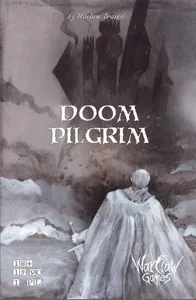
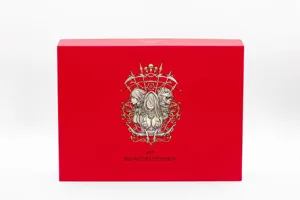
DOOM PILGRIM Pocket is a mint tin box version of Doom Pilgrim solo adventure. More compact and faster fun! This solo card game is a roguelike adventure in the form of 90 cards (the size a bit smaller than a classic MtG card, so-called mint-tin card) with pictures on the whole front sides and texts on the whole back sides. You represent a doubtful hero struggling through his miserable fate in a grim medieval open world full of mortal dangers and cruelty. On every turn, you take 3 cards from the top of the deck that represents your future. From the three cards, just based on the images, you choose one path to reject, one path to postpone, and one path to go. The path you have taken is then revealed - you turn the card, read the story, make some decisions according to the text and apply the eventual changes, losses, or gains to your character sheet or just a piece of paper. This way you build your fate of a medieval pilgrim-hero and you try to survive the whole journey to the bottom of the "your future" deck. There are fights, NPCs, equipment, and many more... just as in a gamebook (a very grim & dark one, full of odd meetings) but there is no dice rolling, everything depends on your decisions and on the path you had gone before. For the next play, you will possibly remember what image hides what kind of event or fight, so you may choose your path wiser, according to your current equipment, and fitness. It contains the same cards as Doom Pilgrim, the grimdark medieval fantasy game. The card texts are shorter and use 1 point smaller font than the classic version, so the narrative aspect of the game is a bit reduced and also card effects are sometimes less complex. On the other hand, the gameplay is smoother and more actionable thanks to it. Some cards were on the contrary equipped with new effects so that we use all of the space the most effectively. Thanks to shorter text and more straightforward effects, this pocket version is better for most of the multiplayer options. —description from the publisher

Adventure, Card Game, Exploration, Fantasy, Horror, Medieval · Events, Role Playing, Solo / Solitaire Game

More ▾

View on BGG ↗

Waclaw Traier , designer

Waclaw Traier , artist

War Claw Games , publisher

7.9
Rating
1.0
Weight
1
Players

0 3D models for Doom Pilgrim Pocket

Submit a 3D Model

No 3D model files yet.

Know of one? Submit a 3D Model, or request one to let the community know.

Expansions (1)

No Image
DOOM DEEPER! Pocket
2025 · no models yet
Show only expansions with models
Reimplements: Doom Pilgrim 2022 0

You might also like

Similar games by designer or mechanics that also have 3D models.

Arkham Horror: The Card Game (Revised Core Set)
30 models
Folklore: The Affliction
11 models
Rogue Dungeon: 2nd Edition
2 models
Arkham Horror: The Card Game
160 models
Kingdom Death: Monster
104 models
Arkham Horror: The Card Game
5 models
Board Games Game Prints Accessories Designers Photos Stats Submit a 3D Model Request a 3D Model
Blog Guides About Privacy Contact VisualSpool Discord
Powered by BoardGameGeek Powered by BoardGameGeek
The newsletter

Join the LayerUp Newsletter and be notified of new blog posts and 3D model reviews/articles.

Made with by Kamio · © 2026 LayerUp Games · Not affiliated with any platform
↑↓ navigate ↵ open esc close

Keyboard shortcuts

General
CtrlKOpen the command palette
/Jump to the page search
EscClear search · close dialogs
?Show this help
In the command palette
↑↓Move between results
↵Open the selected result
EscClose the palette
Open the command palette →