LayerUp Games
Games ▾
All Games
My Games My Game Wishlist
3D Models ▾
All Game 3D Models Tabletop Accessories
Kanban BG My Prints My Future Prints
Makers ▾
Makers Designers
Contribute ▾
Submit a 3D Model Request a 3D Model 3D Model Bounties
Print Resources
Unboxing ▾
Today's Puzzle
Leaderboard Archive
Theme
Light
Dark
⌘K
Sign In Register
Elfenland

Elfenland

1998
Submit a 3D Model

Buy this game on Amazon ↗

As an Amazon Associate, LayerUp Games earns from qualifying purchases.

Cover Colors

Main colors from the cover art. Find matching filament, or tap swatches to narrow.

Hide matches ▴
Game Details

Design by Alan R. Moon

Art by Doris Matthäus, Alan R. Moon · Published by AMIGO

#1542
Rank
6.7
Rating
2.1
Weight
2–6
Players

Box 14.6 × 10.7 × 2.2 in (37.1 × 27.2 × 5.6 cm) · English edition (1998). Editions vary, check your copy before printing an insert.

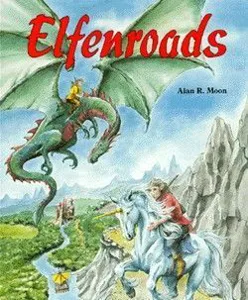
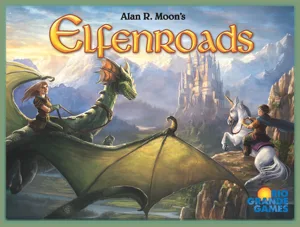
Elfenland is a redesign of the original White Wind game Elfenroads. The game is set in the mythical world of the elves. A group of fledgling elves (the players) are charged with visiting as many of the twenty Elfencities as they can over the course of 4 rounds. To accomplish the task they will use various forms of transportation such as Giant Pigs, Elfcarts, Unicorns, Rafts, Magic Clouds, Trollwagons, and Dragons. Gameplay: Players begin in the Elf capitol, draw one face down movement tile, and are dealt eight transport cards and a secret 'home' city card that they must reach at the end of the 4th round or lose points for each city space away from 'home' they are at the end of the game. Markers of each player's color are placed in each city on the board and are collected when the player visits that city (each counts as 1 point). The round proceeds in 2 stages. The first part of the round consists of the drawing of Tiles showing the differing types of transport (except rafts) from a combination of face up and face down tiles (if a player doesn't like the 5 tiles that are face up; they can always draw blind from the face down tiles and hope to get one they need). These transport tiles need to match the Transportation cards in your hand to use them most effectively. After each player has a total of 4 tiles they take turns placing a tile on any one of the roads that run between the elf cities. Only one transport tile may be placed on each road; so players may use other players tiles to travel if they have the matching cards in their hand. This frequently causes a readjustment of planned travel routes as other players tiles can allow you to move farther or shorter than you had first thought. Players can play their tiles to help themselves or hinder others by playing a slow mode of transport on another players (perceived) path. Each mode of transport has certain terrain it can travel through quickly or slowly, and those that it cannot. These are listed on the top of each transportation card by the number terrain symbols. The number of terrain symbols equals how many matching cards you must play to move across a given tile in a given terrain. For example, a Magic Cloud tile placed in a mountain would take one Magic cloud card to travel across (1 mountain symbol on card means Magic clouds are fast in mountains). If the same tile was placed on a road in forest terrain it would require 2 Magic Cloud cards to travel that route (2 Forest symbols on card means Magic Clouds are slow in Forest). Magic Clouds cannot travel in desert terrain at all (no desert symbols on card). All modes of transport are different and Rafts can be used on rivers or lakes without needing tiles. Rafts go slow upstream (2 raft cards needed) and fast downstream (1 card needed). The small lake requires 1 raft card to travel across and the larger lake requires 2 cards to travel across. Players may keep one unused transport counter and up to 4 Transportation cards from one round to the next. The second part of the round begins after all players have finished placing their transportation tiles for the round. Each player plays his cards and moves his elf-boot around the board collecting his tokens from the cities visited. If there is a Transport tile on a route and a player has no matching Transportation card he may 'Caravan' across it by playing any 3 Transportation cards from his hand. As a bit of 'take that' each player has a trouble tile which can be placed next to any transportation tile during the first part of the round. This counter means that in order to travel that path an additional card of the transport type must be played or 4 cards to 'Caravan'. Victory: if at the end of round 3 a player has visited all 20 cities he is the winner. If not the game ends after round 4 when 'Home' cities are revealed and each player subtracts points for each city he is away from his 'home' subtracting that from his collected city tokens. The person with the highest score wins.

Fantasy, Travel · Hand Management, Network and Route Building, Open Drafting, Point to Point Movement, Programmed Movement, Turn Order: Progressive

More ▾

View on BGG ↗

1 3D model for Elfenland

1 designer · newest 4y ago

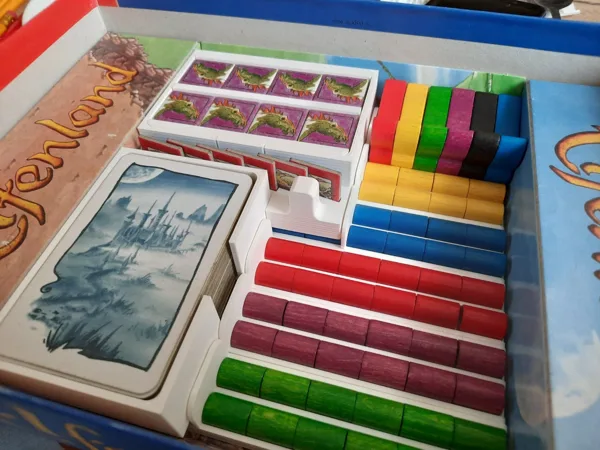
Elfenland Board Game Inlay
Thingiverse LouisWouters 5

Don't see the 3D model of your dreams? Request it here

Expansions (3)

Elfenland: Back to the Roads
2013 · no prints yet
Elfengold
Elfengold
1999 · no prints yet
Elfenland: Der Elfen-Zauberer
1998 · no prints yet
Show only expansions with prints

You might also like

Similar games by designer or mechanics that also have 3D models.

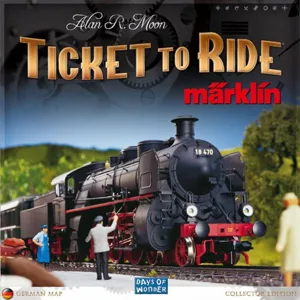
Ticket to Ride: Märklin
3 prints
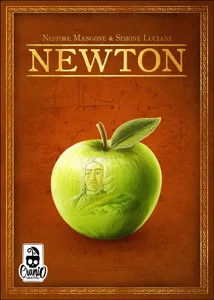
Newton
Newton
8 prints
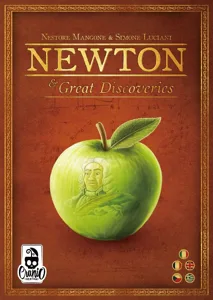
Newton & Great Discoveries
1 print
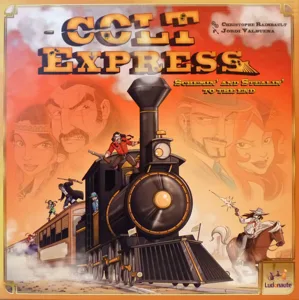
Colt Express
Colt Express
27 prints
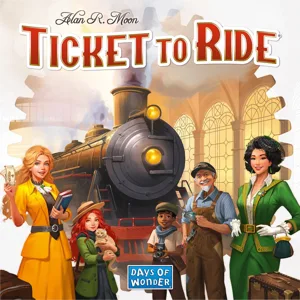
Ticket to Ride
Ticket to Ride
226 prints
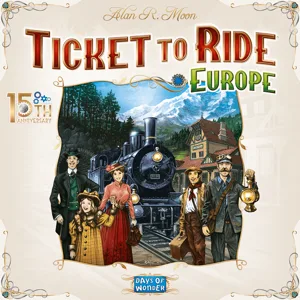
Ticket to Ride: Europe
101 prints
Board Games Game Prints Accessories Designers Photos Stats Submit a 3D Model Request a 3D Model
About Privacy Contact Tabletop Glow Up VisualSpool Discord
Powered by BoardGameGeek Powered by BoardGameGeek
Made with by Kamio · © 2026 LayerUp Games · Not affiliated with any platform
↑↓ navigate ↵ open esc close

Keyboard shortcuts

General
CtrlKOpen the command palette
/Jump to the page search
EscClear search · close dialogs
?Show this help
In the command palette
↑↓Move between results
↵Open the selected result
EscClose the palette
Open the command palette →