LayerUp Games
Games ▾
All Games
My Games My Accessories
Game Shelf Sleeve Stash Sleeve Catalog
3D Models ▾
All Game 3D Models Tabletop Accessories
Kanban BG My Prints My Future Prints My Collections
Blog
Community ▾
Makers Designers
Submit a 3D Model Request a 3D Model 3D Model Bounties
3D Printing Resources
Unboxing #56
Theme
Light
Dark
⌘K
Sign in Join free
Firestorm Invasion: Planetfall

Firestorm Invasion: Planetfall

2012 Layer by Layer
Flag this page

Sign in to flag this page. Nothing changes right now either way - it tells an admin to look.

Buy this game on Amazon ↗

As an Amazon Associate, LayerUp Games earns from qualifying purchases.

Game Details

This is the brutal ground-pounding side of combat using massive forces of tanks, ground attack craft, mechanical walkers and heavily armoured infantry. This is the part of the invasion when you use your major assets to smash your enemy, this isn't about pretending you are taking a planet with 10 tanks - this is the part when you tactically deploy waves of armour to clear the way before you, pulverising any fool who stands in your way. We call this PLANETFALL and it will be presented using 10mm scale miniatures. Source: Publisher blurb Planetfall is a miniature tabletop wargame, set in Firestorm Armada universe. Game uses 10mm miniatures and dice to reproduce future combat during plant invasion. Planetfall if one of three game systems (second is Conquest and third Spec Ops), and focuses on big battles between tanks, and heavy mechs. Firestorm Invasion: Planetfall is designed to be a fast and furious game of massed armored combat. The game mechanics have been kept simple and easy to learn, allowing players to quickly get to grips with the tactical use and deployment of their key military assets. Dice are an integral part of FI:P, adding an element of chance to represent the many varied factors present on the battlegrounds of the far-future. Generally, players will be asked to roll a number of D6 and add up the total number of ‘hits’ or ‘successes’. In most circumstances each roll of 4, 5 or 6 will be a success, although various effects can cause this ‘to hit’ number to change. Every Squadron in FI:P has an Activation Card. These cards are used to add an extra level of tactical game play. These are supplied as blank cards, so that you can mark them to distinguish between your Squadrons. Activation Cards have two purposes in the game; they are used to control a player’s Order of March and are also used to plan a player’s reserves. Each Turn during a game of FI:P each player will have a number of Command Points. The number available is calculated at the beginning of each Turn. These are then used throughout the Turn to improve Command Tests, play Game Cards and to allow Squadrons to perform more complex actions. Game Cards in FI:P are used to represent a wide range of unplanned events, electronic warfare systems, direct command intervention and sheer luck! They add an additional level of tactics and learning when and how to use them brings a dynamic element to the game. A game of FI:P consists of a number of Turns, with each Turn broken down into the following main phases: 1. Command Point Phase 2. Order of March Phase 3. Turn Card Phase 4. Initiative Phase 5. Squadron Activation Phase 6. End Phase END OF GAME At this point, players should check to see if the Scenario’s Victory Conditions have been satisfied by either player, if the Time or Turn Limit has expired or if the roll for Variable game length should be made. If the game has ended, then Victory Points should be calculated for both sides, depending on the Scenario played, and the winner should be determined. The winner of a game of FI:P is normally decided by comparing Victory Point Totals after the final Turn has been played, unless a Scenario is being played that gives alternative Victory Conditions. MULTI-PLAYER GAMES Although it is preferable for everyone to have their own deck of Game Cards, it is possible share a deck. Each player will need to draw from a shared deck and discard to a shared Discard Pile. Important Note: If a deck is used by more than one player, where possible, allies, rather than opponents, should use a shared deck. You may not play cards on your allies’ models unless the card text specifically allows you to. In games with more than two players per side you may ONLY play cards to benefit models you control or to hinder enemy models.

Dice, Miniatures, Science Fiction, Wargame · Area Majority / Influence, Dice Rolling, Modular Board

More ▾

View on BGG ↗

Sam Bevan , Derek Sinclair , designer

Chris Drew , Martin Jones , David Kidd +2 more , artist

Studio Sparta , publisher

6.5
Rating
3.0
Weight
2–6
Players

0 3D models for Firestorm Invasion: Planetfall

Submit a 3D Model

No 3D model files yet.

Know of one? Submit a 3D Model, or request one to let the community know.

Reimplemented by: Firestorm Planetfall 2014 0
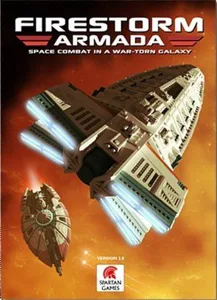
Same series: Firestorm Invasion: Conquest 0 Firestorm Invasion: Special Ops 0 Firestorm Armada 2009 0 Firestorm Planetfall: Battle for Proteus Prime 2014 0 Firestorm Taskforce Starter Set: Aquan Prime vs. The Directorate 2016 0 Firestorm Taskforce Starter Set: Terran Alliance vs. Dindrenzi Federation 2016 0 +1 more
You might also like

Similar games by designer or mechanics that also have 3D models.

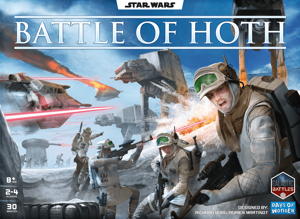
Star Wars: Battle of Hoth
10 models
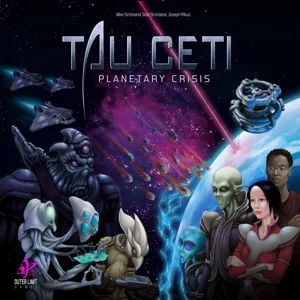
Tau Ceti: Planetary Crisis
1 model
Cysmic
Cysmic
1 model
Mothership: Tabletop Combat
1 model
Omicron Protocol
Omicron Protocol
1 model
Memoir '44
Memoir '44
99 models
Board Games Game Prints Accessories Designers Photos Stats Submit a 3D Model Request a 3D Model
Blog Guides About Privacy Contact VisualSpool Discord
Powered by BoardGameGeek Powered by BoardGameGeek
The newsletter

Join the LayerUp Newsletter and be notified of new blog posts and 3D model reviews/articles.

Made with by Kamio · © 2026 LayerUp Games · Not affiliated with any platform
↑↓ navigate ↵ open esc close

Keyboard shortcuts

General
CtrlKOpen the command palette
/Jump to the page search
EscClear search · close dialogs
?Show this help
In the command palette
↑↓Move between results
↵Open the selected result
EscClose the palette
Open the command palette →