LayerUp Games
Games ▾
All Games
My Games My Accessories
Game Shelf Sleeve Stash Sleeve Catalog
3D Models ▾
All Game 3D Models Tabletop Accessories
Kanban BG My Prints My Future Prints My Collections
Blog
Community ▾
Makers Designers
Submit a 3D Model Request a 3D Model 3D Model Bounties
3D Printing Resources
Unboxing #55
Theme
Light
Dark
⌘K
Sign in Join free
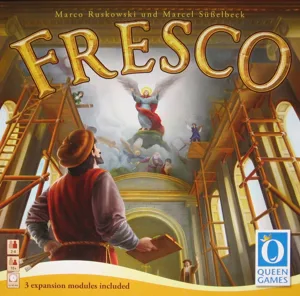
Fresco: Expansion Box

Fresco: Expansion Box

2020 Layer by Layer

Expansion of Fresco and Fresco: Big Box 1

Flag this page

Sign in to flag this page. Nothing changes right now either way - it tells an admin to look.

Buy this game on Amazon ↗

As an Amazon Associate, LayerUp Games earns from qualifying purchases.

Game Details

Includes expansion modules 12 - 17. 6 new expansion modules: The Ladies, The Catacombs, The Pews, The Dome, The Black Market, and The Guild Helps. Module 12: The Ladies In this module, players receive an extra player board that allows for special actions. Two tiles can be switched in the market, a fresco tile can be reserved in the Cathedral, more coins can be earned in the studio, colors can be exchanged in the workshop, and in the Theater the mood can be lifted even further. Module 13: The Catacombs This module changes the Hostel, Cathedral, and the Planning phase. The catacomb tiles are first placed face down in the cathedral and the fresco tiles are placed on top of them. Players can now purchase cartographer tiles in the hostel, which show locations in the cathedral that have to be painted in order to gain access to the catacomb tiles below. A catacomb tile can be sold for coins or kept till the end of the game, in which case the bishop awards extra victory points to the players. Module 14: The Pews This module changes the market action and the planning phase. The chapel board is placed next to the game board and every player takes six wooden planks and places them in front of their screen. New market tiles will allow the players to purchase these when they visit the market. In the planning phase players may place their assistants on the new action tiles to use their collected wood to build pews for the church and collect some extra points. Module 15: The Dome The dome tiles are shuffled and placed on the nine central fresco spaces, before the fresco tiles are placed on top. When a player finishes a fresco tile, they take the dome tile underneath and places it in front of them. A dome tile shows a combination of two colors that the player needs to gain the depicted victory points. However, these tiles can only be painted at the end of the game, after the fresco in the cathedral is finished. So good planning and timing will be needed in order to keep the necessary paint cubes to finish the dome at the end of the game. Module 16: The Black Market A poor painter canʼt be faulted for succumbing to a tempting offer from the dubious merchants of the black market. Their paints, stored in large barrels, are not expensive, but you never know which paint you will get... When you visit a market booth to buy paints, you may assign one of your apprentices to visit the Black Market instead. For this apprentice, a paint tile will be pulled at random from the draw bag, and the player must purchase this paint if possible. Since tiles are returned to the bag when a player visits a market booth or closes one down, players earlier in turn order will have a better guess what they might receive from the Black Market. Module 17: The Guild Helps Painters often are missing urgently needed supplies for their work, but thankfully the members of the Painters Guild stick together and are willing to exchange among themselves. A lucky painter may find what they need at the guild. Each round one random basic paint and one random blended paint are placed on the guild tile. Using one of the two actions received for sending an apprentice to blend paints, the player may exchange one of their paints for the same type of paint from the guild tile (basic for basic and blended for blended). A player may now make two exchanges, two blends, or do one of each.

Expansion for Base-game, Renaissance · Action Queue, Grid Movement, Set Collection

More ▾

View on BGG ↗

Marco Ruskowski , Marcel Süßelbeck , designer

Martin Hoffmann , Patricia Limberger , Oliver Schlemmer +1 more , artist

Queen Games , publisher

7.9
Rating
2–4
Players

0 3D models for Fresco: Expansion Box

Submit a 3D Model

No 3D model files yet.

Know of one? Submit a 3D Model, or request one to let the community know.

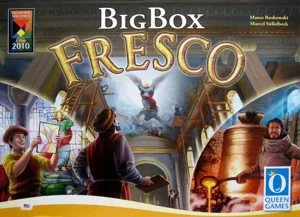
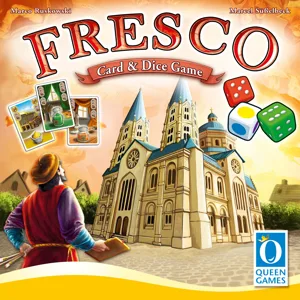
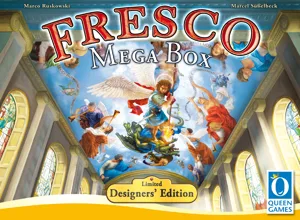
Same series: Fresco 2010 0 Fresco: Big Box 2014 1 Fresco: Card & Dice Game 2020 0 Fresco: Mega Box 2020 0
You might also like

Similar games by designer or mechanics that also have 3D models.

Solarius Mission
Solarius Mission
1 model
Fresco: Big Box
Fresco: Big Box
1 model
Fireball Island: The Curse of Vul-Kar – Crouching Tiger, Hidden Bees!
1 model
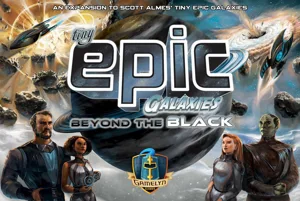
Tiny Epic Galaxies: Beyond the Black
1 model
Gloomhaven
Gloomhaven
70 models
Gloomhaven: Jaws of the Lion
49 models
Board Games Game Prints Accessories Designers Photos Stats Submit a 3D Model Request a 3D Model
Blog Guides About Privacy Contact VisualSpool Discord
Powered by BoardGameGeek Powered by BoardGameGeek
The newsletter

Join the LayerUp Newsletter and be notified of new blog posts and 3D model reviews/articles.

Made with by Kamio · © 2026 LayerUp Games · Not affiliated with any platform
↑↓ navigate ↵ open esc close

Keyboard shortcuts

General
CtrlKOpen the command palette
/Jump to the page search
EscClear search · close dialogs
?Show this help
In the command palette
↑↓Move between results
↵Open the selected result
EscClose the palette
Open the command palette →