LayerUp Games
Games ▾
All Games
My Games My Game Wishlist
3D Models ▾
All Game 3D Models Tabletop Accessories
Kanban BG My Prints My Future Prints
Makers ▾
Makers Designers
Contribute ▾
Submit a 3D Model Request a 3D Model 3D Model Bounties
Print Resources
Unboxing ▾
Today's Puzzle
Leaderboard Archive
Theme
Light
Dark
⌘K
Sign In Register
Get Bit! Sharkspansion

Get Bit! Sharkspansion

2011
Submit a 3D Model

Expansion of Get Bit!

Buy on Amazon ↗

As an Amazon Associate, LayerUp Games earns from qualifying purchases.

Game Details

Design by Dave Chalker

Art by Melinda Rainsberger · Published by Mayday Games

6.3
Rating
1.0
Weight
4–7
Players

The Get Bit! Sharkspansion is an expansion to the Get Bit! game that allows a 7th player to play as the SHARK. This expansion was released in connection with Mayday Games' Kickstarter campaign for their reprint of Get Bit! in 2011. COMPONENTS Shark Hand Containing: Right Leg Left Leg Right Arm Left Arm Head (no ties) Any Limb (must be tied) 6 Hunger Tokens SETUP Choose one player to play the Shark, and give him the Shark hand. (This increases the number of players needed by 1, making the game a 5-7 player game.) The shark player receives 1 hunger token for each swimmer in the game. The base game is setup as normal, including the shark not appearing on the first round. PLAY Game play is the same, except that the shark player also puts down a card from his hand when all the swimmers do, and is revealed at the same time. After all the swimmers have moved, the shark bites whomever is in the back of the line, and removes the limb corresponding to the card played. They play out as follows: Right Leg, Left Leg, Right Arm, or Left Arm: If the swimmer has that limb, the limb is removed, that swimmer jumps to the front and picks up all of his cards. If the swimmer does not have that limb, it is counted as a Miss - see below. Head: If there were no tied cards played by swimmers this round, the swimmer in the back is removed from the game immediately. Otherwise, it is a Miss. Any Limb: If any of the cards played by swimmers this round are ties, the swimmer in the back loses a limb of the swimmer's player's choice, jumps to the front, and picks up all of his cards. If there are no tied cards, it is a Miss. Like a swimmer, if the shark is ever down to just one card in his hand, he picks up all his cards. MISS On a miss, the shark loses one hunger token, and picks up the cards he has played. The swimmer in the back does not lose a limb, move, or pick up his cards. GAME END If the shark loses his last hunger token, the game ends. The swimmer with the most limbs wins, and if there's a tie, the swimmer with the most limbs closest to the front wins. If the game ever comes down to just the swimmer and the shark, the game ends, and the shark wins.

Animals, Bluffing, Card Game, Children's Game, Expansion for Base-game, Racing · Hand Management, Simultaneous Action Selection

More ▾

View on BGG ↗

0 3D models for Get Bit! Sharkspansion

No 3D model files yet.

Know of one? Submit a 3D Model, or request one to let the community know.
You might also like

Similar games by designer or mechanics that also have prints.

Terraforming Mars: Ares Expedition – Discovery · Foundations · Crisis
3 prints
Cards Against Humanity: The Bigger, Blacker Box
1 print
Race for the Galaxy: The Brink of War
1 print
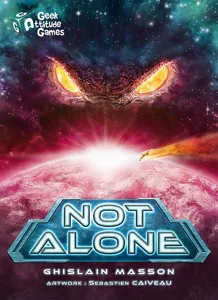
Not Alone
Not Alone
20 prints
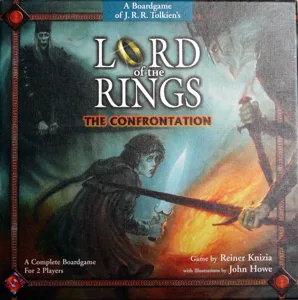
Lord of the Rings: The Confrontation
3 prints
Campy Creatures
Campy Creatures
1 print
Board Games Game Prints Accessories Designers Photos Stats Submit a 3D Model Request a 3D Model
About Privacy Contact Tabletop Glow Up VisualSpool Discord
Powered by BoardGameGeek Powered by BoardGameGeek
Made with by Kamio · © 2026 LayerUp Games · Not affiliated with any platform
↑↓ navigate ↵ open esc close

Keyboard shortcuts

General
CtrlKOpen the command palette
/Jump to the page search
EscClear search · close dialogs
?Show this help
In the command palette
↑↓Move between results
↵Open the selected result
EscClose the palette
Open the command palette →