LayerUp Games
Games ▾
All Games
My Games My Game Wishlist
3D Models ▾
All Game 3D Models Tabletop Accessories
Kanban BG My Prints My Future Prints
Makers ▾
Makers Designers
Contribute ▾
Submit a 3D Model Request a 3D Model 3D Model Bounties
Print Resources
Unboxing ▾
Today's Puzzle
Leaderboard Archive
Theme
Light
Dark
⌘K
Sign In Register
Mini Express

Mini Express

2021
Submit a 3D Model

Buy on Amazon ↗

As an Amazon Associate, LayerUp Games earns from qualifying purchases.

Cover Colors

Main colors from the cover art. Find matching filament, or tap swatches to narrow.

Hide matches ▴
Game Details

Design by Mark Gerrits

Published by Moaideas Game Design

#2460
Rank
7.3
Rating
2.3
Weight
1–5
Players
Mini Express is a strategic train game for 1 to 5 players in which you and other wealthy capitalists manage four railroad companies. Through careful planning and ruthless execution, players pioneer the western expansion of the 19th century, vying to be the most influential railroad baron and complete the transcontinental railroad. Mini Express is a sequel of sorts to Mini Rails in that on a turn each player takes one of the two available actions, although otherwise the games are not similar. Your action choices are to (1) lay track to expand a company's railroad or (2) take a stock from a company. To lay track, you take train pieces from the company's reservoir on the game board and place them one per hex to expand that company's network to a new city. When you do this, you gain influence in the goods that are in demand in that city. (The game includes four types of goods, and each type of good is the same color as one of the railroad companies.) Each city can have at most 1-3 companies enter it, and when that limit is reached, you remove the demand tile from the game. When you build into a hex (whether landscape or city), any other train companies in that hex gain a train in their reservoir (to represent them profiting from how your efforts affect that area). To take a stock, you must decrease your influence in that company equal to the number of trains in that company's reservoir. If you can't do so without going below zero, then you cannot take that stock. When all the shares have been claimed from two companies or two companies have no train pieces remaining, then you complete the round and the game ends. For each good/company, you multiple the number of shares you hold by a points multiplier that's based on how much influence you have in that good/company relative to other players. The higher your standing, the more valuable each of your shares will be. Whoever has the most points wins. —description from the publisher

American West, Trains · Network and Route Building, Solo / Solitaire Game, Stock Holding, Variable Set-up

More ▾

View on BGG ↗

1 3D model for Mini Express

1 designer · newest 5y ago

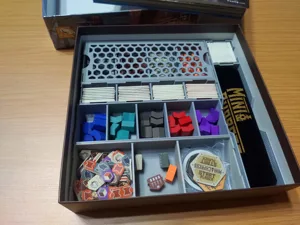
Mini Express boardgame insert
Inserts
Thingiverse DJRobin 12

Don't see the print you need? Request it

Expansions (3)

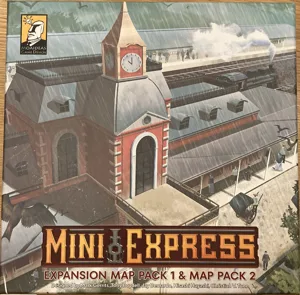
Mini Express: Expansion Map Pack 1 & Map Pack 2
2023 · no prints yet
No Image
Mini Express: Map Pack 2 – Japan and Spain
2023 · no prints yet
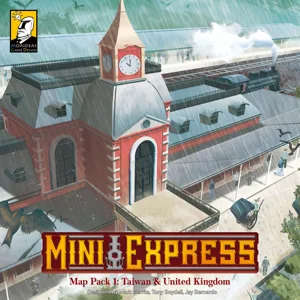
Mini Express: Map Pack 1 – Taiwan & United Kingdom
2022 · no prints yet
Show only expansions with prints

You might also like

Similar games by designer or mechanics that also have prints.

Railways of the Lost Atlas
1 print
1862: Railway Mania in the Eastern Counties
1 print
18Lilliput
18Lilliput
1 print
1829 Mainline
1829 Mainline
1 print
Union Pacific
Union Pacific
33 prints
Shikoku 1889
Shikoku 1889
7 prints
Board Games Game Prints Accessories Designers Photos Stats Submit a 3D Model Request a 3D Model
About Privacy Contact Tabletop Glow Up VisualSpool Discord
Powered by BoardGameGeek Powered by BoardGameGeek
Made with by Kamio · © 2026 LayerUp Games · Not affiliated with any platform
↑↓ navigate ↵ open esc close

Keyboard shortcuts

General
CtrlKOpen the command palette
/Jump to the page search
EscClear search · close dialogs
?Show this help
In the command palette
↑↓Move between results
↵Open the selected result
EscClose the palette
Open the command palette →