LayerUp Games
Games ▾
All Games
My Games My Game Wishlist
3D Models ▾
All Game 3D Models Tabletop Accessories
Kanban BG My Prints My Future Prints
Makers ▾
Makers Designers
Contribute ▾
Submit a 3D Model Request a 3D Model 3D Model Bounties
Print Resources
Unboxing ▾
Today's Puzzle
Leaderboard Archive
Theme
Light
Dark
⌘K
Sign In Register
Nexus Infernum

Nexus Infernum

2019
Submit a 3D Model

Buy on Amazon ↗

As an Amazon Associate, LayerUp Games earns from qualifying purchases.

Cover Colors

Main colors from the cover art. Find matching filament, or tap swatches to narrow.

Hide matches ▴
Game Details

Design by Diha, Petras Vaznelis, Adam Watts

Art by Diha, Adam Watts · Published by Archon Games

#16928
Rank
6.3
Rating
2.0
Weight
2–5
Players

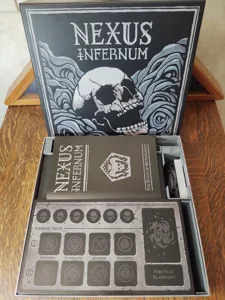
In Nexus Infernum, each player assumes the role of a power-hungry Necromancer seeking to become the most blasphemous in the realm. Through command of their skeletal minions gathered in the Nexus, players will battle against one another in a struggle to control six portals and channel the energy that manifests within them. As players channel the four different strains of dark arcana from the portals, they will enhance their powers through invoking and forging unholy pacts with demons gathered beyond the breach. Each demonic pact moves a player towards victory through accumulation of points of blasphemy. Roll dice to see which portal (which is marked by different symbols) gets resources. Your dice determine the color of resources as well as the portal. Roll dice to see where your first skeleton will travel to. Initially this move means nothing, but as more of your skeletons invade the board you'll have to roll a higher number on the threshold to allow a new skeleton to enter the arena. Once your skeleton is on the board they can move to any other portal they choose. Later on in the game when multiple skeletons are in play players can spend a blue resource to move an additional skeleton. If two players have a skeleton on the same spot, a player can roll dice and see if they can kill the opposing skeleton. The attacker will need to roll a 4 or higher on a six-sided die to defeat the opposing skeleton, and the defender will roll a D4. If the defender rolls a 4, they will kill the attacking skeleton. In later rounds, players can use a black resource to attack more skeletons. Player will then roll a D4 to determine how many resources they can pluck from their portal. Player can then choose to bank their resources and hold them until their next turn, or spend it on a demon in the pool. Each demon has different values and purchasing a demon will eventually allow you to unlock pacts which grant you points as well as additional abilities throughout the game. Pacts are only unlocked when a player successfully gains a pair of demons from the same color scheme. Next player moves... —description from the publisher

Fantasy, Fighting, Horror · Dice Rolling, Set Collection, Worker Placement

More ▾

View on BGG ↗

2 3D models for Nexus Infernum

2 designers · newest 3y ago

Nexus Infernum board game insert and organizer
Inserts
Thingiverse ClixAccessories 3
Nexus Infernum board game insert and organizer
Inserts
Cults3D hair10

Don't see the print you need? Request it

You might also like

Similar games by designer or mechanics that also have prints.

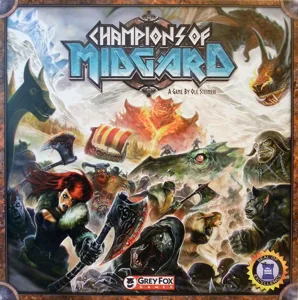
Champions of Midgard
29 prints
Near and Far
Near and Far
10 prints
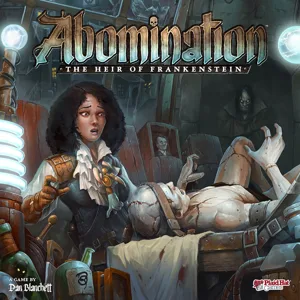
Abomination: The Heir of Frankenstein
5 prints
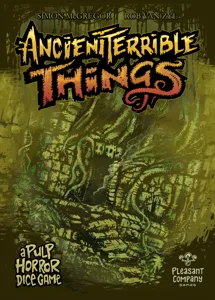
Ancient Terrible Things
2 prints
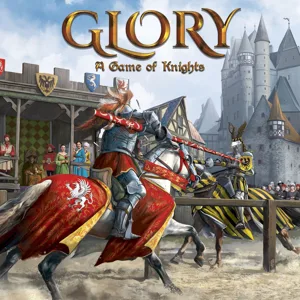
Glory: A Game of Knights
1 print
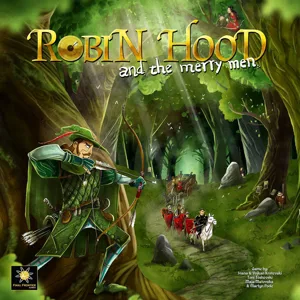
Robin Hood and the Merry Men
1 print
Board Games Game Prints Accessories Designers Photos Stats Submit a 3D Model Request a 3D Model
About Privacy Contact Tabletop Glow Up VisualSpool Discord
Powered by BoardGameGeek Powered by BoardGameGeek
Made with by Kamio · © 2026 LayerUp Games · Not affiliated with any platform
↑↓ navigate ↵ open esc close

Keyboard shortcuts

General
CtrlKOpen the command palette
/Jump to the page search
EscClear search · close dialogs
?Show this help
In the command palette
↑↓Move between results
↵Open the selected result
EscClose the palette
Open the command palette →