LayerUp Games
Games ▾
All Games
My Games My Accessories
Game Shelf Sleeve Stash Sleeve Catalog
3D Models ▾
All Game 3D Models Tabletop Accessories
Kanban BG My Prints My Future Prints My Collections
Blog
Community ▾
Makers Designers
Submit a 3D Model Request a 3D Model 3D Model Bounties
3D Printing Resources
Unboxing #56
Theme
Light
Dark
⌘K
Sign in Join free
Rail Raiders Infinite

Rail Raiders Infinite

2017 Layer by Layer
Flag this page

Sign in to flag this page. Nothing changes right now either way - it tells an admin to look.

Buy this game on Amazon ↗

As an Amazon Associate, LayerUp Games earns from qualifying purchases.

Game Details

Box 12 × 12 × 4 in (30.5 × 30.5 × 10.2 cm) · English Kickstarter edition (2017). Editions vary, check your copy before printing an insert.

Rail Raiders Infinite is a chibi sci-fi western board game for 2 to 4 players. Raid the Interstellar Express space-rail to earn loot, infamy, and the ire of C.O.W. and the Galactic Central Bank. In order to loot the train you’ll need to first dispose of the meddlesome Tinstar Lawbots, who will do everything in their power to stop your heist. Team up with other Raiders, or do what bandits do best, double-crossing them when their chips are down. Anything goes when you’re out to make a big score! In Rail Raiders Infinite, players assume control of a bandit raiding the Interstellar Express space-rail. Raiders move from car to car searching for loot. The player who gets the biggest haul of double-dollars before the train makes it to the station wins the game. Combat and other actions are determined by rolling a “hand” of five or more custom poker dice. The player who scores the highest hand wins the roll. Train Cars, except for the locomotive and caboose, always start the game face down showing the roof side of the car. This way raiders don’t know where the richest opportunities or the most Law Bots are beforehand. When a Raider moves onto, or starts its turn on, a face down car it may turn that car face up. Once a Train Car is turned face up, then Loot tokens are placed on the car and Long Arm of the Law cards are drawn equal to the numbers shown on the car. Each player takes control of a single Raider. Each Raider has a model and a card with a unique ability which only that Raider may use. A Raider may take three actions during its turn from the following choices: Move, Search, or Showdown. Any action type can only be performed twice during a player’s turn. So while a player gets to take three actions only two of them can be the same type of action. Move: The Raider may move to an adjacent train car. Search: The Raider may reveal a Loot token and draw the number of Loot cards shown. A Raider may not Search if a Lawbot is on the same train car. Showdown: The Raider gets into a shootout with Lawbots or opposing Raiders! At the beginning of a Raider's turn, a High Noon card is drawn. High Noon cards have special effects which may affect the turn's game play. Additionally, the High Noon deck serves as a timer for the game. Once the High Noon deck has been exhausted, the train has reached the station and the Raiders need to jump off the train or be captured! Long Arm of the Law cards tell you how many, and what type of, Lawbots to place on the train car. Some Long Arm of the Law cards even have special effects that may swing the tide of the game allowing Lawbots to roll more dice, gain rerolls, or even speed up the train! Poker dice are used to resolve shootouts and other situations within the game. Each die features six values: 10, Jack, Queen, King, Ace, and Joker. Players roll a hand of five dice and then attempt to make the highest poker hand from the results. The player with the highest hand wins!

Adventure, American West, Humor, Miniatures, Science Fiction, Trains · Dice Rolling, Modular Board, Point to Point Movement, Take That, Variable Player Powers

More ▾

View on BGG ↗

David Freeman , designer

Elmer Damaso , Daniel Dussault , Heath Foley +2 more , artist

Edge Entertainment , publisher

#27927
BGG Rank ↗
5.5
Rating
1.4
Weight
2–4
Players
Cover Colors

Main colors from the cover art. Find matching filament, or tap swatches to narrow.

Matching filament

1 3D model for Rail Raiders Infinite

Submit a 3D Model
Rail Raiders Infinite Insert
Inserts
Thingiverse ShizoJen

1 designer · newest 47d ago

Don't see the 3D model of your dreams? Request it here

Expansions (8)

No Image
Super Dungeon: Masterclass – Chuy and Apprentice
2020 · no models yet
No Image
Super Dungeon: Masterclass – Star Princess Candy
2020 · no models yet
Rail Raiders Infinite: Cowpuncher Candy
2017 · no models yet
Rail Raiders Infinite: El Cola
2017 · no models yet
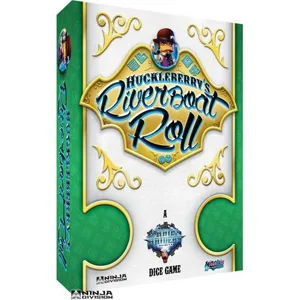
Rail Raiders Infinite: Huckleberry's Riverboat Roll
2017 · no models yet
Rail Raiders Infinite: Kingsman
2017 · no models yet
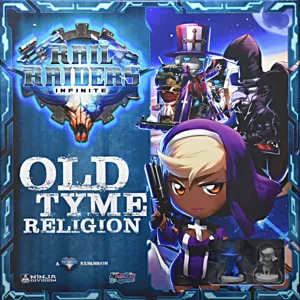
Rail Raiders Infinite: Old Tyme Religion
2016 · no models yet
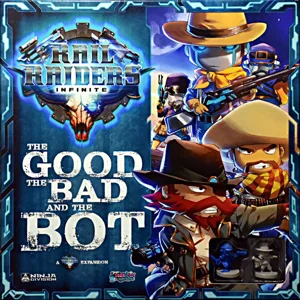
Rail Raiders Infinite: The Good, the Bad, and the Bot
2016 · no models yet
Show only expansions with models

You might also like

Similar games by designer or mechanics that also have 3D models.

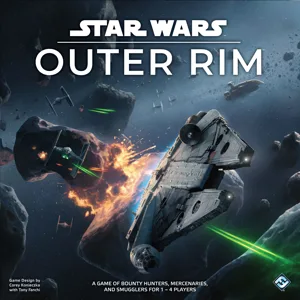
Star Wars: Outer Rim
32 models
Farms Race: Deluxe Edition
1 model
Arcadia Quest
Arcadia Quest
17 models
Masmorra: Dungeons of Arcadia
1 model
Cysmic
Cysmic
1 model
Dungeon Fighter
Dungeon Fighter
3 models
Board Games Game Prints Accessories Designers Photos Stats Submit a 3D Model Request a 3D Model
Blog Guides About Privacy Contact VisualSpool Discord
Powered by BoardGameGeek Powered by BoardGameGeek
The newsletter

Join the LayerUp Newsletter and be notified of new blog posts and 3D model reviews/articles.

Made with by Kamio · © 2026 LayerUp Games · Not affiliated with any platform
↑↓ navigate ↵ open esc close

Keyboard shortcuts

General
CtrlKOpen the command palette
/Jump to the page search
EscClear search · close dialogs
?Show this help
In the command palette
↑↓Move between results
↵Open the selected result
EscClose the palette
Open the command palette →