LayerUp Games
Games ▾
All Games Sleeve Catalog
My Games My Game Wishlist My Accessories
3D Models ▾
All Game 3D Models Tabletop Accessories
Kanban BG My Prints My Future Prints My Collections
Makers ▾
Makers Designers
Contribute ▾
Submit a 3D Model Request a 3D Model 3D Model Bounties
3D Printing Resources
Unboxing ▾
Today's Puzzle
Leaderboard Archive
Theme
Light
Dark
⌘K
Sign In Register
Redakai

Redakai

2011
Flag this page

Sign in to flag this page. Nothing changes right now either way - it tells an admin to look.

Buy this game on Amazon ↗

As an Amazon Associate, LayerUp Games earns from qualifying purchases.

Game Details

Redakai is a trading card game using the characters and setting of an animated series of the same name that debuted on the Cartoon Network in the U.S. in 2011. Redakai cards have Blast 3D technology, making them appear 3D, as well as making attacks appear to animate as the player moves the card. In Redakai, a player is trying to eliminate the character(s) controlled by the opponent to win the game. In the basic game, each player starts with one character and on a turn you draw a card from your deck, then play it immediately. The card types are monster – which are played on your own character to boost defenses and heal damage – and attack – which are played on the opponent's character. A character can have defenses in three colors – green, red, blue – and if an attack is stronger than a character's defense in that attack's color, then the attack hits and damages the character. The cards are transparent and they stack on top of each other during play. A character's health is represented by three damage zones on the card, and if all these zones turn red (by playing one or more attacks on that character), then the character is eliminated. An attack can also cover up and remove a character's defense, while monsters can boost defenses and cover red damage zones with yellow ones, thus healing the character. In the advance game, each player controls three characters and starts with a hand of three cards and a maximum Kairu value of three. Each turn, a player boosts his maximum Kairu by one (to a maximum of 20), draws one card, then (optionally) plays monster and attack cards, spending Kairu to do so equal to the cost on each card. Some cards have "react" abilities that allow you to spend Kairu to defend against attacks. At the start of each turn, your Kairu refreshes to its maximum value. If you eliminate all three of your opponent's characters, you win the game. If you cannot draw a card on your turn because your deck is exhausted, you lose.

Card Game, Collectible Components, Fantasy, Fighting, Movies / TV / Radio theme · Hand Management, Variable Player Powers

More ▾

View on BGG ↗

John Fiorillo , Justin Gary , Brian M. Kibler , designer

Spin Master Ltd. , publisher

#28617
Rank
5.6
Rating
1.7
Weight
2
Players

0 3D models for Redakai

Submit a 3D Model

No 3D model files yet.

Know of one? Submit a 3D Model, or request one to let the community know.

Expansions (1)

Redakai: Metacharged
2011 · no models yet
Show only expansions with models

You might also like

Similar games by designer or mechanics that also have 3D models.

Star Wars: Destiny
Star Wars: Destiny
25 models
Warhammer Underworlds: Shadespire
19 models
A Game of Thrones: The Card Game
2 models
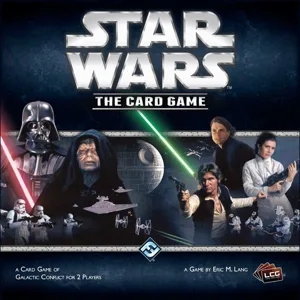
Star Wars: The Card Game
2 models
Unmatched: Redemption Row
7 models
Unmatched Adventures: Teenage Mutant Ninja Turtles
6 models
Board Games Game Prints Accessories Designers Photos Stats Submit a 3D Model Request a 3D Model
About Privacy Contact Tabletop Glow Up VisualSpool Discord
Powered by BoardGameGeek Powered by BoardGameGeek
Made with by Kamio · © 2026 LayerUp Games · Not affiliated with any platform
↑↓ navigate ↵ open esc close

Keyboard shortcuts

General
CtrlKOpen the command palette
/Jump to the page search
EscClear search · close dialogs
?Show this help
In the command palette
↑↓Move between results
↵Open the selected result
EscClose the palette
Open the command palette →