LayerUp Games
Games ▾
All Games
My Games My Game Wishlist
3D Models ▾
All Game 3D Models Tabletop Accessories
Kanban BG My Prints My Future Prints
Makers ▾
Makers Designers
Contribute ▾
Submit a 3D Model Request a 3D Model 3D Model Bounties
Print Resources
Unboxing ▾
Today's Puzzle
Leaderboard Archive
Theme
Light
Dark
⌘K
Sign In Register
Shadows of Brimstone: Swarm Pack #2 – Slashers

Shadows of Brimstone: Swarm Pack #2 – Slashers

2023
Submit a 3D Model

Expansion of Shadows of Brimstone: Swamps of Death

Buy on Amazon ↗

As an Amazon Associate, LayerUp Games earns from qualifying purchases.

Game Details

Design by Jason C. Hill

Published by Flying Frog Productions

7.9
Rating
1–4
Players

An Enemy Swarm Pack is a new themed set of cards focusing on fighting swarms of a particular Enemy Type, as well as a new set of Spawners for that Enemy Type. In this case, the pack focuses on fighting rampaging swarms of hungry Slashers and has a Feeding Burrow that spawns new Slashers during a Fight. This pack also includes Enemy Record Sheets for the OtherWorld variants of Slashers (Swamp Slashers and Gorged Slashers, as well as two new OtherWorld variants... Larval Slashers and Slashers of the Deep), with the stats and modifiers worked into the Enemy Record Sheet itself, as well as new themed Elite Charts and Brutal sides for these variants. A new Mission, Feeding Frenzy, allows the Heroes to go on an adventure to hunt down the burrow of these beastly creatures that are rampaging through the area. This set assumes you have access to the Slasher Enemies (miniatures and cards) from the ''Swamps of Death'' Core Set and does include an additional set of 6 Slasher miniatures, giving you a swarm of up to 9 of these savage beasts. This set contains miniatures for 1 XL Feeding Burrow as well as 6 large Slashers. The Feeding Burrow is a new Enemy introduced in this set, that acts as a Spawner for Slashers. A large rocky outcropping of Dark Stone, it is the ideal burrow for a nest of Slashers that bury themselves in the ground, feeding on the black rock. At the end of every Turn, more Dark Stone markers are added to the Feeding Burrow, until there is enough to spawn a new Slasher, consuming the Dark Stone as it erupts from the ground! This creates a new goal within the Fight for the Heroes to battle their way to the Feeding Burrow and destroy it before you are overwhelmed by a flood of Slashers. This can be dangerous though as the Dark Stone Radiation of the black rock can add up fast. The Burrow itself though can be a good source of some extra Dark Stone for the Heroes.

Expansion for Base-game, Adventure, American West, Exploration, Fantasy, Horror, Miniatures · Cooperative Game, Dice Rolling, Grid Movement, Modular Board, Role Playing, Variable Player Powers

More ▾

View on BGG ↗

0 3D models for Shadows of Brimstone: Swarm Pack #2 – Slashers

No 3D model files yet.

Know of one? Submit a 3D Model, or request one to let the community know.
You might also like

Similar games by designer or mechanics that also have prints.

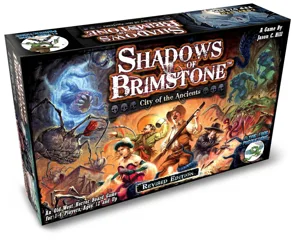
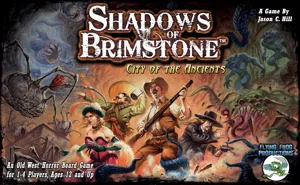
Shadows of Brimstone: City of the Ancients
12 prints
Dungeons & Dragons: Castle Ravenloft Board Game
7 prints
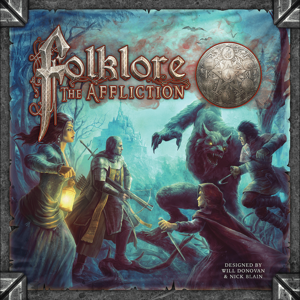
Folklore: The Affliction
3 prints
Mansions of Madness: Second Edition – Path of the Serpent: Expansion
1 print
Mansions of Madness: Second Edition – Horrific Journeys: Expansion
1 print
Mansions of Madness: Second Edition – Beyond the Threshold: Expansion
1 print
Board Games Game Prints Accessories Designers Photos Stats Submit a 3D Model Request a 3D Model
About Privacy Contact Tabletop Glow Up VisualSpool Discord
Powered by BoardGameGeek Powered by BoardGameGeek
Made with by Kamio · © 2026 LayerUp Games · Not affiliated with any platform
↑↓ navigate ↵ open esc close

Keyboard shortcuts

General
CtrlKOpen the command palette
/Jump to the page search
EscClear search · close dialogs
?Show this help
In the command palette
↑↓Move between results
↵Open the selected result
EscClose the palette
Open the command palette →