LayerUp Games
Games ▾
All Games
My Games My Game Wishlist
3D Models ▾
All Game 3D Models Tabletop Accessories
Kanban BG My Prints My Future Prints
Makers ▾
Makers Designers
Contribute ▾
Submit a 3D Model Request a 3D Model 3D Model Bounties
Print Resources
Unboxing ▾
Today's Puzzle
Leaderboard Archive
Theme
Light
Dark
⌘K
Sign In Register
Taluva

Taluva

2006
Submit a 3D Model

Buy on Amazon ↗

As an Amazon Associate, LayerUp Games earns from qualifying purchases.

Cover Colors

Main colors from the cover art. Find matching filament, or tap swatches to narrow.

Hide matches ▴
Game Details

Design by Marcel-André Casasola Merkle

Art by Manuel Casasola Merkle, Xavier Gueniffey Durin, Julien Le Faucheur +5 more · Published by Ferti

#797
Rank
7.1
Rating
2.2
Weight
2–4
Players

In Taluva, players attempt to successfully settle a South Sea island slowly emerging from the ocean waters as volcano after volcano erupts. Each turn, players decide to either have a new volcano erupt along the shore, increasing the size of the island, or to have an existing volcano erupt again, increasing the height of the land around it (and possibly destroying parts of existing settlements). They do this by placing a new tile, consisting of one volcano and two other types of landscape. A tile must always touch at least one other tile, when placed at sea level, or be placed on top of at least two other tiles (without any gaps under the land being created), with the volcano being placed on top of an existing volcano. Next, the player will place one or more wooden buildings; huts, temples or towers. Settlements must always start at the lowest level, by placing a single hut. From there on, existing settlements may expand by placing huts on all hexes of a single type of terrain around the settlement, with temples once the settlement takes up at least three hexes, or with towers, placed at level three or above. The game ends when all tiles have been placed. At that point, the player who's placed most temples wins. Ties are broken by towers, then huts. Ultimate victory - and an immediate end to the game - waits for the player who manages to place all their buildings of two types. Immediate defeat is also possible, when no buildings can legally be played during a player's turn. A lot of strategy results from the various placement rules. Volcanoes may never fully destroy a settlement, so single huts can block volcano placement, protecting other settlements. Alternatively, a well placed volcano can split a large settlement in two, creating the opportunity for both to expand more rapidly than a new settlement would. Limiting your opponent's growth potential is at least as important as preparing the terrain for you to expand upon...

Abstract Strategy, Territory Building · Chaining, Hexagon Grid, Layering, Pattern Building, Race, Static Capture, Sudden Death Ending, Tile Placement

More ▾

View on BGG ↗

3 3D models for Taluva

3 designers · newest 6mo ago

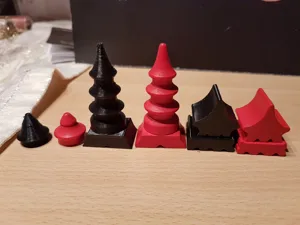
Taluva Deluxe Buildings
Inserts
Thingiverse Flashhawk 17
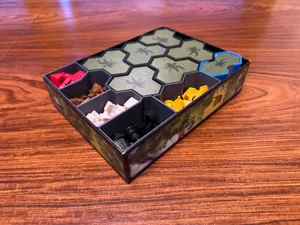
Taluva + expansion insert
Inserts
MakerWorld sigmarpriest 3
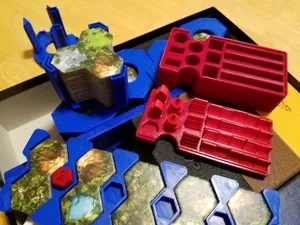
Taluva + Extension Expansion - Tile Holder, Player Tray, Organizer
Inserts
Printables picklerelish 3

Don't see the print you need? Request it

Expansions (1 with prints)

Taluva: Extension
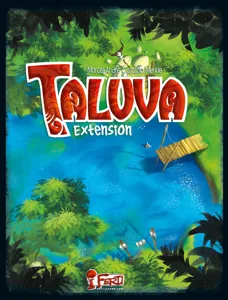
Taluva: Extension
2017 · 1 print
Show all expansions (2 with no prints yet)

You might also like

Similar games by designer or mechanics that also have prints.

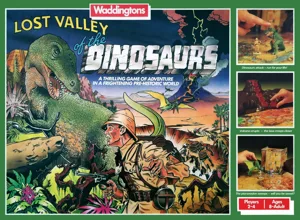
Lost Valley of the Dinosaurs
1 print
Great Plains
Great Plains
1 print
Fjords
Fjords
1 print
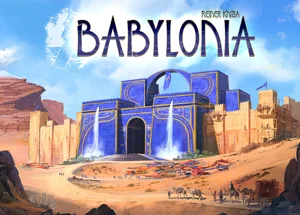
Babylonia
Babylonia
1 print
Harmonies
Harmonies
31 prints
Kingdom Builder
Kingdom Builder
14 prints
Board Games Game Prints Accessories Designers Photos Stats Submit a 3D Model Request a 3D Model
About Privacy Contact Tabletop Glow Up VisualSpool Discord
Powered by BoardGameGeek Powered by BoardGameGeek
Made with by Kamio · © 2026 LayerUp Games · Not affiliated with any platform
↑↓ navigate ↵ open esc close

Keyboard shortcuts

General
CtrlKOpen the command palette
/Jump to the page search
EscClear search · close dialogs
?Show this help
In the command palette
↑↓Move between results
↵Open the selected result
EscClose the palette
Open the command palette →