LayerUp Games
Games ▾
All Games
My Games My Game Wishlist
3D Models ▾
All Game 3D Models Tabletop Accessories
Kanban BG My Prints My Future Prints
Makers ▾
Makers Designers
Contribute ▾
Submit a 3D Model Request a 3D Model 3D Model Bounties
Print Resources
Unboxing ▾
Today's Puzzle
Leaderboard Archive
Theme
Light
Dark
⌘K
Sign In Register
The Lord of the Rings: The Card Game – Nightmare Decks: The Road Darkens

The Lord of the Rings: The Card Game – Nightmare Decks: The Road Darkens

2016
Submit a 3D Model

Expansion of The Lord of the Rings: The Card Game

Buy on Amazon ↗

As an Amazon Associate, LayerUp Games earns from qualifying purchases.

Game Details

Design by Nate French, Caleb Grace, MJ Newman

Art by Bon Bernardo, Leonardo Borazio, Igor Burlakov +13 more · Published by Fantasy Flight Games

7.6
Rating
1–2
Players

From the publisher: Middle-earth and The Lord of the Rings: The Card Game are full of adventures, and your road goes ever, ever on. Sometimes, when the mood strikes you—or when your heroes take a wrong turn—you may see that road darken… and then darken again. Nightmare Decks allow you to revisit your favorite scenarios recast within the darker and deadlier shadows of Nightmare Mode. Each Nightmare Deck introduces new encounter cards that you exchange with specified cards from the adventure's standard encounter deck. The result is a more challenging adventure that comes full of novel and thematic new twists. Bundled as one sixty-card product, The Road Darkens Nightmare Decks modify each of the three scenarios from The Road Darkens Saga Expansion. Because each Saga Expansion endeavors to stay as faithful to the books as possible, it may sound like a daunting task to create sixty new cards to reshape the Fellowship's travels through the second half of The Fellowship of the Ring, but lead developer Caleb Grace assures us that the Nightmare Deck afforded him a welcome opportunity to include many of the story elements he was pained to cut from the scenarios in Standard Mode: I'm always excited to design Nightmare Decks for our Saga Expansions because there are always things that I had wanted to include, but we simply didn’t have the room. While working on The Road Darkens, I found myself saying things like, “This will have to go in the Nightmare version” whenever I had to cut something that I liked. For example, serious fans of The Lord of the Rings may have lamented the exclusion of the Watcher in the Water’s many tentacles, or the absence of the Balrog’s fiery whip and flaming sword. Nightmare Decks give us the opportunity not only to increase the difficulty of the scenarios, but to appeal to our fans by introducing more of these memorable parts of the story.

Expansion for Base-game, Card Game, Fantasy, Novel-based · Cooperative Game, Hand Management, Variable Player Powers

More ▾

View on BGG ↗

0 3D models for The Lord of the Rings: The Card Game – Nightmare Decks: The Road Darkens

No 3D model files yet.

Know of one? Submit a 3D Model, or request one to let the community know.
You might also like

Similar games by designer or mechanics that also have prints.

Mansions of Madness: Second Edition – Streets of Arkham: Expansion
1 print
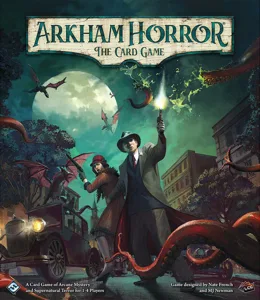
Arkham Horror: The Card Game (Revised Core Set)
38 prints
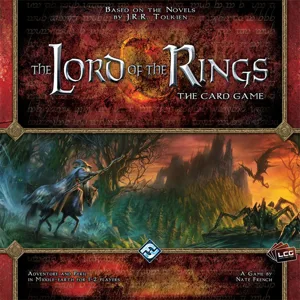
The Lord of the Rings: The Card Game – Revised Core Set
8 prints
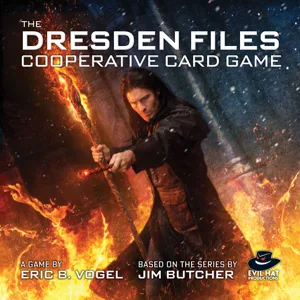
The Dresden Files Cooperative Card Game
2 prints
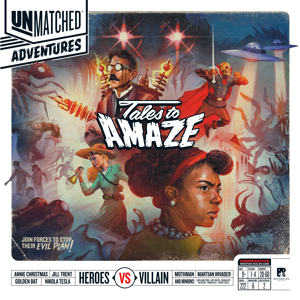
Unmatched Adventures: Tales to Amaze
1 print
Mansions of Madness: Second Edition
31 prints
Board Games Game Prints Accessories Designers Photos Stats Submit a 3D Model Request a 3D Model
About Privacy Contact Tabletop Glow Up VisualSpool Discord
Powered by BoardGameGeek Powered by BoardGameGeek
Made with by Kamio · © 2026 LayerUp Games · Not affiliated with any platform
↑↓ navigate ↵ open esc close

Keyboard shortcuts

General
CtrlKOpen the command palette
/Jump to the page search
EscClear search · close dialogs
?Show this help
In the command palette
↑↓Move between results
↵Open the selected result
EscClose the palette
Open the command palette →