LayerUp Games
Games ▾
All Games Sleeve Catalog
My Games My Game Wishlist My Accessories
3D Models ▾
All Game 3D Models Tabletop Accessories
Kanban BG My Prints My Future Prints My Collections
Makers ▾
Makers Designers
Contribute ▾
Submit a 3D Model Request a 3D Model 3D Model Bounties
3D Printing Resources
Unboxing ▾
Today's Puzzle
Leaderboard Archive
Theme
Light
Dark
⌘K
Sign In Register
The World Council

The World Council

2017
Flag this page

Sign in to flag this page. Nothing changes right now either way - it tells an admin to look.

Buy this game on Amazon ↗

As an Amazon Associate, LayerUp Games earns from qualifying purchases.

Game Details

The World Council is a secret committee unknown to most. They gather leaders from various countries in the globe to determine policy of our world. Its main objectives is maintaining peace, fostering social and economic development, and make sure the world is sustainable for mankind. However, result always comes with a price, the development for the general well-being can also foster the coming Doomsday. Can councilors work together for a better future? The World Council is a strategic board game for 3 to 8 players. You are one of the country leaders in "The World Council". All players strive to be the first to achieve their countries’ objectives, which determined by their country cards, while preventing the ambition of other leaders, as well as, the end of the world. Player achieves his country’s objectives to win the game. Each player begins the game with one of the following country cards (Super Power, Totalitarian State, Developed Country, Developing Country, Island Country) which give them different countries’ objectives and an uneven number of hands depends on which country you started with. Doomsday Cards are used to Presents the closeness of 4 types of Doomsday (World War Index, Starvation index, Global Warming Index, Drought Index). Action Cards provide strategy for Councilors to gain advantage for their country. Building Cards need Resources to construct, but they can also provide Resources or even strategic superiority for their countries and construction of some buildings could also be a part of the objectives to win. Every card have a natural resources value showed on the upper left which can be used to pay building cost of other building. Using natural resources will cause the rise of Doomsday Index, but Resources provided by building will not. Prepare for the tension and conflict coming from the other players, you will never know when will they be ally or your foe. Each game will be quick and simple, but always a different experience!

Card Game, Negotiation, Political · Hand Management, Team-Based Game, Trading, Variable Player Powers

More ▾

View on BGG ↗

Lokson Ken Leung , designer

Creator Studio , publisher

#30622
Rank
3.8
Rating
2.4
Weight
3–6
Players

0 3D models for The World Council

Submit a 3D Model

No 3D model files yet.

Know of one? Submit a 3D Model, or request one to let the community know.

Expansions (3)

No Image
The World Council: The Future Council Expansion Pack
2019 · no models yet
No Image
The World Council: Cold War
2017 · no models yet
No Image
The World Council: Disaster
2017 · no models yet
Show only expansions with models

You might also like

Similar games by designer or mechanics that also have 3D models.

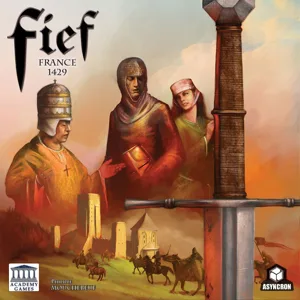
Fief: France 1429
Fief: France 1429
3 models
Dune
Dune
2 models
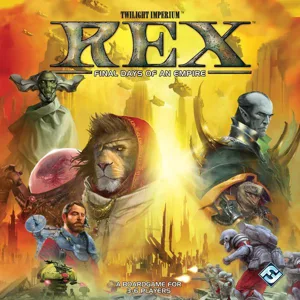
Rex: Final Days of an Empire
2 models
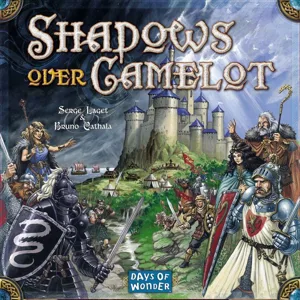
Shadows over Camelot
5 models
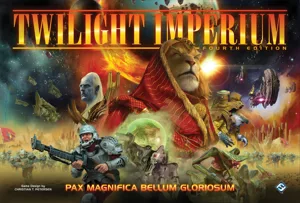
Twilight Imperium: Fourth Edition
167 models
Twilight Imperium: Third Edition
8 models
Board Games Game Prints Accessories Designers Photos Stats Submit a 3D Model Request a 3D Model
About Privacy Contact Tabletop Glow Up VisualSpool Discord
Powered by BoardGameGeek Powered by BoardGameGeek
Made with by Kamio · © 2026 LayerUp Games · Not affiliated with any platform
↑↓ navigate ↵ open esc close

Keyboard shortcuts

General
CtrlKOpen the command palette
/Jump to the page search
EscClear search · close dialogs
?Show this help
In the command palette
↑↓Move between results
↵Open the selected result
EscClose the palette
Open the command palette →