LayerUp Games
Games ▾
All Games
My Games My Game Wishlist
3D Models ▾
All Game 3D Models Tabletop Accessories
Kanban BG My Prints My Future Prints
Makers ▾
Makers Designers
Contribute ▾
Submit a 3D Model Request a 3D Model 3D Model Bounties
Print Resources
Unboxing ▾
Today's Puzzle
Leaderboard Archive
Theme
Light
Dark
⌘K
Sign In Register
Ticket to Ride Map Collection 1: Asia + Legendary Asia

Ticket to Ride Map Collection 1: Asia + Legendary Asia

2011
Submit a 3D Model

Expansion of Ticket to Ride

Buy on Amazon ↗

As an Amazon Associate, LayerUp Games earns from qualifying purchases.

Cover Colors

Main colors from the cover art. Find matching filament, or tap swatches to narrow.

Hide matches ▴
Game Details

Design by Alan R. Moon, François Valentyne

Art by Cyrille Daujean, Julien Delval · Published by Days of Wonder

7.7
Rating
2.0
Weight
2–6
Players

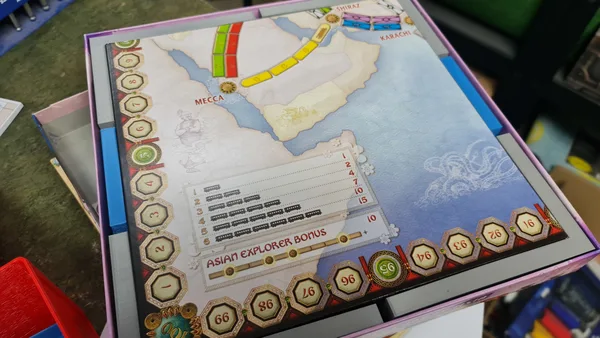
Days of Wonder's Ticket to Ride Map Collection is a series of expansions for Alan R. Moon's Ticket to Ride, with most expansion including a double-sided game board and destination tickets and rules for those locations. Ticket to Ride Map Collection 1: Asia + Legendary Asia presents players with two set-ups on Earth's largest continent: • Team Asia from Alan R. Moon – Four or six players compete as two-player teams, with teammates sitting next to one another at the table. Each player has their own secret hand of cards and tickets, in addition to some cards and tickets being placed in a shared cardholder that either player on the team can access. When a player draws cards, they must place one card in the cardholder and the other in their hand (unless they takes a face-up locomotive, in which case it must be shared); when a player draws tickets, the first ticket kept must be placed in the cardholder and any additional tickets kept added to their hand. A player can spend their turn to add two tickets from their hand to the cardholder. A team's points are tracked collectively, and the team with the highest score wins. • Legendary Asia from François Valentyne – The main change in this set-up is that some of the routes through Asia are labeled mountain routes, with one or more spaces on the route bearing an X. Whenever a player claims one of these routes, they must place a train from their reserve in the Mountain Crossing area of the game board, earning two points for each such train but losing access to them for the rest of the game. The player who connects to the most cities in a single network earns a ten point "Asian Explorer" bonus. Ticket to Ride or Ticket to Ride: Europe is required to use the maps in this expansion. Part of Ticket to Ride series.

Expansion for Base-game, Trains · Communication Limits, Hand Management, Network and Route Building, Open Drafting, Set Collection, Team-Based Game

More ▾

View on BGG ↗

1 3D model for Ticket to Ride Map Collection 1: Asia + Legendary Asia

1 designer · newest 22mo ago

Insert for Ticket to Ride Map Collection 1: Asia V.2
Inserts
Printables Firepigeon 3

Don't see the print you need? Request it

You might also like

Similar games by designer or mechanics that also have prints.

Concordia Venus
Concordia Venus
5 prints
Ticket to Ride Map Collection 7: Japan & Italy
1 print
Ticket to Ride: USA 1910
1 print
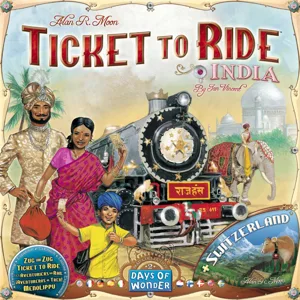
Ticket to Ride Map Collection 2: India & Switzerland
1 print
Ticket to Ride Map Collection 6½: Poland
1 print
Ticket to Ride Map Collection 4: Nederland
1 print
Board Games Game Prints Accessories Designers Photos Stats Submit a 3D Model Request a 3D Model
About Privacy Contact Tabletop Glow Up VisualSpool Discord
Powered by BoardGameGeek Powered by BoardGameGeek
Made with by Kamio · © 2026 LayerUp Games · Not affiliated with any platform
↑↓ navigate ↵ open esc close

Keyboard shortcuts

General
CtrlKOpen the command palette
/Jump to the page search
EscClear search · close dialogs
?Show this help
In the command palette
↑↓Move between results
↵Open the selected result
EscClose the palette
Open the command palette →