LayerUp Games
Games ▾
All Games
My Games My Accessories
Game Shelf Sleeve Stash Sleeve Catalog
3D Models ▾
All Game 3D Models Tabletop Accessories
Kanban BG My Prints My Future Prints My Collections
Blog
Community ▾
Makers Designers
Submit a 3D Model Request a 3D Model 3D Model Bounties
3D Printing Resources
Unboxing #56
Theme
Light
Dark
⌘K
Sign in Join free
Timber Timmy

Timber Timmy

2020 Layer by Layer
Flag this page

Sign in to flag this page. Nothing changes right now either way - it tells an admin to look.

Buy this game on Amazon ↗

As an Amazon Associate, LayerUp Games earns from qualifying purchases.

Game Details

Each player gets a hammer (hammer head is hollow) with which he has to collect colored plastic hats in the correct order as quickly as possible. The order of the five colors is determined by a revealed card. The first player to collect 5 cards wins the game. —user summary

Action / Dexterity, Children's Game · Set Collection

More ▾

View on BGG ↗

Noris Spiele , publisher

2–4
Players

0 3D models for Timber Timmy

Submit a 3D Model

No 3D model files yet.

Know of one? Submit a 3D Model, or request one to let the community know.

You might also like

Similar games by designer or mechanics that also have 3D models.

Fireball Island: The Curse of Vul-Kar
7 models
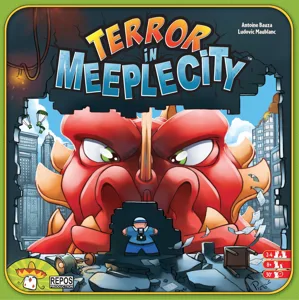
Terror in Meeple City
3 models
Seize the Bean
Seize the Bean
2 models
Throw Throw Burrito
Throw Throw Burrito
2 models
Ascending Empires: Zenith Edition
1 model
Fireball Island: The Curse of Vul-Kar – Crouching Tiger, Hidden Bees!
1 model
Board Games Game Prints Accessories Designers Photos Stats Submit a 3D Model Request a 3D Model
Blog Guides About Privacy Contact VisualSpool Discord
Powered by BoardGameGeek Powered by BoardGameGeek
The newsletter

Join the LayerUp Newsletter and be notified of new blog posts and 3D model reviews/articles.

Made with by Kamio · © 2026 LayerUp Games · Not affiliated with any platform
↑↓ navigate ↵ open esc close

Keyboard shortcuts

General
CtrlKOpen the command palette
/Jump to the page search
EscClear search · close dialogs
?Show this help
In the command palette
↑↓Move between results
↵Open the selected result
EscClose the palette
Open the command palette →