LayerUp Games
Games ▾
All Games
My Games My Game Wishlist
3D Models ▾
All Game 3D Models Tabletop Accessories
Kanban BG My Prints My Future Prints
Makers ▾
Makers Designers
Contribute ▾
Submit a 3D Model Request a 3D Model 3D Model Bounties
Print Resources
Unboxing ▾
Today's Puzzle
Leaderboard Archive
Theme
Light
Dark
⌘K
Sign In Register
Zombie Bus

Zombie Bus

2018
Submit a 3D Model

Buy on Amazon ↗

As an Amazon Associate, LayerUp Games earns from qualifying purchases.

Cover Colors

Main colors from the cover art. Find matching filament, or tap swatches to narrow.

Hide matches ▴
Game Details

Design by Christophe Lauras

Art by Mary Pumpkins · Published by Sweet Games

#15833
Rank
6.4
Rating
2.0
Weight
2–5
Players

A dice game with Yahtzee like rerolls, where players aim at cooperately defending a school bus against Zombies while helping cheerleaders to escape. In addition, players may flee from the scene, betraying the others to win the game on their own or be turned into zombies themselves. Zombies have different abilities, like stealing a die from the players when in play. They all require different die values and numbers to be rolled to be discarded. Some will be attracted by players, who attack them, others ignore them and stay focused on the bus. Each zombie attacking a player reduces their capability to reroll by one. If this is decreased to zero, the player is turned into a Zombie him- or herself and will stay in front of the bus for the rest of the game, eliminated unless another player finds a cure. Whenever there are four or more zombies next to the bus at the end of a turn (including players turned into zombies), the players lose. So distracting zombies from the bus, is sometimes a necessity. In addition, player gain loot tokens, whenever a zombie is killed in front of them. However, the winning condition is not killing the zombies, but rescuing all cheerleaders from the bus. For this, rolling star symbols is required. Cheerleaders are tokens, placed in two stacks on the bus, each showing two to four stars. Only cheerleaders on top of a stack can be rescued any given time, rolling the corresponding numbers of stars. Some zombies make use of stars impossible, while they are in play. In addition to the stars and different symbols, required to kill the zombies, there is also a die face with half a bullseye. One die rolled on that side is worthless, but two could be used as a wild for any symbol to kill a zombie. Players also have a special character ability, e.g. one gets two loot tokens instead of one for a zombie killed in front of them, one can ignore the "no star" restriction of particular zombies, etc.

Dice, Horror, Zombies · Cooperative Game, Dice Rolling, Push Your Luck, Variable Player Powers

More ▾

View on BGG ↗

1 3D model for Zombie Bus

1 designer · newest 3y ago

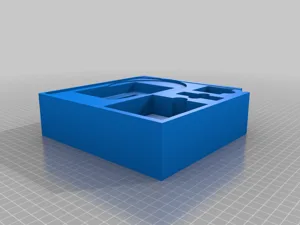
Zombie Bus insert for sleeved cards
Inserts
Thingiverse Darsh97 1

Don't see the print you need? Request it

Expansions (4)

Zombie Bus: Le raton laveur
2021 · no prints yet
Zombie Bus: Les motards
2021 · no prints yet
Zombie Bus: Les touristes
2021 · no prints yet
Zombie Bus: L'infirmière
2021 · no prints yet
Show only expansions with prints

You might also like

Similar games by designer or mechanics that also have prints.

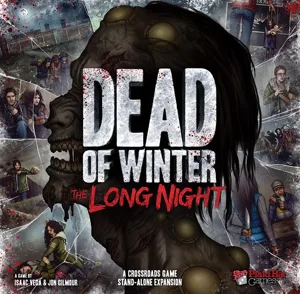
Dead of Winter: The Long Night
19 prints
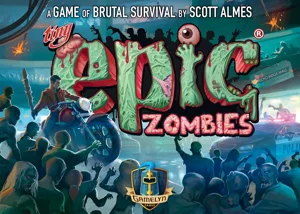
Tiny Epic Zombies
Tiny Epic Zombies
7 prints
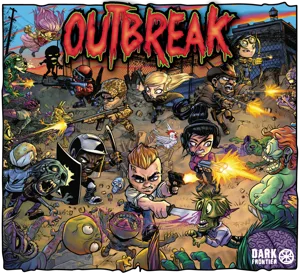
Outbreak
Outbreak
1 print
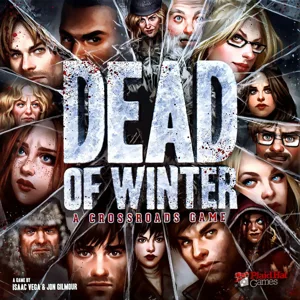
Dead of Winter: A Crossroads Game
16 prints
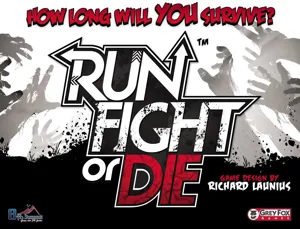
Run, Fight, or Die!
Run, Fight, or Die!
1 print
Zombie Dice
Zombie Dice
7 prints
Board Games Game Prints Accessories Designers Photos Stats Submit a 3D Model Request a 3D Model
About Privacy Contact Tabletop Glow Up VisualSpool Discord
Powered by BoardGameGeek Powered by BoardGameGeek
Made with by Kamio · © 2026 LayerUp Games · Not affiliated with any platform
↑↓ navigate ↵ open esc close

Keyboard shortcuts

General
CtrlKOpen the command palette
/Jump to the page search
EscClear search · close dialogs
?Show this help
In the command palette
↑↓Move between results
↵Open the selected result
EscClose the palette
Open the command palette →