LayerUp Games
Games ▾
All Games
My Games My Accessories
Game Shelf Sleeve Stash Sleeve Catalog
3D Models ▾
All Game 3D Models Tabletop Accessories
Kanban BG My Prints My Future Prints My Collections
Blog
Community ▾
Makers Designers
Submit a 3D Model Request a 3D Model 3D Model Bounties
3D Printing Resources
Unboxing #55
Theme
Light
Dark
⌘K
Sign in Join free
Каркассон: Колесо фортуны

Каркассон: Колесо фортуны

2012 Layer by Layer
Flag this page

Sign in to flag this page. Nothing changes right now either way - it tells an admin to look.

Buy this game on Amazon ↗

As an Amazon Associate, LayerUp Games earns from qualifying purchases.

Game Details

This edition of Carcassonne: Wheel of Fortune includes the Bridges, Castles and Bazaars expansion. Carcassonne: Wheel of Fortune is both a full replacement for the base game of Carcassonne and an expansion to the original base game. It includes 72 tiles, consisting of 63 tiles released in the original base game, 6 from Inns & Cathedrals, 1 from Traders & Builders and 2 from King & Scout. It also includes a special replacement start tile which depicts the Wheel of Fortune, a new mechanic unique to this edition of the game. The new start tile is the size of 16 tiles, arranged in a 4×4 square and is built using some of the tiles removed from the base game. Nineteen tiles from the game have numbers printed on them allowing players to randomly spin the Wheel of Fate (between 1 and 3 spaces around the wheel). Otherwise, a player may choose to place a follower on the wheel if they decline placing a follower that turn. The results of the Wheel vary depending on which of the sixths of the wheel the pig lands on. Results vary from forcing all players to remove a follower from the board to rewarding the player who moves the pig with three bonus points. There are six outcomes in all. Play of this game does not require ownership of any Carcassonne base game. All expansions are compatible with this game. This game can also be played with the base game as an expansion, using its wagon wheel watermark to differentiate it from the base game. Bridges, Castles and Bazaars is the eighth expansion for Carcassonne. It allows players three new options while playing: Bridges may be used to continue a road over a field tile, thereby allowing an incomplete road to technically run into a field segment. They are otherwise treated and scored just like roads. Castle tokens are placed atop 2-segment cities and allow players a chance to cash-in on the next completed adjacent feature. Bazaars are a new type of tile that allows players to auction off tiles in exchange for points.

City Building, Medieval · Tile Placement

More ▾

View on BGG ↗

Klaus-Jürgen Wrede , designer

Hobby World , publisher

7.6
Rating
2–5
Players

0 3D models for Каркассон: Колесо фортуны

Submit a 3D Model

No 3D model files yet.

Know of one? Submit a 3D Model, or request one to let the community know.

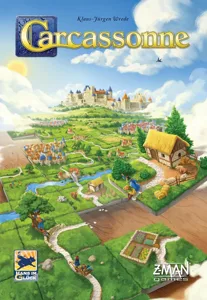
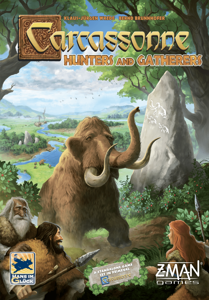
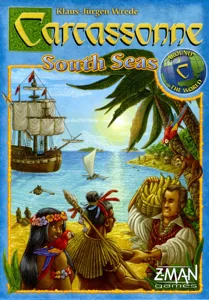
Same series: Carcassonne 2000 207 Carcassonne: Hunters and Gatherers 2002 4 Carcassonne: The Castle 2003 1 Carcassonne Big Box 2006 1 Carcassonne: South Seas 2013 2 Mists over Carcassonne 2022 6 +1 more

You might also like

Similar games by designer or mechanics that also have 3D models.

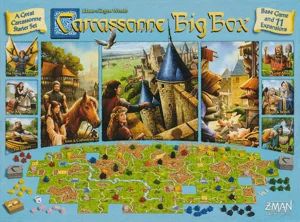
Carcassonne Big Box 6
1 model
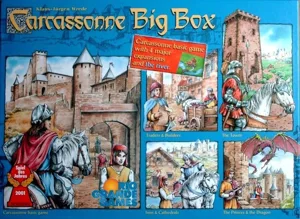
Carcassonne Big Box
Carcassonne Big Box
1 model
Carcassonne
Carcassonne
207 models
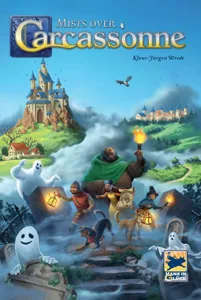
Mists over Carcassonne
6 models
Carcassonne: Winter Edition
1 model
Carcassonne: South Seas
2 models
Board Games Game Prints Accessories Designers Photos Stats Submit a 3D Model Request a 3D Model
Blog Guides About Privacy Contact VisualSpool Discord
Powered by BoardGameGeek Powered by BoardGameGeek
The newsletter

Join the LayerUp Newsletter and be notified of new blog posts and 3D model reviews/articles.

Made with by Kamio · © 2026 LayerUp Games · Not affiliated with any platform
↑↓ navigate ↵ open esc close

Keyboard shortcuts

General
CtrlKOpen the command palette
/Jump to the page search
EscClear search · close dialogs
?Show this help
In the command palette
↑↓Move between results
↵Open the selected result
EscClose the palette
Open the command palette →