Log in to join the conversation.
Update: Now in english. - Insert for Clinic Deluxe Edition (Die Klinik) with expansions until the 7. expansion.
I have updated the project :
I have changed german through english words where applicable.
I added Level 6 for the 7. Expansion and the new Walls_Lvl1-6_x2.stl which replaces the "old" wall.
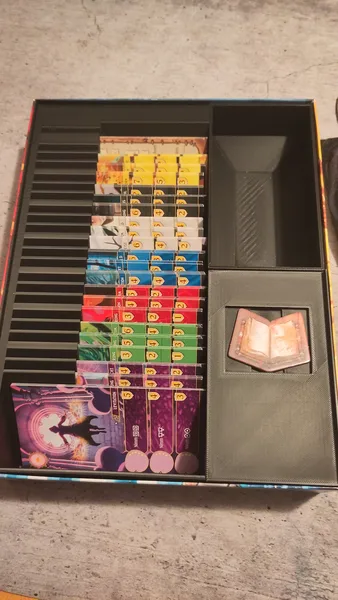
This is my custom insert for Clinic Deluxe Edition , including all currently released expansions.
I always design my inserts to store all expansions inside the base game box .
But with this one, it quickly became obvious: there’s no way everything would fit into just the base box.
The base game box has a slipcase , which means you can’t just raise the lid a bit if the insert sticks out — it has to stay flush with the box. (Not sure if that’s the case in non-German editions too.)
My solution? I cut open the slipcase and glued it onto the lid. That gave me room to go upward .
To make sure the whole thing stays solid regardless of height, I also designed structural walls to hold everything together.
Fit each expansion’s content into its own tray.
But because the box is over 300mm long, it was clear I’d need at least two trays per expansion .
That worked out fairly well for the first three expansions.
The base game + the first two expansions form one complete level (i.e. one layer of trays).
Other expansions are grouped into additional levels/layers. That way, the insert might still work for you even if you don’t own every expansion.
(And if you want, you can always print empty trays as placeholders 😄)
Here’s a breakdown of which elements belong to each level — so you know what to print together for a full, stable layer. Obviously you can arrange the different levels as you wish:
Level 01:
- Base Game (with mini-expansions)
- Expansion 1
- Expansion 2
Level 02:
- Expansion 3
Level 03:
- COVID-19
- Hazardous Materials
- Expansion 4
- Expansion 5
- Expansion 6
Level 04:
- Expansion 69 Blue
Level 05:
- Expansion 69 Pink
Level 06:
- Expansion 07
The wall file Walls_x2.stl is designed to fit the first five levels, if you also need the sixth level for the 7. Expansion you need to print Walls_Lvl1-6_x2.stl.
If you don’t print every level, you’ll need shorter walls. I’m not sure if you can easily scale down just the height in your slicer without messing up the footprint — but feel free to reach out if you’d like a custom wall version.
Only the walls require special settings — I recommend using a brim , otherwise they might not stick well to the bed.
Everything else prints just fine with standard settings.
Just be a bit careful when handling the trays: in most cases, the walls are quite thin to save space.
Happy printing!
(This text was translated from German using AI.)
 Clinic: Deluxe Edition 2019
Lift the Lid
Clinic: Deluxe Edition 2019
Lift the Lid
Cover Colors
 Clinic Deluxe: The Big Box 2026
 Clinic: Deluxe Edition – 7th Extension 2025
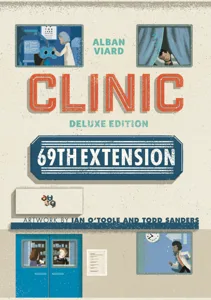 Clinic: Deluxe Edition – 69th Blue Extension 2024
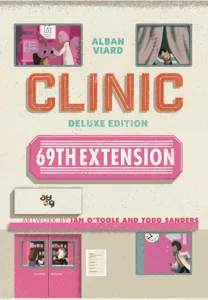 Clinic: Deluxe Edition – 69th Pink Extension 2024
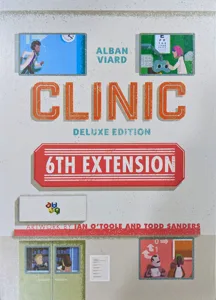 Clinic: Deluxe Edition – 6th Extension 2023
Show 13 more
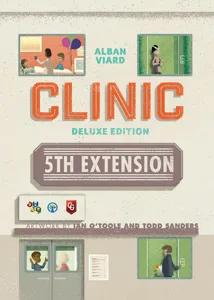 Clinic: Deluxe Edition – 5th Extension 2022
 Clinic: Deluxe Edition – Biohazard 2022
 Clinic: Deluxe Edition – Campaign Book 2022
 Clinic: Deluxe Edition – 2nd Extension 2021
 Clinic: Deluxe Edition – 3rd Extension 2021
 Clinic Expansion: Medical Dossier 4 2020
 Clinic: Deluxe Edition – 4th Extension 2020
 Clinic: Deluxe Edition – COVID-19 Pandemic 2020
 Clinic: Deluxe Edition – The Extension 2019
3
Clinic: Deluxe Edition – The Extension 2019
3
 Clinic Expansion: Medical Dossier 3 2015
 Clinic Expansion: ICU free bonus tile 2014
 Clinic Expansion: Medical Dossier 1 2014
 Clinic Expansion: Medical Dossier 2 2014