Log in to join the conversation.
Sleeping Gods Insert
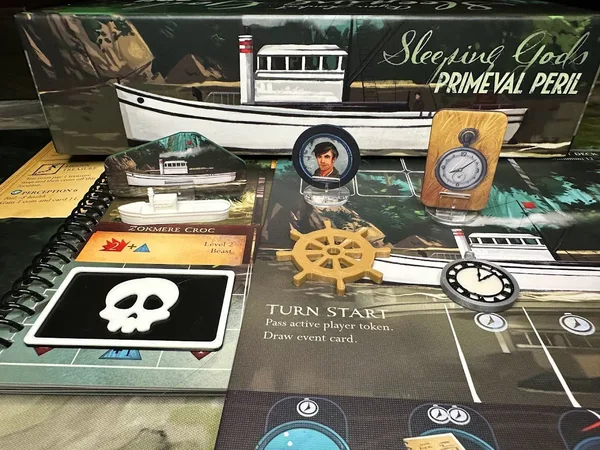
Enjoy these 3D printed insert trays for Red Raven Games' Sleeping Gods!
These inserts allow for the components from both the Dungeons and the Tides of Ruin expansions to fit inside the included storage boxes in the base game. Currently, the insert is only sized to fit sleeved Ability cards, but other cards may fit sleeved with minor adjustment. I have the upgraded resources and coins, but the trays should fit the cardboard (or 3D printed tokens) easily.
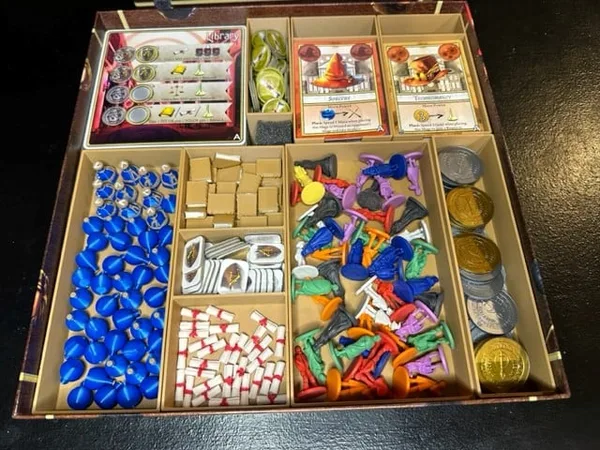
Pay attention to the pictures - the components are organized in a different manner than the rule book recommends.
Print everything x1, except for BoxC_Misc_4x, which obviously needs 4 copies. I uploaded BoxC_Snap_4x as an alternative - it has a small base cut out and some extended walls to allow the boxes to stack better.
Storage Instructions:
Box 1: Cards - for saving your quest cards, adventure cards, and event deck.
Box 1: Crew - I stack the crew with their tokens here. I use the narrow channel for storing the boat, boat action token, and saved resources.
Box 1: Misc - level cards and dungeon tokens,
Box 1: Status - status tokens, synergy tokens, and search tokens
Box 2: Ability - ability cards
Box 2: Enemy - enemy deck
Box 2: Tokens - resources and coins. Print either 1x "tokens" or 2x "split" for this box.
Box C (campaign): Market - divided for market, arcade, and dungeon cards
Box C (campaign): Misc - one for damage, one for fatigue, one for command / combat / ship damage, one for other cardboard (captain, sea monster, etc.)
Updates:
2021-02-15: Uploaded V2 of Box1 Crew and Status trays - these should help the crew boards not be as tight of a fit. Also uploaded a split version of the token tray for Box 2.
More by tradenmyr