Log in to join the conversation.
Universal Card Dividers
Print Profile 42m 30 g PLA
Plate Details (1)
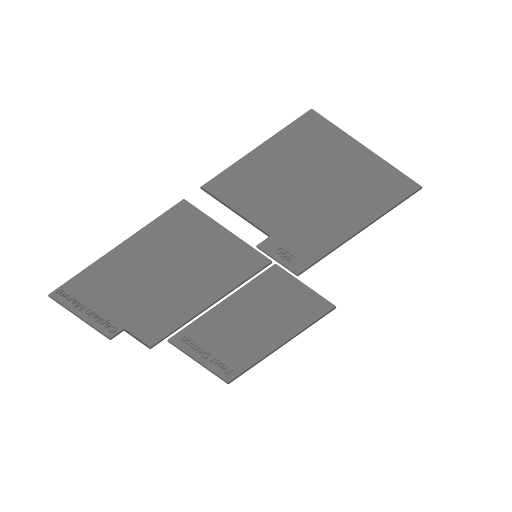
This file will allow you to generate universal card dividers for board/card games or collectible cards. Use the parameters to set the height and width of the cards you want to divide. The label can be on the right, left, or middle, and is resizeable depending on your needs. You can change the text size to fill out the label size as desired.
You can also leave the text parameter blank, and use a label maker to make labels. These labels come in tons of sizes, but 12x30 or 12x40 works nicely for most cards.
Parameters:
[Card Size]
card_height: Default is 88 mm, this measures the height of the card.
card_width = Default is 64 mm, this measures the width of the card.
divider_thickness = Default is 1 mm, this is measuring the thickness of the divider (not including the text on the label, which is raised above and beyond this measurement). Choices are 1 mm, 1.2 mm, 1.4 mm. 1 mm is flexible but I’ve found it perfectly suitable. 1.4 is considerably stiffer.
[Label]
Label: The text that will be printed on the label section of the divider. This will print as a 0.4 mm layer on top of the divider thickness, and can be adjusted in the slicer to print in a different color by layer.
text_size: Default is 5, this is the size of the text that will print on the label. 4 is about the smallest you’d want to do with a 0.4mm nozzle.
label_side: Should the label tab appear on the left side, the right side, or the middle?
label_width: How wide should the label tab be? Default is 35, which is enough for about 9 characters at size 5.
label_height: How tall should the label be? Default is ten which is sufficient for size 5 text.
[Pattern]
Pattern: Default is “none”. Do you want to carve out the middle of the divider with a pattern or leave it empty to cut down on filament.
fill_thickness : Default is 2. This is how thick the pattern will appear if a pattern is chosen.
[Deboss]
Deboss: Do you want to subtract text from the bottom margin of the card to indicate the game or set or some other bit of information regarding the divider? Default is “no”.
deboss_text: What do you want that text to read?
[Colors]
These options are mostly for readability in the editor. Generally you’d use the slicer to change the colors according to what options you have.
 Miscellaneous Game Accessory
Lift the Lid
Miscellaneous Game Accessory
Lift the Lid
Cover Colors
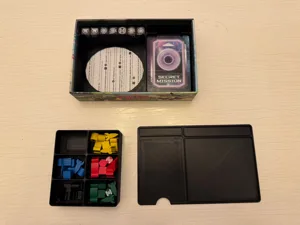
I made a module to generate universal card dividers. You can change the divider size, the tab size and location, and add text to the tab if desired. There's a few examples posted, although my photography skills are pretty poor, I apologize. Universal Card Dividers I added the ability to make the divider empty or add a hexagonal internal pattern to cut down on time and filament: