Log in to join the conversation.
Merchants & Marauders ship hit locations grid
Print Profile 2h 5m 31 g PLA
Plate Details (1)
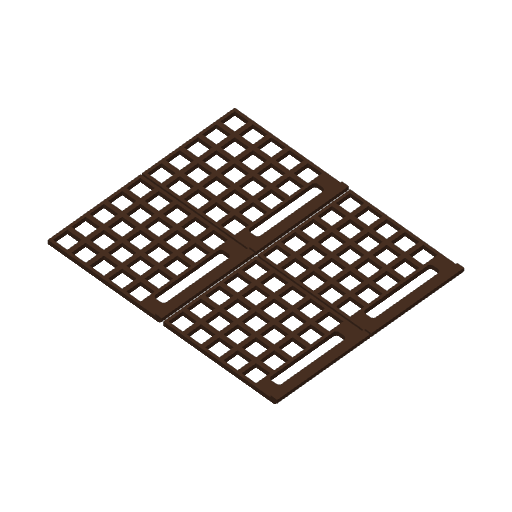
Merchants & Marauders is a great pirate sandbox board game. There's one little thing that annoys me: the grid where you place cubes meant to mark the player's ship hit locations is not recessed and cubes placed onto it slide too easily, making you lose track of the current ship stats, especially when damaged.
Short of creating whole laser-cut acrylic board to place cubes and tokens, this little grid fixes that with minimal filament and storage space required.
Just print the piece as shown in the profile and flip it to use: if you use a textured PEI plate it will show a little grain, which combined with a brown filament (I have used dark chocolate matte PLA from Bambu) can produce a pleasant effect and blend well with the player's board colors.
No post-processing is required. The “lip” that protrudes from the lower side is a little shorter than the cardboard thickness: it's on purpose because you can optionally glue there a small piece of anti-slip / grip mat which will prevent the grid from sliding. Even if it does though, at least the position of the cubes won't risk to be all messed up – the problem the grid solves.
 Merchants & Marauders 2010
Lift the Lid
Merchants & Marauders 2010
Lift the Lid
Cover Colors
 Merchants & Marauders: Seas of Glory 2015
3
Merchants & Marauders: Seas of Glory 2015
3
More by Cat for Scale