Log in to join the conversation.
Monkey Palace: Skull Micro Expansion Fan Edition
Print Profile 32m 6 g PLA
Plate Details (1)
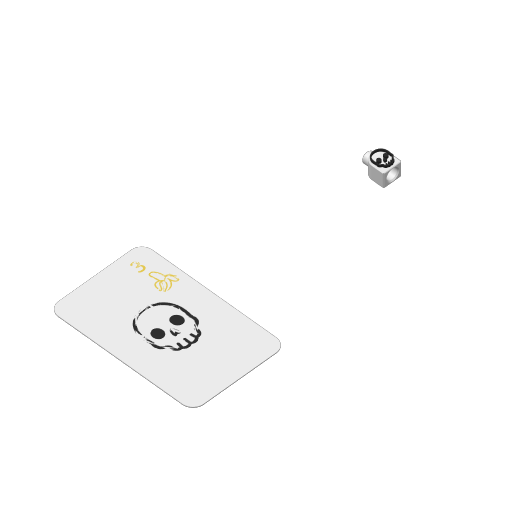
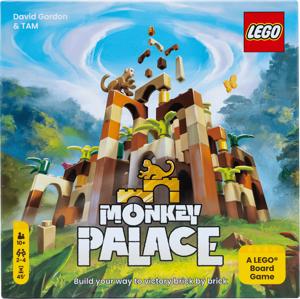
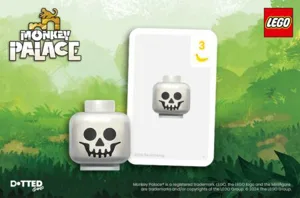
Recently purchased the board game “Monkey Palace” and immediately fell in love with the game. I noticed there was a micro expansion that isn't for sale anymore. Therefore, I wanted to make a Fan Edition so that anyone can experience this micro expansion for themselves! This print takes less than 35 minutes with only 5 FIlament changes. It uses Quick Note
The top knob might be a little tight if there is still a bit of support stuck on. However, once you place your first arch piece on top it'll basically remove any remaining residue and make sure your printer is calibrated and the bed is leveled!
Skull Expansion Rules and the Base Game Information can be found here: https://dottedgames.com/monkeypalace/
Design Reasoning
Skull Game Piece - I balance the size of the game piece with the quality of the Skull print with a 0.4mm Nozzle. Anything smaller the Skull did not print well. I also decided to print the Skull faced up because I wanted a smooth surface (by using ironing). I also liked how the Skull protrudes out adding a texture when placing it on the top of the arch! I left the different components of the Skull in the file so you can remove components to your liking.
Skull Card - I purposely chose to print the Skull Card facing up so that there's a smooth surface (by using ironing). It really made the graphics pop but feel free to flip the Skull Card on the Plate if you prefer to print it face down.
Print Profile Reasoning
Ironing Type - Top surfaces to produced a visually pleasing result for game and card pieces. Make sure your bed is leveled!
Overhang Speed + Support on Top Knob - reduced the speed by half so that the top knob is more uniform for arches to go ontop and for the bottom hole to fit better.
Plate Setting - Print sequence = “By object” because it prints faster and uses less filament!
Object Order - Printing the Skull Card first returns better results since a proper ironing from the knozzle is required on the Skull Card and less on the Skull Game Piece.
Powered by MakerWorld-Make My Sign (https://makerworld.com/makerlab/makeMySign)
Boost Me Likes & boosts keeps me going!
/pic9248450.jpg)