Log in to join the conversation.
Contra-Rotating Illimat Game Box
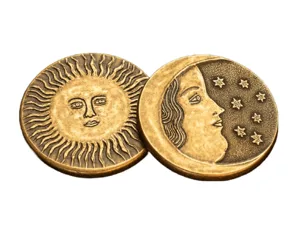
My partner loves the game Illimat and they mentioned the captain's edition of the game, so I designed this roughly based on my idea of that. It uses a planetary gear box to turn clockwise motion of the figure or topper on the top to counterclockwise motion of the game box. The box is slightly off the ground to avoid interference with the cloth game board. The box still rotates well with okus tokens on top and is sturdy enough for play.
I printed this using PLA on my Creality Hi. The print turned out well, and I'll include the multi-plate .3mf file in the files for easy printing. The outer shell is not oriented in the “most economic” way in terms of filament cost, but is oriented in the most stable way for printing without failure for 8 hours.
To actually print this, use supports (auto or tree probably work the same). If you have a multicolor system, the garden variety panels are easy to print (I used red PLA, olive green PLA, and white PLA) but it will be harder with a single-color printer. In that case, I'd recommend painting the model or printing the original version since the side panel plate only has a single filament change at the layer height for the raised designs.
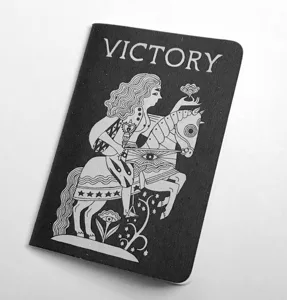
The original variant of the five panels (four sides and top) is modelled off of the original game's look, adhering to the monochromatic design to be cohesive with the board. This is the easiest to print and assemble and looks professional with minimal post-processing.
The garden variant is modeled off of “Joan in the Garden” with the Joan of Arc topper and ivy-vine and flower decorations. Green is my partner's favorite color and we bonded over the song of the same name, so I was inspired to make this alternate version. This is harder and more time-consuming to print and works well with a CFS/multicolor system. I used olive green as a base with the red flowers and white raised designs but other color combinations can work as well. I recommend printing the box and the panels the same base color to keep consistency.
I made the panels using projected SVGs from drawings I did in Adobe Illustrator, so this method can be used to create custom panels.
If the gears don't turn smoothly, hit them with some sandpaper to remove seams, as they will make the turning jerky. This is the same with the inner gear pegs for the box, sand them a little if needed until they rotate nicely. Joan will likely not print nicely on the first try due to her sword. If this is the case, try printing the sword separately (use your slicer to cut it) and attach it with glue (which is what I had to do.)
If you want to make new side panels or toppers, feel free to post them as long as you credit me/link the original model. This is my first online-published model, but I think it's a good starter. Happy printing :>

/pic9144661.jpg)