Log in to join the conversation.
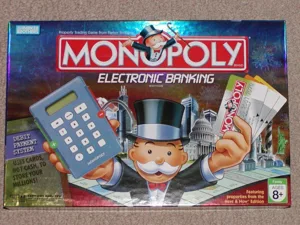
Monopoly - Electronic Banking Edition (2007) Replacement Credit Card
We love Monopoly and the Electronic Banking Edition from 2007 was one our favorite editions.
But the dog got to it. Yeah, that didn't go well. So I had to make a replacement and figured may as well get the whole set done and identified in a slightly different way than the original.
Bring in cards 1, 2, 3, etc. into PrusaSlicer and “Add Negative Volume.” Enter whatever name you want to use (I put mine at the top left) and “Cut” to a depth of .5mm. This should work out for pretty much everyone. Additionally, use .1mm as the layer thickness.
Also, I would use Ironing (yeah, that definitely adds some time, but the results will be noticeable.)
Diving a little deeper into the “programming” here: there are three “dots” used to identify the card. Using binary (001, 010, 011, etc) cards 1 through 6 are identified from each other. Fun, huh?
Since there are different levels to this design, you can get as creative as you want using multiple colors. Check out the photos!