LayerUp Games
Games ▾
All Games
My Games My Accessories
Game Shelf Sleeve Stash Sleeve Catalog
3D Models ▾
All Game 3D Models Tabletop Accessories
Kanban BG My Prints My Future Prints My Collections
Blog
Community ▾
Makers Designers
Submit a 3D Model Request a 3D Model 3D Model Bounties
3D Printing Resources
Unboxing #56
Theme
Light
Dark
⌘K
Sign in Join free
John Wrot!
On the box

John Wrot!

19 games 1 3D model Designed 19 games

Game designer of The King's Armory and the owner of Gate Keeper Games.

Biography and credits from BoardGameGeek.

Designed 19 games

The King's Armory box cover The King's Armory · 2015
1
A.D.A.P.T. box cover A.D.A.P.T. · 2016
0
17 more without a cover yet
The King's Armory: 7th Anniversary Edition 2021 0
A.D.A.P.T.: Red Cephalopod Expansion Pack 2016 0
A.D.A.P.T.: Green Reptile & Amphibian Expansion Pack 2016 0
A.D.A.P.T.: Blue Fantasy Creature Expansion Pack 2016 0
A.D.A.P.T.: Yellow Guppy Expansion Pack 2016 0
A.D.A.P.T.: Black Bio-Mech Expansion Pack 2016 0
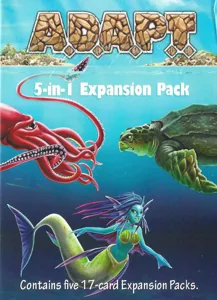
A.D.A.P.T.: 5-in-1 Expansion Pack 2016 0
The King's Armory: Kickstarter exclusive extras 2015 0
The King's Armory: Firepower Expansion Set 2015 0
The King's Armory: Robin Hood the Sharpshooter 2015 0
The King's Armory: Asphar the Barbarian 2015 0
The King's Armory: Rhette the Pirate 2015 0
The King's Armory: Alexian the War King 2015 0
The King's Armory: Fairytale Expansion Set 2015 0
The King's Armory: Artaxerxes the Jester 2015 0
The King's Armory: Zoe the Ninja 2015 0
The King's Armory: Reward Expansion Set 2015 0
Board Games Game Prints Accessories Designers Photos Stats Submit a 3D Model Request a 3D Model
Blog Guides About Privacy Contact VisualSpool Discord
Powered by BoardGameGeek Powered by BoardGameGeek
The newsletter

Join the LayerUp Newsletter and be notified of new blog posts and 3D model reviews/articles.

Made with by Kamio · © 2026 LayerUp Games · Not affiliated with any platform
↑↓ navigate ↵ open esc close

Keyboard shortcuts

General
CtrlKOpen the command palette
/Jump to the page search
EscClear search · close dialogs
?Show this help
In the command palette
↑↓Move between results
↵Open the selected result
EscClose the palette
Open the command palette →