LayerUp Games
Games ▾
All Games
My Games
My Wishlist My Accessories
My Pledges
Crowdfunding
Game Shelf
Sleeve Stash
Sleeve Catalog
3D Models ▾
All Game Models Tabletop Accessories
Kanban BG
My Prints My Future Prints
My Collections
Submit a 3D Model Request a 3D Model 3D Model Bounties 3D Printing Resources
Blog New post
Community ▾
Players Designers
Feature Voting
Unboxing #101 ▾
Leaderboard
Support LayerUp ▾
Founders Wall
Theme
Light
Medium
Dark
⌘K
Sign in Join free
Chip Beauvais
On the box

Chip Beauvais

16 games Designed 16 games

Designer of ChromaCubes and several Button Shy games.

Biography and credits from BoardGameGeek.

Designed 16 games

Universal Rule box cover Universal Rule · 2017
0
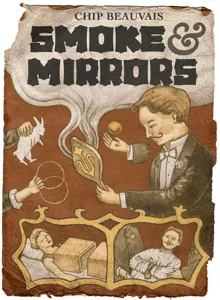
Smoke & Mirrors box cover Smoke & Mirrors · 2015
0
Universal Rule: Second Wave box cover Universal Rule: Second Wave · 2018
0
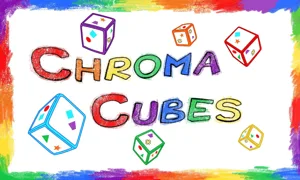
Chroma Cubes box cover Chroma Cubes · 2014
0
Universal Rule: Solo AI #1 box cover Universal Rule: Solo AI #1 · 2020
0
Universal Rule: Singularity box cover Universal Rule: Singularity · 2020
0
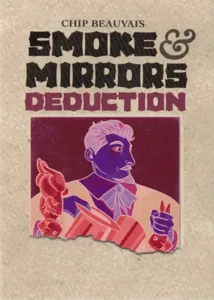
Smoke & Mirrors: Deduction box cover Smoke & Mirrors: Deduction · 2018
0
Universal Rule: Duplicity box cover Universal Rule: Duplicity · 2017
0
Tubthumping box cover Tubthumping · 2017
0
Universal Rule: Character Pack #1 box cover Universal Rule: Character Pack #1 · 2017
0
Universal Rule: Edge of War box cover Universal Rule: Edge of War · 2017
0
Universal Rule: Magnitude box cover Universal Rule: Magnitude · 2017
0
4 more without a cover yet
Jackpot Payout 2021 0
Universal Rule: Attack! Attack! 2017 0
Universal Rule: The Void 2017 0
Smoke & Mirrors: Double Backed Swirls Card 2015 0
Board Games Game Models Accessories Designers Photos Stats Submit a 3D Model Request a 3D Model
Blog Guides Support LayerUp About Privacy Terms Contact VisualSpool Discord
Powered by BoardGameGeek Powered by BoardGameGeek
The newsletter

Join the LayerUp Newsletter and be notified of new blog posts and 3D model reviews/articles.

Made with by Kamio · © 2026 LayerUp Games · Not affiliated with any platform
↑↓ navigate ↵ open esc close

Keyboard shortcuts

General
CtrlKOpen the command palette
/Jump to the page search
EscClear search · close dialogs
?Show this help
In the command palette
↑↓Move between results
↵Open the selected result
EscClose the palette
Open the command palette →