LayerUp Games
Games ▾
All Games
My Games My Game Wishlist
3D Models ▾
All Game 3D Models Tabletop Accessories
Kanban BG My Prints My Future Prints
Makers ▾
Makers Designers
Contribute ▾
Submit a 3D Model Request a 3D Model 3D Model Bounties
3D Printing Resources
Unboxing ▾
Today's Puzzle
Leaderboard Archive
Theme
Light
Dark
⌘K
Sign In Register
Civilization

Civilization

1980
Submit a 3D Model

Buy this game on Amazon ↗

As an Amazon Associate, LayerUp Games earns from qualifying purchases.

Cover Colors

Main colors from the cover art. Find matching filament, or tap swatches to narrow.

Hide matches ▴
Game Details

Design by Francis Tresham

Art by Ed Dovey, Charles Kibler, Rodger B. MacGowan +3 more · Published by Hartland Trefoil Ltd.

#540
Rank
7.5
Rating
3.6
Weight
2–7
Players

Civilization is a game of skill for 2 to 7 players. It covers the development of ancient civilizations from the invention of agriculture c. 8000 B.C. to the emergence of Rome around the middle of the third century B.C. Each player leads a nation of peoples over a map board of the Eastern Mediterranean and Near East as they attempt to carve a niche for themselves and their culture. Although battles and territorial strategy are important, this is not a war game because it is not won by battle or conquest. Instead, the object of play is to gain a level of overall advancement involving cultural, economic, and political factors so that such conflicts that do arise are a result of rivalry and land shortage rather than a desire to eliminate other players. Nomad and farmer, warrior and merchant, artisan and citizen all have an essential part to play in the development of civilization. It is the player who most effectively changes emphasis between these various outlooks who will achieve the best balance and win. (from the Introduction to the Avalon Hill edition rulebook) This game has a huge following and is widely regarded as one of the best games about ancient civilizations. Each player takes on the role of leader of an ancient civilization, such as the Illyrians or Babylonians. Your task is to guide your people through the ages by expanding your empire and using its proceeds to finance new technological advances, such as Literacy, Metalworking, or Law. The advancements help your civilization better cope with its problems as well as help bring new advancements. Civilization is widely thought to be the first game ever to incorporate a "technology tree," allowing players to gain certain items and abilities only after particular other items were obtained. This influential mechanism has been adopted by countless other board games, card games, and computer games.

Ancient, Civilization, Economic, Negotiation · Area Majority / Influence, Area Movement, Automatic Resource Growth, Hand Management, Set Collection, Simulation, Tech Trees / Tech Tracks, Trading, Turn Order: Stat-Based

More ▾

View on BGG ↗

2 3D models for Civilization

2 designers · newest 4mo ago

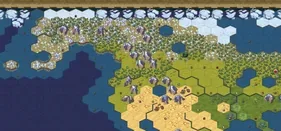
Civilization: Board Game Respresenting Tiles
Printables Average Roblox Dev 4
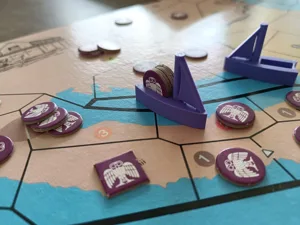
Civilization Boat Upgrade
Tokens & Resources
MakerWorld 3DPrinsesje 3

Don't see the 3D model of your dreams? Request it here

Expansions (1 with prints)

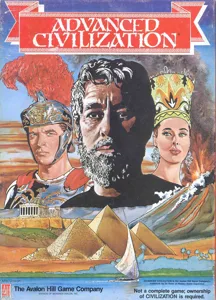
Advanced Civilization
1991 · 2 prints
Show all expansions (1 with no prints yet)

You might also like

Similar games by designer or mechanics that also have 3D models.

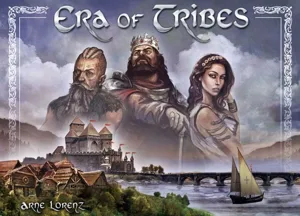
Era of Tribes
Era of Tribes
3 prints
Medioevo Universale
Medioevo Universale
2 prints
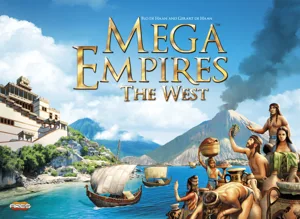
Mega Empires: The West
1 print
Daybreak
Daybreak
8 prints
Clash of Cultures
Clash of Cultures
1 print
Europa Universalis: The Price of Power
1 print
Board Games Game Prints Accessories Designers Photos Stats Submit a 3D Model Request a 3D Model
About Privacy Contact Tabletop Glow Up VisualSpool Discord
Powered by BoardGameGeek Powered by BoardGameGeek
Made with by Kamio · © 2026 LayerUp Games · Not affiliated with any platform
↑↓ navigate ↵ open esc close

Keyboard shortcuts

General
CtrlKOpen the command palette
/Jump to the page search
EscClear search · close dialogs
?Show this help
In the command palette
↑↓Move between results
↵Open the selected result
EscClose the palette
Open the command palette →